
Jul
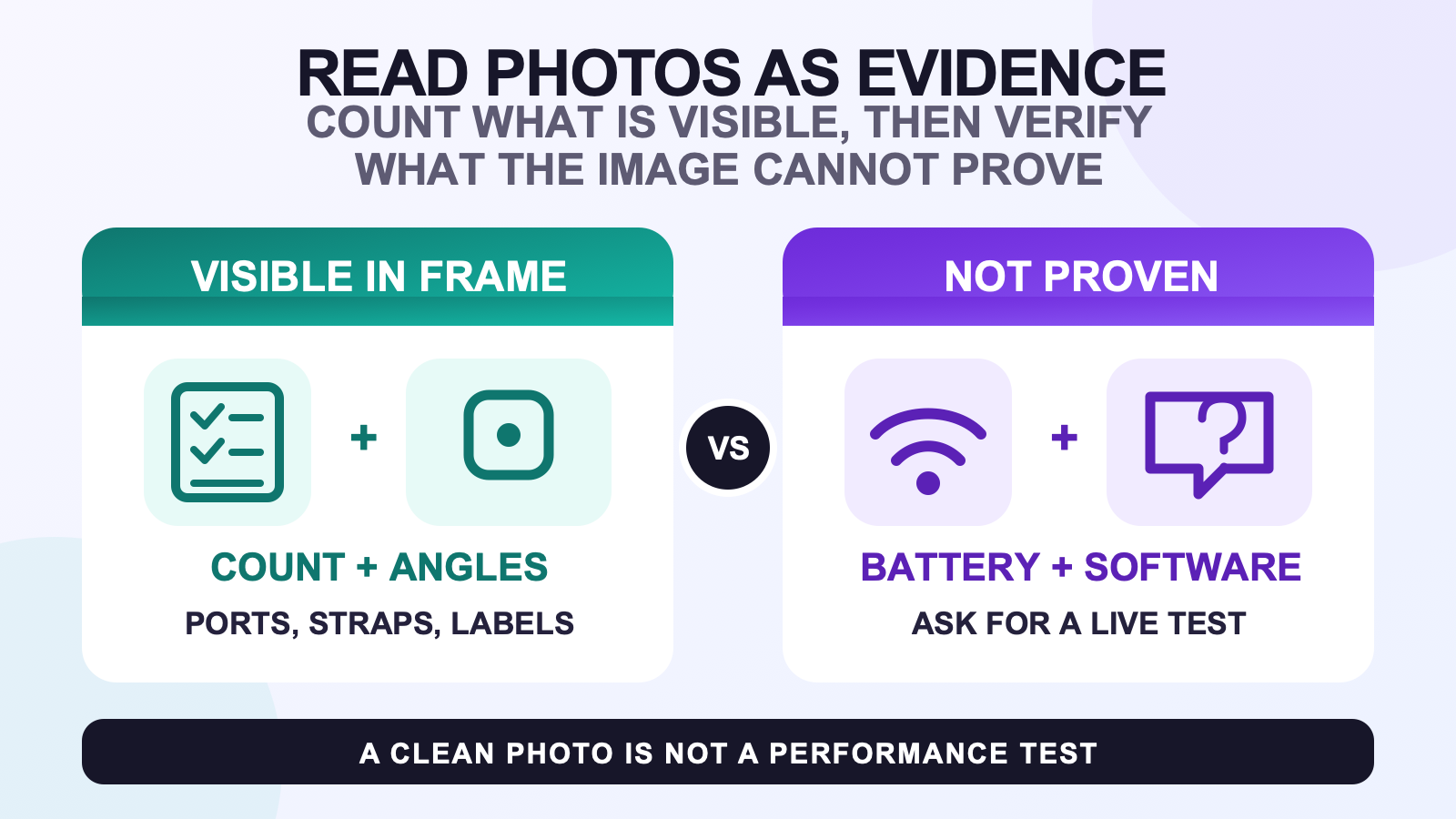
Full body tracking product photos are useful evidence only for details that are actually visible. They can show a count of pictured items, several angles of a tracker, its port and visible labels, a scale reference, strap construction, and how a kit was arranged for the camera. They cannot prove battery health, firmware, ownership, internal condition, compatibility, or tracking quality.
Use each image to answer one narrow question, then match what you saw to a current written record or a live test. That approach is more reliable than deciding that a polished gallery looks complete or that a clean housing must work correctly.
Product photo evidence: visible, written-match, or unproven
Sort every observation into one of three buckets. The first bucket is visible in the frame. The second needs a written match because the picture does not identify the selected variation or the exact order. The third cannot be established by a still image at all.
| Evidence bucket | Reasonable conclusion | Next check |
|---|---|---|
| Visible in frame | You can count pictured trackers, see a charging port, read a clear label, or inspect the shown strap surface. | Record exactly what is visible without adding a specification. |
| Needs a written match | A size label, accessory layout, or number of trackers may describe the pictured example. | Match it to the selected variation and the current written package checklist. |
| Not proved by a photo | Battery health, firmware, sensor identity, ownership, compatibility, and tracking behavior remain unknown. | Use the relevant written documentation, a dated power-on proof, or a supported setup test. |
This classification also prevents a common mistake: treating the number of trackers in a hero image as the number a buyer selected. Use the tracker-count decision guide for the movement goal, then confirm the selected variation separately.
Begin with one complete overview and count only what is visible
A useful overview places the pictured items in one frame without covering them. Count trackers, straps, cables, an adapter, a case, and any separate mounts one category at a time. If an item is hidden inside a bag or under another part, mark it as unseen rather than assuming it is present.
Then compare the overview with closer images. A second angle can confirm that two objects are different physical units rather than the same unit photographed twice. Consistent housing marks, labels, strap folds, or surface details can help connect the overview and detail images. They still do not prove that the complete set in the photograph is the set that will ship.
The live FBTKit product record currently lists 5, 6, 8, and 10 tracker variations and exposes a shared six-image gallery. Use the current FBTKit product record and gallery as one dated cross-check, not as proof about a different listing or seller.
Ask for angles that identify the same physical tracker
One front-facing image is weak identification evidence. Look for a front or top view, the charging-port side, the switch or control side when present, the underside, and any visible label. The goal is not to diagnose electronics from the enclosure. It is to confirm that the listing shows a consistent physical item from enough angles to support basic questions.
A measurement graphic can be helpful when its reference points are clear. It should show which edges were measured and use a readable unit. A hand or keyboard provides only rough scale because hands, camera lenses, and perspective vary. If exact size matters, compare the image label with the current written specification rather than measuring pixels.
Still images cannot verify the component inside a closed housing. A printed sensor name, a seller caption, or a familiar enclosure is a claim to confirm, not a view of the internal part. The same limit applies to battery capacity and firmware version.
Read strap and wearing images within their limits
A close strap image can show the visible weave, closure surface, stitching, edge finish, and how the tracker contacts the strap. A worn image can show the pictured route around a waist, thigh, ankle, or foot. Neither image proves long-session comfort, resistance to slipping, or fit for every body and garment.
Use those images to form concrete questions. Is the tracker attached to the strap in the same way across views? Does a close-up reveal the contact surface that was hidden in the lifestyle image? Is the strap length given in writing, or is the photo only showing one person? For selection and tension depth, continue to the tracker strap fit guide.
A wearing photo also does not replace setup instructions. SlimeVR’s official putting-on-trackers documentation describes body assignment and mounting direction as operational steps. A promotional pose may illustrate context, but it cannot establish that those steps were completed correctly.
Treat lifestyle images as context, not compatibility proof
A headset, computer, avatar, or VRChat scene in the background tells you how the photographer framed the use case. It does not prove that the pictured tracker route supports every headset, connection method, network, or app. Compatibility depends on named hardware and the actual software path.
Move that decision to the full body tracking compatibility checklist. SlimeVR’s official quick setup also shows why a still product image is incomplete evidence: configuration, network connection, tracker assignment, mounting, calibration, and app integration happen after the product is photographed.
Be equally cautious with action images. A dancer pose or a clean avatar frame does not disclose the test conditions, edits, calibration state, or failure cases. Use it to understand the intended scenario, not to infer measured accuracy or reliability.
Require a dated seller photo set for marketplace listings
Marketplace photos need a stronger identity check because the buyer is evaluating a particular physical set. Ask for one current overview with a handwritten date or agreed phrase beside the items, then request detail views of the same trackers, ports, visible labels, straps, cable ends, adapter label, and case. Keep personal order information and serial details out of public messages.
- Ask the seller to lay out the complete claimed set in one frame.
- Request two or more angles of representative trackers and close views of any visible damage.
- Match cable ends and the adapter label to the written claim instead of judging a coiled cable by shape.
- Request a dated power-on or software-screen proof when operational state matters.
- Record which units were demonstrated; one powered unit does not prove that every pictured unit works.
Photos are only one part of that decision. Use the complete used-kit evaluation for seller records, the exact model, return conditions, software dependencies, and a live demonstration plan.
Compare the gallery with current written records
Make a simple comparison sheet with three columns: pictured, written, and unresolved. If a photo shows six trackers but the selected variation says eight, do not guess whether two are off camera. Ask for a corrected overview or written clarification. If the image shows several straps but no lengths, note that the count and lengths still need a written match.
Use the same discipline after delivery. The order record identifies what was selected; the listing describes the current offer; the box shows what arrived. Those records can differ in date and purpose. The after-delivery check explains how to preserve the package context and document a mismatch before setup adds more variables.
If the images and written record agree, continue with the general pre-purchase route. Agreement reduces ambiguity, but it still does not prove a future setup result.
Keep a short photo-question log before checkout
Write each unresolved point as a question that another person can answer. Replace “Does this look complete?” with “The selected variation says eight trackers; can you provide one dated frame showing all eight?” Replace “Will this work with my headset?” with a question that names the headset, PC or standalone route, app, and intended software path.
Save the listing URL, the date checked, and the image that raised the question. If the seller or product page changes, you can distinguish an old assumption from the record you reviewed. Do not edit claims into screenshots or use a cropped image that removes the surrounding context.
The best photo review ends with a small evidence set and fewer assumptions: a current overview, useful angles, readable visible details, a written match, and an explicit list of facts that still need a live test.
FAQ
What can full body tracking product photos reliably prove?
They can support a count of items visible in the frame and show visible angles, ports, labels, measurements, surface condition, and strap construction. State only what is shown and match variation-specific details to a current written record.
Does one photo of several trackers prove the package is complete?
No. It proves only that those items were pictured together. Compare the visible count with the selected variation and written package list, and ask for a corrected overview when the records do not match.
Can a still image prove battery health or tracking quality?
No. A still image cannot establish battery health, firmware, sensor identity, connection reliability, calibration state, or tracking quality. Those claims need an appropriate written record, dated power-on proof, or supported live test.
Which extra photos should I request from a marketplace seller?
Request a dated full-set overview, multiple angles of the same trackers, charging ports and visible labels, strap and cable details, the adapter label, and close views of any damage. Ask for a separate power-on or software proof when operation matters.
How can I tell whether a seller photo is current?
Ask for a new overview containing an agreed handwritten date or phrase beside the actual set. Keep the uncropped context and compare distinctive physical details across the overview and close views.
Official setup references
Product and gallery facts were checked on August 11, 2026. Official documentation was checked on the same date. This guide does not claim a current SERP sample, a controlled seller-photo study, or first-hand battery and tracking tests.
