
Jul
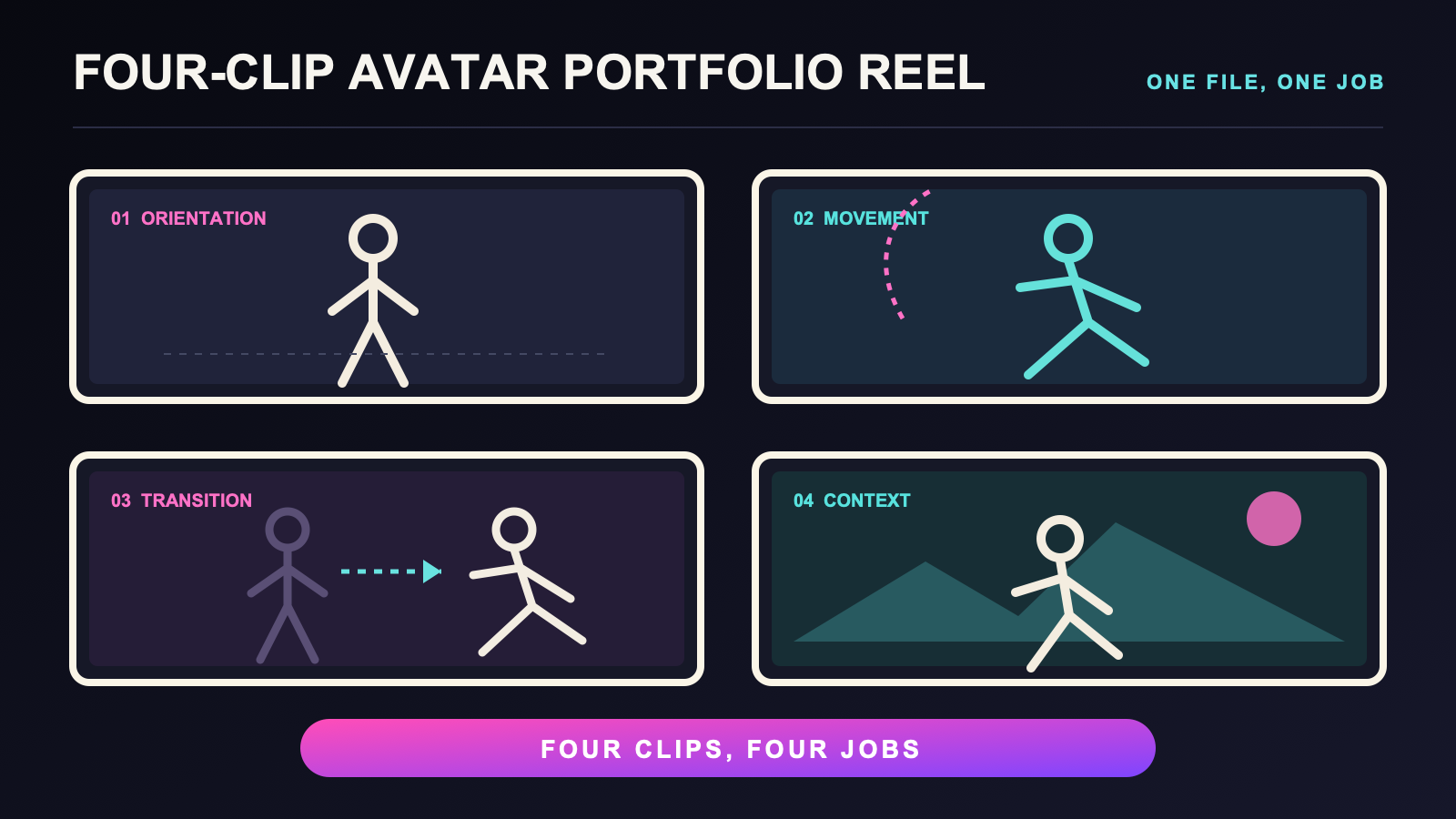
A useful avatar portfolio reel does not need to be a long montage. Build a four-clip avatar portfolio reel in which every file has a separate job: orientation, movement, transition, and context. The set is small enough to review as one unit and structured enough to reveal when two clips show the same thing.
Four is a production format, not a universal portfolio rule. A project may need fewer or more files. This workflow gives you a clean first unit and a way to decide whether another clip would add new information.
Give each clip one clear job
The orientation clip introduces the avatar’s body presentation in stable framing. The movement clip shows one deliberate movement phrase. The transition clip connects two planned states. The context clip places one short action in the visual setting the reel is meant to represent.
| Clip | Job | What makes it distinct |
|---|---|---|
| Orientation | Show the readable body silhouette | Stable view with a clear start and end |
| Movement | Show one movement phrase | A complete action rather than a held pose |
| Transition | Connect two planned states | The change itself carries the information |
| Context | Show one action in its intended setting | Scene and action answer the same purpose |
If two clips cannot explain how their jobs differ, combine, replace, or remove one. A second camera angle is not automatically a second portfolio role. It earns a place only when the view reveals information the first clip cannot show.
Write one card for each file
Before recording, write four short clip cards. Each card needs a working name, purpose, avatar version, camera view, framing, starting state, ending state, file stem, and review decision. Add a scene or world only when it serves the clip’s job.
The orientation card can specify the silhouette and crop that must remain visible. The movement card names one action and its endpoint. The transition card names both states and the direction of change. The context card states what the scene contributes, so a decorative location does not distract from the avatar.
Still images may support the reel, but they belong to a separate production route. Use the avatar photography guide for that output. If a clip depends on acting choices, hand those decisions to the character performance guide rather than turning every portfolio card into the same broad creator prompt.
Keep shared visual rules across the set
The four clips should feel related even though their jobs differ. Record a shared aspect ratio, general crop rule, avatar version, file-naming pattern, and presentation note. These shared fields make the set easier to compare and reduce accidental differences that have no portfolio purpose.
Consistency does not mean copying one camera position across every file. A transition may need more room than an orientation hold. A context clip may use a different background. Record the reason for each exception on the card. The exception then reads as a decision instead of an error.
If the project needs source material for later animation or analysis, route that work to the motion reference clip guide. A portfolio reel selects finished presentation files; a motion-reference set preserves movement information for another production task.
Capture by role, not by mood
Create the destination folder and four file stems before the first take. Record one card at a time. Finish the expected takes for that role, confirm that the files exist, and make a short capture note before changing the scene or camera.
A home capture process has its own room and camera decisions. Use the home avatar clip guide for those details. If the footage will appear in a live layout, the stream presentation guide covers the live-view problem. This page stays with the four-file reel and its review grid.
Do not record extra takes merely to make the folder look substantial. Each take should respond to a named problem, such as a crop that hides the ending state or a context clip whose scene makes the action hard to read. Stop when the card has a usable file or a clear blocker.
Test the avatar before assembling the reel
A reel should not quietly mix unrecorded avatar changes. Before capture, use the new avatar FBT test and note the avatar version on every card. If the avatar changes during the project, decide whether the earlier files still belong in the same unit.
This check is about traceability, not a claim that one avatar is better. The footage may reveal a visual difference, but the reel alone cannot identify its technical cause or prove tracking accuracy. Keep technical diagnosis outside the portfolio selection step.
Review the reel as a set
Open the four selected files in their intended order. Review each file for purpose, recognizability, framing, start and end states, file label, and avatar version. Then review the set for duplication. Ask what information would disappear if one clip were removed.
Use one of four decisions for every card: keep, revise, recapture, or replace. Revise means the existing file needs an edit or label change. Recapture means the same role remains valid but the file misses a named visual requirement. Replace means the role itself needs a different concept.
Do not score the reel as proof of creator skill, professional readiness, employability, tracking quality, or audience response. Those conclusions need evidence this workflow does not have. The review only checks whether the four files are distinct, traceable, and useful for the stated portfolio purpose.
Compare equipment only after defining the reel
Write the platform path, available room, wearing routine, capture method, and file needs before looking at a product. If an IMU-based FBT route fits that list, compare the Core Full Body Tracking Kit with the same requirements as one current option. Recheck the live offer before deciding because product details can change.
Equipment can support a capture route, but it cannot supply the four clip roles or prove the finished reel’s quality. Those decisions stay on the cards and in the set review.
Frequently asked questions
What are the four clips in an avatar portfolio reel?
Use an orientation clip, a movement clip, a transition clip, and a context clip. Each file should add information that the other three do not already show.
Does every avatar portfolio need exactly four clips?
No. Four clips are a manageable production unit for this workflow, not a universal requirement. Add or remove files when the project’s actual review purpose calls for it.
How can I keep four portfolio clips visually consistent?
Record a shared aspect ratio, general crop rule, avatar version, file-naming pattern, and presentation note. Write the reason for any deliberate exception on that clip’s card.
Can a four-clip reel prove tracking or creator quality?
No. It can present selected avatar footage, but it does not by itself prove tracking accuracy, creator skill, professional readiness, originality, employability, or audience response.
When should a portfolio clip be recaptured?
Recapture when the clip’s role is still valid but the file misses a named visual requirement, such as the intended crop, start state, ending state, readable movement, or scene purpose.
Official reference
Use the VRChat full body tracking documentation for current platform-level feature information. It does not define the portfolio roles or evaluate the finished reel.
