
Jul
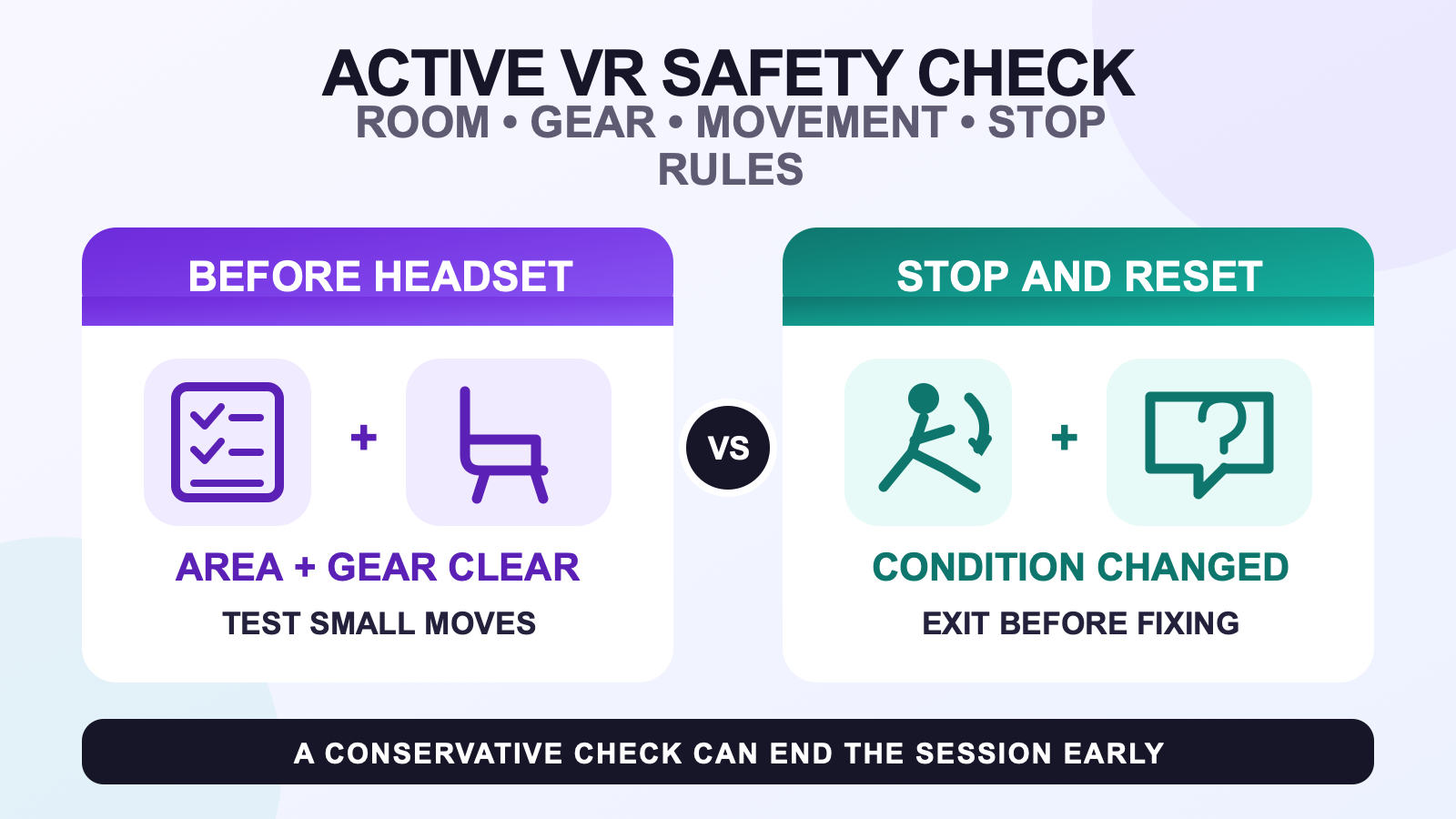
Use four gates before an active full body tracking session: inspect the real play area, inspect every worn device and strap, test the planned movement at low intensity, and name the conditions that will make you stop. A headset boundary and a connected tracker view are useful, but neither can confirm that the floor stayed clear or that a strap remained secure.
This is a conservative physical routine, not medical advice and not a promise that any equipment makes active VR risk-free. Follow the current health, safety, age, play-area, and comfort instructions for your own headset and devices. Then adapt the movement to the space you can verify, not the space the virtual world appears to provide.
Inspect the real play area while you can see it
Do the room check before putting on the headset. Look at the entire floor, the space your arms can reach, and the path you will use to enter and leave. Move chairs, bags, loose cables, low tables, and anything that can roll or slide. Account for people and pets who may enter after the session starts. A remembered room is not the same as the room in front of you now.
Set the headset’s current boundary or play-area mode according to its official instructions. Meta publishes model-specific roomscale space guidance, and other headset makers maintain their own requirements. Do not copy one numeric room size to every headset, tracking route, or movement. A safe area for standing conversation may still be too small for a wide turn or traveling dance step.
Choose the movement after the inspection. If the verified area supports only controlled steps and compact turns, keep the session inside that range. The movement-game planning guide can help separate a movement use case from general FBT setup. For choreography and social dance, use the dance-session workflow without treating any routine as suitable for every room.
Run an equipment gate before active movement
Count the devices you intend to wear and inspect each one in good light. Stop before use if a tracker, enclosure, mount, strap, or cable has visible damage that affects secure operation. Assign the correct body role and confirm mounting orientation in the tracking software. SlimeVR’s official mounting guidance says trackers should sit securely, match the assigned body part, and remain comfortable for the wearer.
Secure does not mean as tight as possible. A strap should keep its tracker in a repeatable position during a small step, bend, and turn without pinching, creating a hard edge, or restricting normal movement. If the device rotates, the fastening opens, or the strap shifts on the clothing you plan to wear, leave the play area and use the strap placement guide before increasing intensity.
Keep charging outside the movement area. Check charge state using the device’s supported method, disconnect charging equipment, and put cables away before wearing the trackers. For a detailed station workflow, use the cable and charging organization guide.
Battery condition is a separate stop gate. The U.S. Fire Administration says to stop using a lithium-ion battery after signs such as odor, color change, excessive heat, shape change, leaking, or odd noises. Do not wear, charge, squeeze, or continue testing a device with those signs. Follow the product maker’s instructions for use, storage, charging, and disposal.
Stage the movement instead of trusting one green light
Start with the exact clothing, footwear, headset fit, and tracker placement you plan to use. Stand still, take a small step in each direction, bend within your comfortable range, and make one controlled turn. Watch for physical movement at the strap as well as the avatar result. A stable on-screen point cannot tell you whether the strap edge is rubbing or whether your heel is approaching furniture.
Increase intensity one step at a time. Test a compact version of the session’s most demanding action before trying the full action. A dancer might test one slow turn. A movement-game player might test one controlled reach. If the compact version already reaches the verified physical limit, the correct response is to reduce the movement or change the room, not to hope the boundary catches the next attempt.
If a tracker disconnects, jitters, drifts, or reports the wrong role during the small test, exit the movement area before making changes. Use the tracking symptom checklist from a visible, stable position. Do not crouch among loose cables or adjust a body strap while continuing the active sequence.
Name stop conditions before the session begins
| Observed condition | Immediate action | What must happen before resuming |
|---|---|---|
| A person, pet, chair, cable, or bag enters the verified area. | Stop movement and leave VR safely. | Clear and visually inspect the area again. |
| A tracker or strap shifts, opens, pinches, or exposes a hard edge. | Stop and remove the affected item outside the movement area. | Correct the fit or retire the damaged part, then repeat the small movement test. |
| A device shows odor, excessive heat, swelling or shape change, leaking, color change, or unusual noise. | Stop using the device and follow its maker’s safety instructions. | Do not resume with that device unless the applicable official guidance says it is safe. |
| The headset boundary changes, disappears, or no longer matches the room. | Stop the active sequence. | Recreate or confirm the play area using the headset maker’s current instructions. |
| You feel discomfort, disorientation, strain, or reduced control. | Stop and follow the headset maker’s health and safety guidance. | Resume only if the applicable instructions and your condition support doing so. |
| Tracking becomes unstable during a high-movement action. | End the action and exit to a stable position. | Route the symptom, recalibrate if appropriate, and repeat the low-intensity gate. |
A stop rule should be observable. It is more useful to say “the heel strap moved past its marked position” than “the setup feels a little off.” It is more useful to say “a chair entered the boundary” than “the room is probably still clear.” Clear conditions make it easier to stop before momentum or social pressure takes over.
Official PlayStation VR2 safety guidance, for example, tells players to read the headset warnings, follow setup instructions, take regular breaks, manage comfort, and make sure the play area is safe and appropriate. Treat that as a reminder to use the current instructions for your own headset, not as a universal schedule. The long-session comfort guide can help with a separate wear-comfort review.
Repeat the gate after every meaningful change
Run the visible room and small-movement check again after a break, a furniture move, a clothing change, a new strap position, a recalibration, or a device swap. Also repeat it if another person enters the room or if you switch from standing conversation to dance or fitness-style movement. A check passed at the start does not cover a later physical change.
At the end, remove the headset in a stable position, account for trackers and straps, and move charging equipment to its normal place before it reaches the floor. Record damage or a repeated shift while the event is still easy to remember. The spontaneous-session readiness routine turns that exit check into preparation for the next invitation.
Use product information as context, not a safety promise
The current FBTKit configuration and included-item information is the source for what the product page presently offers. It does not replace the safety instructions for your headset, battery-powered devices, room, or physical activity. No tracker count, calibration state, or product selection guarantees a safe active session.
FAQ
What should I check before an active full body tracking session?
Inspect the visible floor and reach zone, confirm the headset play-area mode, check trackers and straps for secure condition, move charging cables out of the area, and test the planned movement at low intensity. Name the conditions that will make you stop before you begin.
Is a headset boundary enough for a fast dance session?
No. A boundary is one layer, not a live inspection of furniture, pets, people, cables, or a strap that shifted after setup. Check the real room while you can see it and keep the dance inside the movement range that the verified area supports.
How tight should body trackers feel during active VR?
They should stay in a repeatable position without pinching, exposing a hard edge, or restricting normal movement. There is no universal strap pressure. Follow the device and strap instructions, test the actual clothing and movement, and stop if the fit changes.
What battery warning signs should stop a session before it starts?
Do not use a lithium-ion device that shows odor, color change, excessive heat, shape change, leaking, or odd noises. Those are warning signs identified by the U.S. Fire Administration. Follow the product maker’s instructions for the next step rather than charging or wearing the device.
When should I end an active VR session even if tracking still works?
End the active sequence when the physical area changes, a strap or mount becomes insecure, a battery warning sign appears, the boundary no longer matches the room, or you lose comfortable control of the movement. Leave VR safely, correct the condition, and repeat the gate before considering a restart.
Official sources
- Meta Quest Safety Center
- Meta roomscale space guidance
- PlayStation VR2 player safety guidance
- U.S. Fire Administration battery fire safety
- SlimeVR tracker mounting guidance
Official sources and linked FBTKit pages were checked on August 11, 2026. This guide does not provide medical advice, a measured FBTKit safety result, a universal room size, a fixed break schedule, a charging specification, or an injury-prevention guarantee.
