
Blog
When to Add More Trackers to a VR Setup
Jul
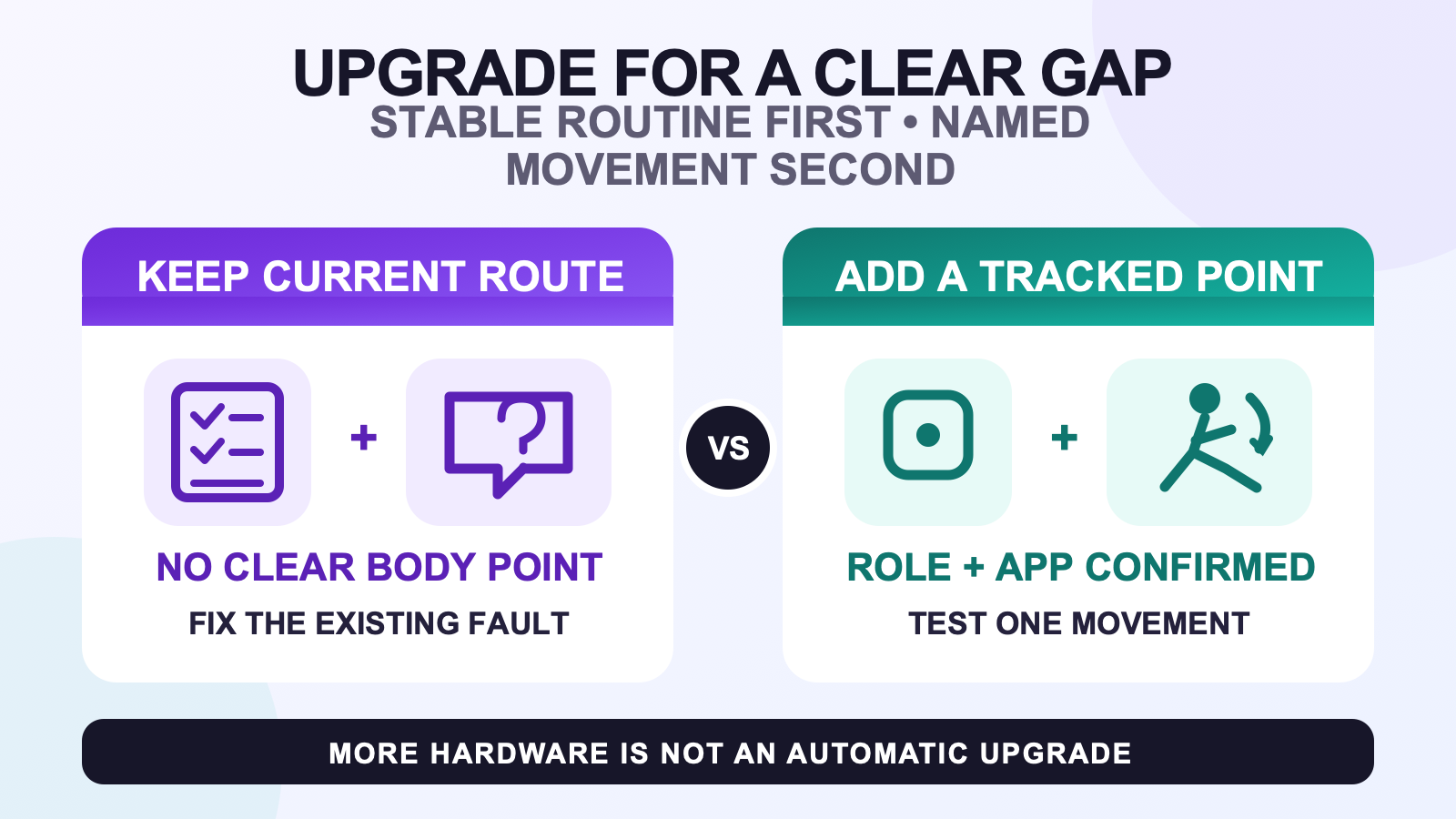
Add more trackers only after your current VR route works reliably and you can name one repeatable movement, visibility, or body-point gap that a supported tracked point could address. Confirm that the software route and target application accept that point, then define the same before-and-after test. A larger count is not an upgrade by itself.
This article starts after you already have a useful routine. If you are choosing a first setup and do not yet know your starting count, use the starter-count guide. The decision here is narrower: whether an existing, stable route has earned one specific expansion.
Upgrade only after the baseline passes
A baseline passes when the current trackers appear where expected, keep their assigned roles, stay physically secure, complete the normal reset or calibration flow, and reproduce the same simple movement in the tracker server and application. The result does not need to be perfect, but it must be stable enough that a new point can be judged against it.
If the current setup disconnects, shakes while you stand still, follows late, loses alignment over time, or produces an immediately wrong pose, route that symptom through the symptom router first. Adding hardware makes a moving baseline harder to diagnose. It can also hide a local role, mounting, calibration, or connection fault without fixing it.
Check the avatar boundary as well. If the tracker-server view is correct but one avatar looks wrong, run a controlled avatar test. A rig-specific failure is not evidence that the current tracker count is insufficient.
Use a trigger table, not upgrade appetite
| What you observe | Decision | Why |
|---|---|---|
| One named action repeatedly lacks a body movement that matters to your session. | Candidate for another tracked point. | The gap is specific enough to map to a role and a test rather than a general wish for smoother motion. |
| A joint or body segment is inferred, but your application accepts a direct point for it. | Candidate after support is confirmed. | The proposed hardware has a defined destination. Confirm the current software documentation before buying. |
| The same gap appears only on one avatar. | Keep the current route while testing the avatar layer. | Another tracker cannot repair an incompatible or poorly calibrated avatar rig. |
| A tracker changes position on your body during the movement. | Keep the current count and fix mounting first. | The measurement point moved. Use the strap-fit reference before treating it as missing coverage. |
| One or more points disappear behind the body or outside a camera or base-station view. | Review the visibility route before adding hardware. | A new optical device can enter the same blocked view. Coverage geometry may be the real limit. |
| The current result is stable and useful, and the missing point is visible in repeated recordings. | Proceed to a one-change test plan. | You can compare the same movement with the same avatar, room, software route, and calibration process. |
| You mainly want the largest available count. | Keep the current route. | An option list is not evidence that every additional point improves your use case. |
A defined scenario matters. A dance-session use case may expose a repeatable turn, arm crossing, or lower-body action that a casual standing conversation never reveals. That does not mean every dancer needs more trackers. It means the upgrade question should be tied to the motion that actually matters.
Prove the missing motion with a repeatable test
- Name one action. Choose a turn, bend, arm motion, step, seated transition, or pose that shows the gap. Do not test an entire session at once.
- Record the current route. Use the same avatar, software route, room, strap positions, calibration process, and camera view.
- Mark the pass condition. State what the proposed point should make visible, such as keeping one joint direction during the selected action.
- Change only the tracked point. Do not also replace straps, alter body proportions, change the avatar, and move the room setup.
- Repeat the original action. Compare whether the named gap improved without creating a new role, placement, comfort, or calibration problem.
The test can return a valid no. If the added point does not change the named movement, remove it from the routine and keep the evidence. More components without a visible contribution increase work without proving an upgrade.
Confirm the new point has a supported destination
A physical tracker and a virtual point are not the same thing. SlimeVR’s current configuration documentation separates the trackers worn on the body from the SteamVR virtual trackers sent to an application. It also cautions against enabling virtual trackers that are not needed because they can create calibration issues.
Before expanding, confirm three layers: the body role exists in the tracker software, the output route can expose it, and the target application uses it. VRChat’s current documentation lists tracked areas including feet, knees, hip, chest, and elbow or shoulder points on supported routes. That list is not permission to assume every hardware, standalone, OSC, or SteamVR path uses the same mapping.
VRChat’s OSC tracker documentation also says sending all supported points is not always best. It notes that fewer points can let IK compensate for discrepancies, while more points become advisable when position and rotation data are accurate. The practical lesson is conservative: add a point because the data and movement test support it, not because the application exposes another slot.
Treat occlusion as a route problem first
Occlusion means different things on different systems. In an optical route, a tracker can disappear when the body, furniture, or room geometry blocks the camera or base station. Adding another device does not guarantee a fix if it enters the same blocked view. Change the visibility test first and confirm that the proposed placement remains observable through the problem movement.
An IMU-based route does not depend on optical line of sight in the same way. If an IMU point remains connected but the avatar loses alignment or reports the wrong motion, copying an optical occlusion diagnosis can send you toward the wrong purchase. Classify the tracking route before deciding that another device is the answer.
When the gap appears only during a specific physical action, also check whether the strap shifted or the device rotated. The hardware may still be connected while its measurement frame moved on the body.
Count the routine you are adding
Another tracked point adds more than one object. It adds a charging position, a label or body-role check, a strap location, a placement decision, a reset or calibration check, storage space, and another item to inspect when a session feels wrong. If that routine makes you skip sessions, the theoretical motion gain is not useful.
Wear the proposed layout for the duration that matters to you and use the long-session comfort check before calling the layout sustainable. If the expansion changes the whole system rather than one tracked point, step back to the broader buying guide.
Read current kit counts as choices, not a ladder
On August 11, 2026, the public Store API listed FBTKit kit options with 5, 6, 8, and 10 trackers. The current FBTKit kit-count choices are the source for the live option list and included parts. They are not a required sequence, and the page does not establish that an existing owner can buy one verified add-on tracker separately.
Choose only after the body-point role, output route, application support, movement test, and routine burden are clear. No kit count guarantees better motion for every avatar or session.
FAQ
What evidence is enough to justify another tracked point?
Use a stable baseline, one repeatable movement gap, a body role accepted by the software route and target application, and a before-and-after test. If you can only say the avatar could look better, the upgrade trigger is not specific enough yet.
Can extra hardware solve a line-of-sight problem by itself?
Not always. On an optical route, another device can fail if it enters the same blocked view, so coverage should be checked first. An IMU route does not use optical line of sight in the same way, so an optical occlusion diagnosis should not be carried across without confirming the tracking system.
Does choosing a larger kit option guarantee better avatar motion?
No. A larger count creates more possible tracked points, but usefulness still depends on correct roles, stable data, application support, placement, calibration, and the movement being tested. Current FBTKit kit counts are choices, not a promise that the largest option will look best.
Should I upgrade before testing the same motion on another avatar?
No. If the tracker-server view is stable but the gap appears on one avatar, repeat the same motion with a known compatible avatar first. A rig or application-calibration issue is not evidence that the current hardware count is insufficient.
Official sources
- SlimeVR tracker and virtual tracker configuration
- VRChat OSC tracker guidance
- VRChat full-body tracking documentation
Official documentation and current FBTKit kit-count options were checked on August 11, 2026. This guide does not claim a measured FBTKit upgrade result, customer outcome, price, stock state, precision, or battery life.
