
Jul
Quick answer: run a full body tracking test before going live by checking gear count, charging, strap placement, room safety, calibration, app path, stream preview, and one short private movement recording. Fix physical placement before changing software settings.
The worst time to discover a tracking issue is after the stream timer starts. Friends are waiting, chat is moving, and every small adjustment feels louder than it is. A pre-live test gives you a quieter moment to catch ordinary problems: a missing cable, a loose foot strap, a waist tracker that rotates while sitting, or a room layout that makes movement feel cramped.
This checklist is for VR creators, VRChat streamers, social VR hosts, and anyone who wants full body movement to look intentional during a live session. It connects the test to a focused purchase and setup routine without making unsupported claims about specific hardware behavior.
Start With The Physical Kit
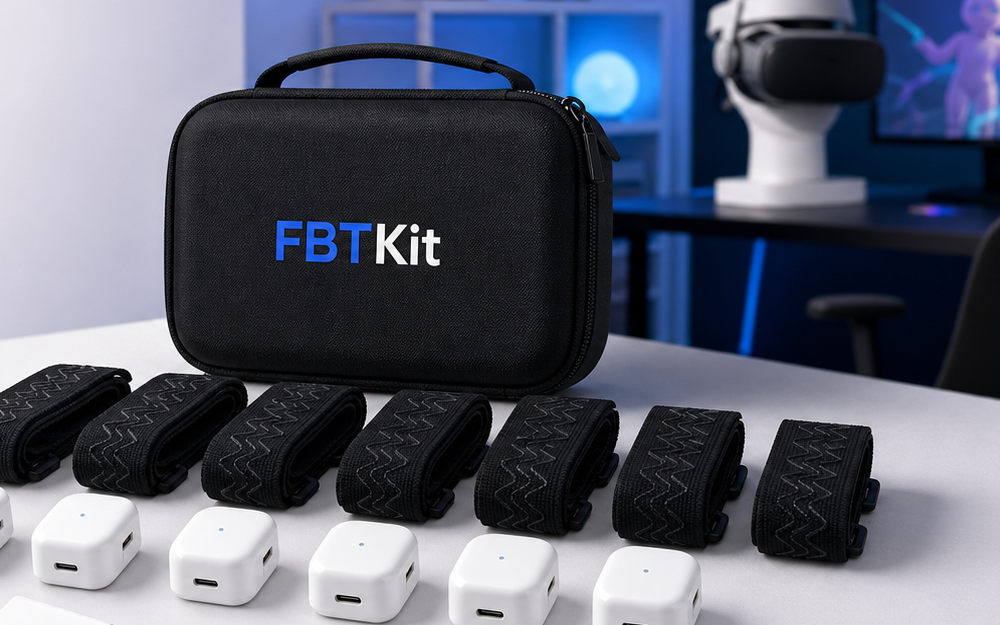
Before opening the stream tools, count the physical items. Confirm the trackers you plan to use are present, charged, and paired with the straps or mounts you expect. Make sure cables, storage, and any small accessories are not scattered across the room.
This sounds basic, but it saves real time. A live setup problem often begins as a small physical gap. If you are still deciding what belongs in your routine, check the current FBTKit Core Full Body Tracking Kit details before planning a session around it.
Fit Straps Before Calibration
Calibration should happen after physical placement is stable. Put on the waist or hip point, then foot points, then test movement before calibration. If a strap slides during the test, solve that first. A rushed calibration over unstable placement usually leads to the same problem later.
Use the movements you expect to perform live. Stand neutral, turn, sit if needed, step in place, lift each heel, and return to neutral. If the tracker stayed where you placed it, calibration has a better chance to feel normal. If it moved, adjust placement or clothing before moving forward.
Test The Room Like Part Of The Setup
The room is not background. It affects how full body tracking looks and feels. Check the floor for loose items, chair legs, cables, rugs, and anything you might step on while focusing on the stream. If you will sit, confirm the chair does not push the waist point into an awkward angle.
If the room is small, choose the movement that fits the room rather than forcing a larger routine. A clean, confident small motion looks better than a wide move you cannot complete safely. Viewers do not need maximum movement; they need readable movement.
Run A Private Stream Preview
Before going live, open the stream preview and record a short private pass. Include the movements that matter: a neutral pose, a turn, a step, a seated transition if relevant, and the main action you expect to show. Watch the recording before you decide the setup is ready.
Look for four things: body crop, overlay placement, lower-body readability, and whether tracking changes during movement. If the feet are hidden, adjust framing. If alerts cover the waist, move them. If the body shifts after a turn, check physical placement again.
Prepare A Support-Ready Note
If the test fails, write down what happened in plain language. “Right foot rotates after two turns” is easier to work with than “tracking is bad.” Include the app, headset route, body points used, clothing or footwear, room type, and what changed since the last good session.
Use the FBTKit contact page if you need help before a planned stream. For purchase timing, check the shipping policy. For return questions, check the refund and returns policy. The homepage can also orient you to the product focus before you ask a detailed question.
Decide What Counts As Ready
A pre-live test is useful only if you know the pass/fail rule. Ready means the body points stay physically stable, calibration feels acceptable, the room is clear, the stream preview shows the movement, and you can repeat the core action without adjusting straps every minute.
If the setup is not ready, choose a smaller stream plan. You might do a seated social session, a shorter movement segment, or a private test instead of forcing the full live plan. Protecting the session is better than fighting the setup while viewers wait.
It also helps to name a fallback scene before the test starts. If full movement is not ready, you can switch to upper-body chat, avatar discussion, a seated room tour, or a short explanation that the full-body segment will happen later. That decision feels calmer when it is made before the pressure arrives. A fallback is not failure; it is how creators keep a session smooth while protecting the quality of the full body tracking moment.
Check The Kit Before Your Next Live Session
Use the current FBTKit product page as the purchase and setup reference before planning a full body tracking live workflow.
FAQ
What should I test before going live with full body tracking?
Check gear count, charging, straps, waist and foot placement, room safety, calibration, stream preview, overlays, and one private movement recording.
How long should a pre-live full body tracking test take?
It can be short. A focused five-minute routine is often enough to catch missing items, strap movement, room issues, and bad stream framing.
Should I calibrate before fitting straps?
No. Fit the physical body points first, then calibrate after they stay stable through the movements you plan to use live.
What if the test fails right before a stream?
Reduce the session plan, fix one issue at a time, or postpone the full-body segment. Do not change every setting while the stream is starting.
What details should I send when asking for help?
Share your app, headset path, body points, room style, clothing or footwear, exact symptom, and the checks already completed.
