
Blog
How Tight Should Full Body Tracking Straps Be
Jul
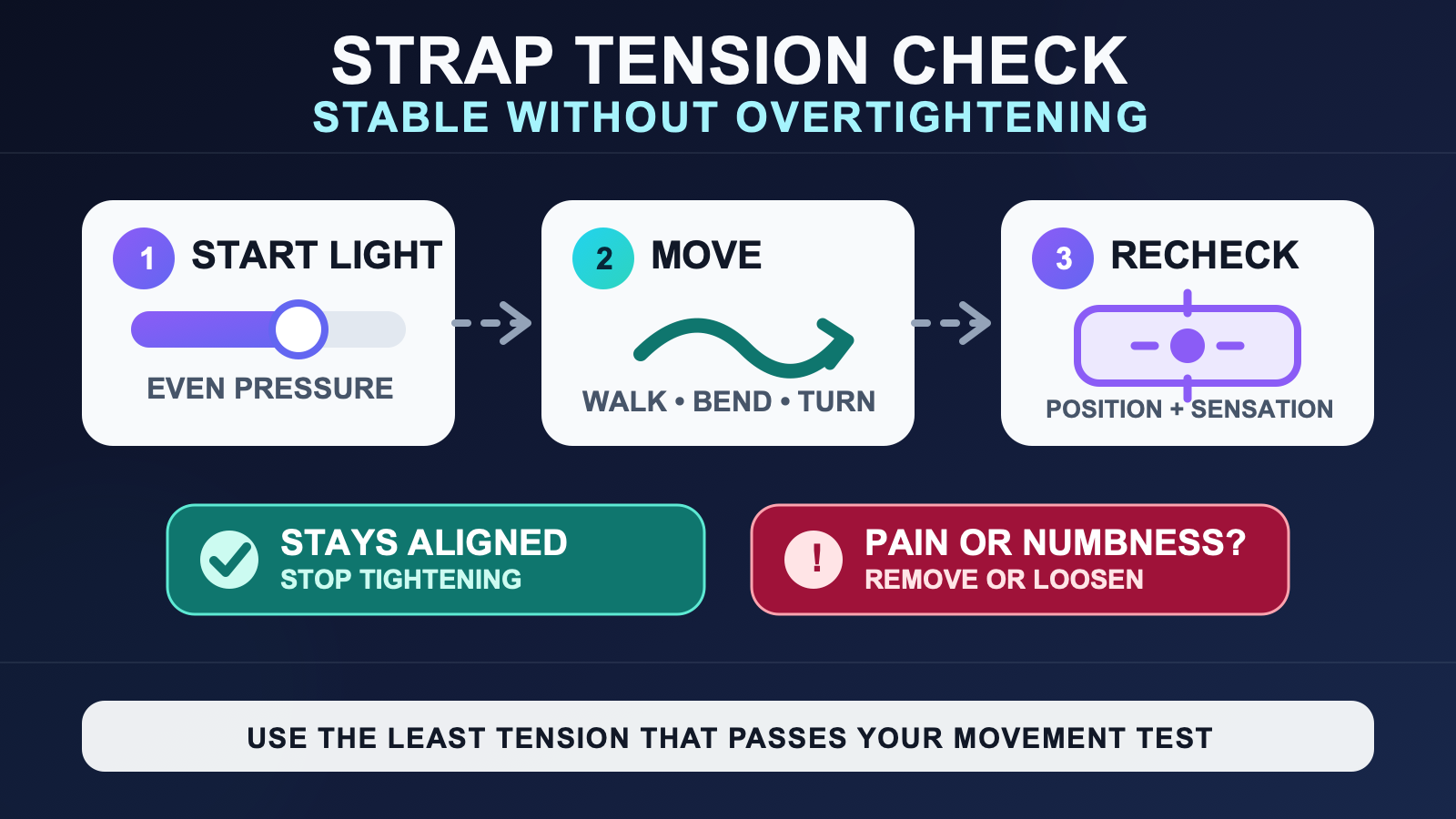
Full body tracking straps should be tight enough that each tracker stays in the same position and does not rotate during your normal movements, but never so tight that the strap causes pain, numbness, tingling, or reduced sensation. There is no universal measurement that works for every body, strap, or activity. Start with light, even tension, run a short movement test, then adjust only the tracker that moved.
This page answers the tension decision itself. If you are choosing a strap style or solving general strap slip, use the VR tracker strap fit guide. The goal here is simpler: find the least tension that keeps the tracker stable, confirm that it remains comfortable, and repeat the same check after you begin moving.
Use stability and comfort as the two limits
A useful strap setting sits between two failures. At one end, the tracker moves independently of the body. At the other, the strap creates concentrated pressure or warning signs that it is too tight. More tension is not automatically more accurate. Once the tracker stays aligned through the movement you need, extra compression adds no useful evidence that the mount is better.
| What you observe | What it means | Next action |
|---|---|---|
| The tracker slides, rotates, bounces, or returns at a different angle. | The mount is not yet repeatable for that movement. | Correct the strap path or add a small amount of tension, then repeat the same movement. |
| The tracker keeps its position and angle, pressure feels even, and sensation remains normal. | You have a workable setting for the movement tested. | Keep that setting and test the rest of your normal movement range. |
| The strap pinches, becomes painful, or causes numbness, tingling, or reduced sensation. | The setting is too tight or pressure is too concentrated. | Stop, remove or loosen the strap, and do not continue the test through those signs. |
SlimeVR’s safety guidance specifically says not to overtighten straps because doing so can reduce circulation and lead to injury. Treat discomfort as a reason to stop and refit, not as a normal price of stable tracking. If a concerning symptom does not settle after the strap is removed, seek appropriate medical advice rather than experimenting with the mount.
Set the location before judging tension
A strap cannot compensate for the wrong body point. First confirm that each tracker is at its intended location, then judge whether it stays there. Use the hip, waist, and foot tracker location map for the broader role-to-location decision. Use the pre-calibration wear checklist for assigned roles, left and right sides, mounting orientation, and the whole-kit wear sequence.
Do not change location, strap tension, role assignment, and calibration at the same time. If several variables move together, you will not know which change fixed the problem. For this test, hold the intended location constant and adjust one strap in one small step.
Run a repeatable movement test
Standing still only proves that the tracker can stay still. It does not show what happens when the strap is loaded from a different direction. Choose a short sequence that represents the session you are about to have, and use the same sequence after every adjustment.
- Look at the tracker’s starting position and angle before moving.
- Walk several normal steps and return to the same spot.
- Bend and straighten the nearby joint through a comfortable range.
- Take a side step and make a controlled quarter-turn in each direction.
- Add one gentle version of a movement you regularly use, such as a dance step, crouch, or reach.
- Compare the tracker with its starting position and check how the strap feels.
If one tracker changed angle, repeat the exact movement that caused it. A consistent physical shift is a useful signal: refit that tracker, make one small adjustment, and test again. If nothing moved physically, tightening every strap is unlikely to solve a virtual tracking problem.
Adjust the cause, not every strap
Use the smallest change that addresses the observed failure. If the device rotated inside a loose loop, a little more tension may help. If the whole strap and clothing layer rotated together, squeezing harder may only compress the same unstable surface. Hand that issue to the tracker clothing guide instead of turning this page into a fabric tutorial.
If an edge or buckle creates one sharp pressure point, change the strap path or hardware position before adding tension. If the tracker slips only during one large movement, test a smaller adjustment on that single mount. Keep the other trackers unchanged so you preserve a clean comparison.
A visible mark alone is not a reliable tightness scale across different skin tones and strap materials. Sensation, pain, pressure, and physical tracker movement are more useful decision signals. Never use a visible mark as a target to achieve.
Recheck after a short warm-up
A setting that works when first attached can change after several minutes of movement. Run the same short test once more after warming up. Check whether the tracker kept its angle and whether pressure still feels even. If it moved, adjust only that mount and repeat the trigger movement. If it stayed fixed and still feels normal, stop tightening.
This is a fit confirmation, not a full endurance routine. Planning breaks, managing heat or moisture, and deciding what to do during a long session belong in the long-session tracker comfort routine.
Know when tension is not the problem
Watch the physical tracker before changing software. If the device visibly moved, solve the mount first. If it stayed fixed but the avatar points the wrong way, drifts across several body points, or behaves badly immediately after a reset, recheck the role, orientation, and software state. The full body tracking setup and calibration workflow covers that wider path.
| Symptom | Best next check | Do not assume |
|---|---|---|
| One tracker physically rotates during a repeatable move. | Strap path, buckle position, and a small tension change on that mount. | That every tracker needs to be tighter. |
| The strap stays put but the tracker shifts within its holder. | Tracker-to-holder connection and hardware fit. | That body-side strap tension can secure loose hardware. |
| The physical tracker stays aligned but the avatar is wrong. | Role, side, mounting orientation, reset, and calibration state. | That more compression will fix a software mismatch. |
| Pressure warning signs appear before the tracker is stable. | Stop and refit the mount or use a more suitable strap solution. | That discomfort should be tolerated for tracking quality. |
Save a setting you can reproduce
Once a strap passes the movement test, make the result easy to repeat. Note the buckle position, hook-and-loop overlap, or another harmless visual reference on the strap. The reference is personal to that strap and body point, not a universal number. It gives you a starting point next time while still requiring a fresh comfort and movement check.
- Confirm the intended tracker location first.
- Begin with light, even tension.
- Stop for pain, numbness, tingling, or reduced sensation.
- Use the same movement sequence after each change.
- Adjust only the tracker that shifted.
- Stop tightening once the tracker stays aligned and remains comfortable.
- Record the working strap position, then verify it again at the next session.
Choose a strap setup you can readjust
Review the current FBTKit kit options and included parts, then apply the same tension and movement test to the straps you will actually use. For a fit question that depends on your exact strap and movement, use the contact page and describe which tracker moved, what motion triggered it, and whether the strap or holder shifted.
FAQ
How tight should full body tracking straps be?
Use the least tension that keeps each tracker from sliding or rotating during the movements you actually use. The strap should feel secure with even pressure and should not cause pain, numbness, tingling, or reduced sensation.
Can full body tracking straps cut off circulation?
Overtightening can reduce circulation. SlimeVR’s official safety guidance says not to overtighten straps, so stop and remove or loosen a strap if it causes pain, numbness, tingling, or reduced sensation.
Why does my tracker move even when the strap feels tight?
The strap path, clothing surface, holder, or tracker-to-holder connection may be moving. Repeat the exact trigger movement and watch which layer shifts before adding more tension.
Should I tighten the straps again after I start moving?
Recheck after a short warm-up. Tighten only the mount that physically shifted, use a small adjustment, and repeat the same movement. If the tracker stayed aligned and the strap remains comfortable, do not tighten it further.
Official sources
Official SlimeVR sources were checked on August 10, 2026. This guide does not prescribe a universal strap measurement and is not a substitute for medical advice.
