
Blog
Full Body Tracking Kit Contents Checklist
Jul
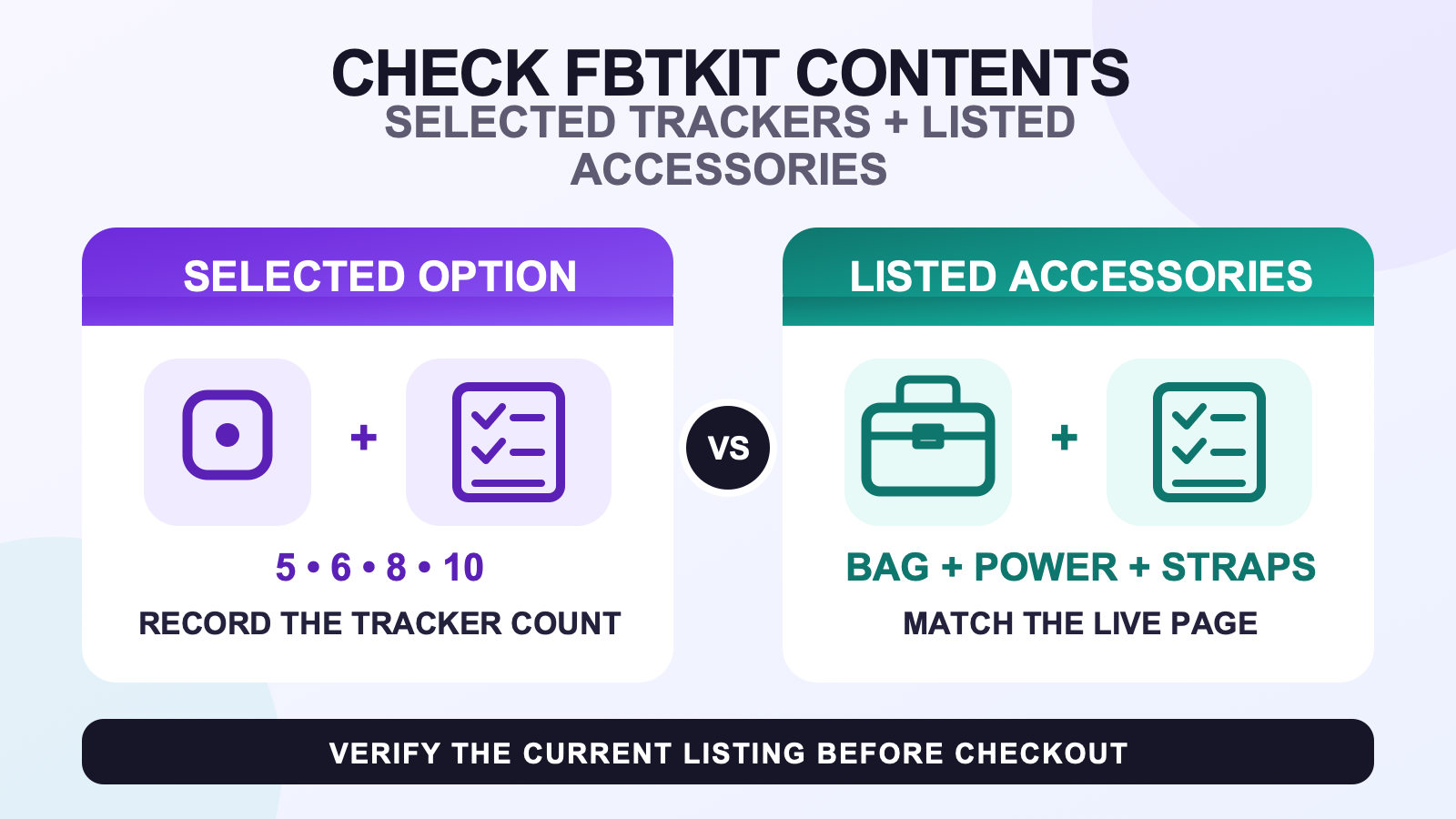
As checked on August 11, 2026, the current FBTKit listing offers 5-, 6-, 8-, and 10-tracker selections. Its shared “What Is Included” list names the selected number of trackers, a carrying bag, a power adapter, one 1-to-6 charging cable, and six anti-slip straps: two 80cm, two 50cm, and two 30cm. Open the current FBTKit product listing before checkout and confirm that those details still match the option you intend to order.
That is the FBTKit-specific snapshot. The reusable checklist is simpler: read the option selector and the included-item list as separate records, copy every stated quantity, and leave anything not named as unresolved. A tracker-count label tells you how many trackers are selected; it does not automatically multiply straps, cables, adapters, or bags.
Read the option selector and shared list separately
The WooCommerce product is a variable product. Its selector currently exposes four Tracker Count values, while the description provides one shared package list. The variation records do not add a separate description for the 5-, 6-, 8-, or 10-tracker choice. That structure matters because it limits what can be stated confidently.
| Listing area | What it currently says | What to record |
|---|---|---|
| Tracker Count selector | 5 Trackers, 6 Trackers, 8 Trackers, or 10 Trackers | The exact option selected at checkout |
| Tracker line in the shared list | Your selected number of trackers | The selected option is the expected tracker quantity |
| Storage item | Carrying bag | One named bag; do not infer size or compartments |
| Power items | Power adapter and 1-to-6 charging cable | One named adapter and one named cable |
| Wearable items | Two 80cm, two 50cm, and two 30cm anti-slip straps | Six named straps in three length pairs |
This table reports the public listing, not a physical packing audit. It does not prove that the shared accessory list changes with a variation, because the page does not expose variation-specific accessory text. It also does not decide which of the four counts is best for you. Use the movement-led tracker-count guide for that separate decision.
Record the chosen option before reading accessories
Begin your note with the full product name, the option label, and the date. “FBTKit kit” is too vague if the selector offers four counts. A useful line is “FBTKit LSM6DSV SlimeVR-Compatible Full Body Tracking Kit, 8 Trackers, checked August 11, 2026.” That creates a stable reference without claiming that the product page will never change.
Next, copy the option exactly as displayed. Do not translate “10 Trackers” into a body-role map or an expected movement result. The selector states quantity, not where every tracker must be worn. Placement, extensions, and movement goals depend on the chosen setup. Keep package interpretation separate from choosing how many trackers your routine needs.
If the selector changes before checkout, update the note rather than carrying an earlier count forward. The selected value should agree with the cart line and any order summary you review. This is still a pre-check: it does not replace the after-delivery task of counting what physically arrived.
Reconcile every accessory by named quantity
The shared accessory list is short enough to verify line by line:
- Write “carrying bag” once. Do not add material, dimensions, internal pockets, or protective performance that the included list does not state.
- Write “power adapter” once. Do not infer plug format, certification, cable port, or regional compatibility from the generic item name.
- Write “1-to-6 charging cable” once. Its name does not establish that an 8- or 10-tracker option includes a second cable.
- Write the strap quantities as pairs: two 80cm, two 50cm, and two 30cm. That totals six listed straps.
- Keep the tracker quantity tied to the selected option instead of adding a fixed number to the shared list.
The six-strap line deserves careful reading when the chosen tracker count is higher than six. The page does not provide a separate accessory description for the larger variations, so do not silently convert the tracker count into an equal strap count. If your wearing plan needs more than the six named straps, treat that as a question to resolve from the current seller information before checkout.
The same discipline applies to charging. One 1-to-6 cable is explicitly named. This contents guide does not decide how many charging rounds or ports your routine requires. After you own the set, use the charging and pre-session checklist to plan that routine.
Mark every unstated assumption as unresolved
A clean pre-check has two columns: “explicitly listed” and “not confirmed by this list.” The second column is not an accusation that an item is absent. It simply prevents an expectation from becoming a false product claim.
| If you expected this | Current contents list status | Safe action |
|---|---|---|
| One strap for every selected tracker | Not stated; six straps are named | Confirm the wearing-accessory requirement |
| More than one charging cable | Not stated; one 1-to-6 cable is named | Do not multiply cables from tracker count |
| Base stations, receivers, or extra adapters | Not named in the shared list | Keep them off the expected-contents record unless the live page adds them |
| Replacement parts or spare mounts | Not named in the shared list | Treat them as separate requirements |
| Warranty, certification, or delivery term | Not a package-content fact | Check the current policy or seller statement separately |
Product images can help you identify how the seller depicts an item, but an image does not override the written quantity. The product-image evidence guide explains what a photo can and cannot support without absorbing the contents question into a visual audit.
Keep compatibility and setup in another column
The current listing describes a SlimeVR-compatible workflow and says the trackers must be connected and configured through SlimeVR Server. That is an important expectation, but SlimeVR Server is not a physical item in the bag. Keep “included objects” separate from “software and setup required.”
Use the VR full body tracking compatibility checklist to verify the headset, PC, software route, and network assumptions for your planned setup. A compatibility statement does not prove that every surrounding device is included. Conversely, an accessory in the box does not prove that a particular software route is ready.
This checklist does not claim plug-and-play setup, a guaranteed session result, or compatibility with an unverified device. It records what the current product listing names and sends setup questions to the relevant guide.
Save a dated pre-check record
Before checkout, save a short text note or screenshot that contains:
- the product name and SKU shown by the current store record
- the exact Tracker Count option you selected
- the selected number of trackers as the expected tracker quantity
- carrying bag and power adapter
- one 1-to-6 charging cable
- two straps at each listed length: 80cm, 50cm, and 30cm
- the product URL and the date you checked it
- a separate list of unresolved assumptions
Use the record to make an informed checkout decision, not as proof of a later shipment. Once a package arrives, switch to the after-delivery verification workflow for the physical count, packaging record, condition screen, and first power-on evidence.
FAQ
What does the current FBTKit product page say a selected kit includes?
It lists the selected number of trackers, a carrying bag, a power adapter, one 1-to-6 charging cable, and six anti-slip straps: two 80cm, two 50cm, and two 30cm.
Which tracker-count options are currently shown for the FBTKit kit?
The Store API and product selector showed 5 Trackers, 6 Trackers, 8 Trackers, and 10 Trackers on August 11, 2026. Recheck the live selector before checkout because product options can change.
Does a 10-tracker selection mean ten straps and two charging cables are included?
No. The tracker selector sets the selected tracker quantity, while the shared list names six straps and one 1-to-6 charging cable. Do not multiply accessories unless the current listing explicitly does so.
How should I handle an accessory quantity that the current list does not state?
Leave it unresolved and ask the seller to confirm the current package record. Do not derive an accessory quantity from the tracker count or from product images.
What should I save before checking out with an FBTKit option?
Save the product name, selected tracker count, dated included-item list, product URL, and any unresolved assumptions. Use a separate after-delivery workflow to verify the physical shipment.
Source note
The WooCommerce Store API and public FBTKit product page were checked on August 11, 2026. This article does not claim an owner unboxing, a physical pack count, a shipping promise, a warranty term, certification, or a variation-specific accessory bundle that the live listing does not state.
