
Jul
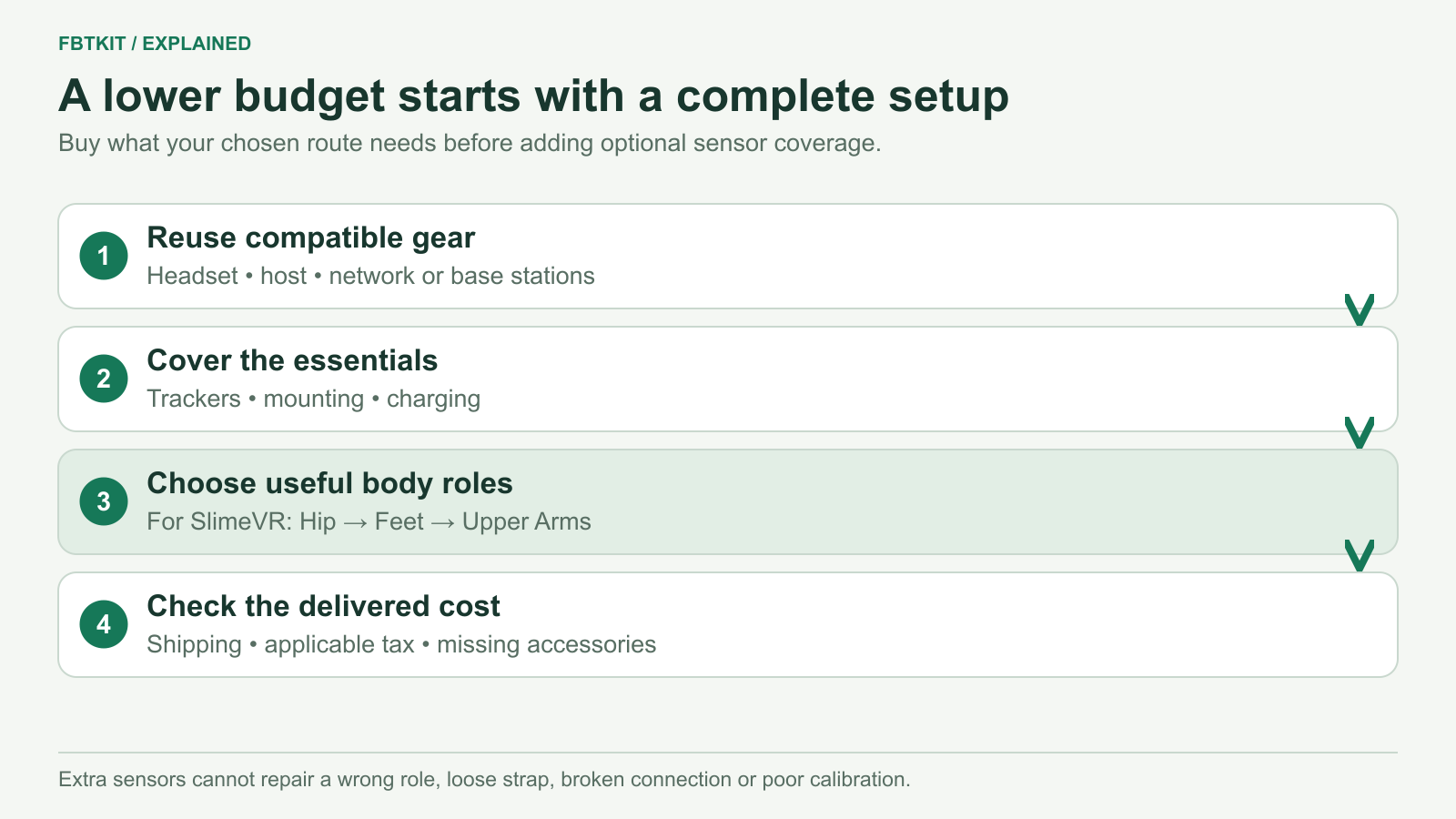
The cheapest useful full body tracking setup is the smallest complete setup that works with the equipment you own and measures the movements you care about. Reuse a compatible headset, host and tracking infrastructure; buy the necessary sensors and mounting; leave optional body roles for later. A low price on one tracker is not the cost of getting into VR.
FBTKit’s listed starting kit is $169 as checked September 29, 2026. That can be a starting point for a budget, not proof that it is the cheapest solution for everyone. The current price and package guide covers the actual options and missing accessory details.
Start with what you already own
| Your starting point | A budget-conscious next step | Cost to check |
|---|---|---|
| Quest and a gaming PC already running VRChat | Compare a SlimeVR-compatible kit using your PC as the server. | The kit, mounting and charging; any actual network gap. |
| Quest running standalone VRChat, plus a suitable Android phone or another computer | Check the SlimeVR server-host and OSC route before considering a gaming PC purchase. | The kit and accessories, plus a host that can keep the server running. |
| Compatible SteamVR base stations already installed | Include a VIVE Tracker 3.0 setup in the comparison. | The required trackers, receivers and mounts. Existing base stations only count as a saving if they fit that setup. |
| No VR headset or host yet | Budget for the basic VR experience first. | Headset, controllers, app and host requirements before adding body tracking. |
SlimeVR documents OSC transmission to standalone VRChat and Android server hosting. The headset runs VRChat; the host runs SlimeVR Server. Keeping those jobs separate may let you use equipment you own instead of purchasing a gaming PC just for the server. Confirm the Quest software path before buying.
Save on optional roles, not missing essentials
If the complete price is too high, first reduce the movements you need to measure. For example, someone buying for leg movement can consider a smaller SlimeVR layout before paying for separate Foot and Upper Arm sensors. Someone specifically interested in toe direction has a reason to keep the Foot roles and defer Upper Arms instead.
Use the sensor-count guide to make that choice. Avoid paying for a future use you cannot describe. Also avoid buying fewer devices than the documented configuration requires and expecting it to behave like the complete layout.
Essential items are different. You need secure mounting for the chosen body locations, a way to charge every powered unit, and the software and connections the hardware uses. If a required receiver or mount is absent, it belongs in the price comparison now. Decorative accessories and a more elaborate storage arrangement can wait.
Where low-price offers can hide extra spending
- One unit shown as a set: check the actual selected quantity and included items, not just the product photo.
- Missing mounting: a generic strap may not fit the tracker enclosure or the body location. Check attachment and usable length before ordering.
- Missing receivers or charging parts: price those for the named hardware. For VIVE Tracker 3.0, HTC lists a dongle, cradle and USB cable with a new unit, but a second-hand or tracker-only offer may differ.
- Unspecified software path: “Quest compatible” does not say whether a gaming PC, server host or additional software is expected.
- Unclear delivery and returns: check destination charges, the seller’s fault-handling terms and return costs before treating two totals as comparable.
HTC’s Tracker 3.0 requirements identify its dependencies. For FBTKit, the product’s generic accessory list does not separately confirm strap and cable quantities for each variant. Neither omission should be filled with a guessed zero cost.
Is DIY cheaper?
DIY can be appealing if you already build electronics and want the project itself. Compare the completed build cost: sensors, controller boards, batteries, charging hardware, cases, mounting, tools, delivery and possible replacement parts. A parts-list subtotal is not a finished wearable kit.
The current official SlimeVR DIY guide covers sourcing, assembly, firmware and server setup. It recommends PCB-based builds over loose wired builds and discourages cabled extensions for DIY because of reliability and controller limitations. Use the current build guide for the exact design you intend to make.
If buying tools and troubleshooting your first build would consume the savings, a preassembled kit may fit your budget better. If you enjoy those tasks and own the tools, DIY may be a reasonable project. We have not priced a complete DIY bill of materials for your region, so this is a decision about what to include, not a promised savings amount.
If you already have trackers, try this before upgrading
A drifting leg, loose mount or incorrect body proportion is not automatically evidence that you need more trackers. First check whether the existing sensors stay in place and whether the pose is already wrong inside SlimeVR. Then compare it with the final avatar.
Use the troubleshooting guide for that diagnosis. An upgrade is easier to justify after the current setup works and you can identify a missing body measurement. Confirm that compatible extra units are available separately; do not assume that buying the smallest kit guarantees a cheap extension path.
When waiting costs less than the wrong purchase
Wait if the kit would consume the entire budget while leaving required mounts, delivery or a server host uncovered. Also wait if your intended app’s input path is still uncertain. Keep using your existing headset and controllers while resolving that one missing part.
If the route is supported and the complete total fits, choose the smallest configuration that covers your intended movement. The buying guide connects those choices. This article uses documented requirements and listing facts; it does not claim a tested cheapest kit, universal best value or equivalent performance between systems.
