
Blog
How to Reduce Full Body Tracking Jitter
Jul
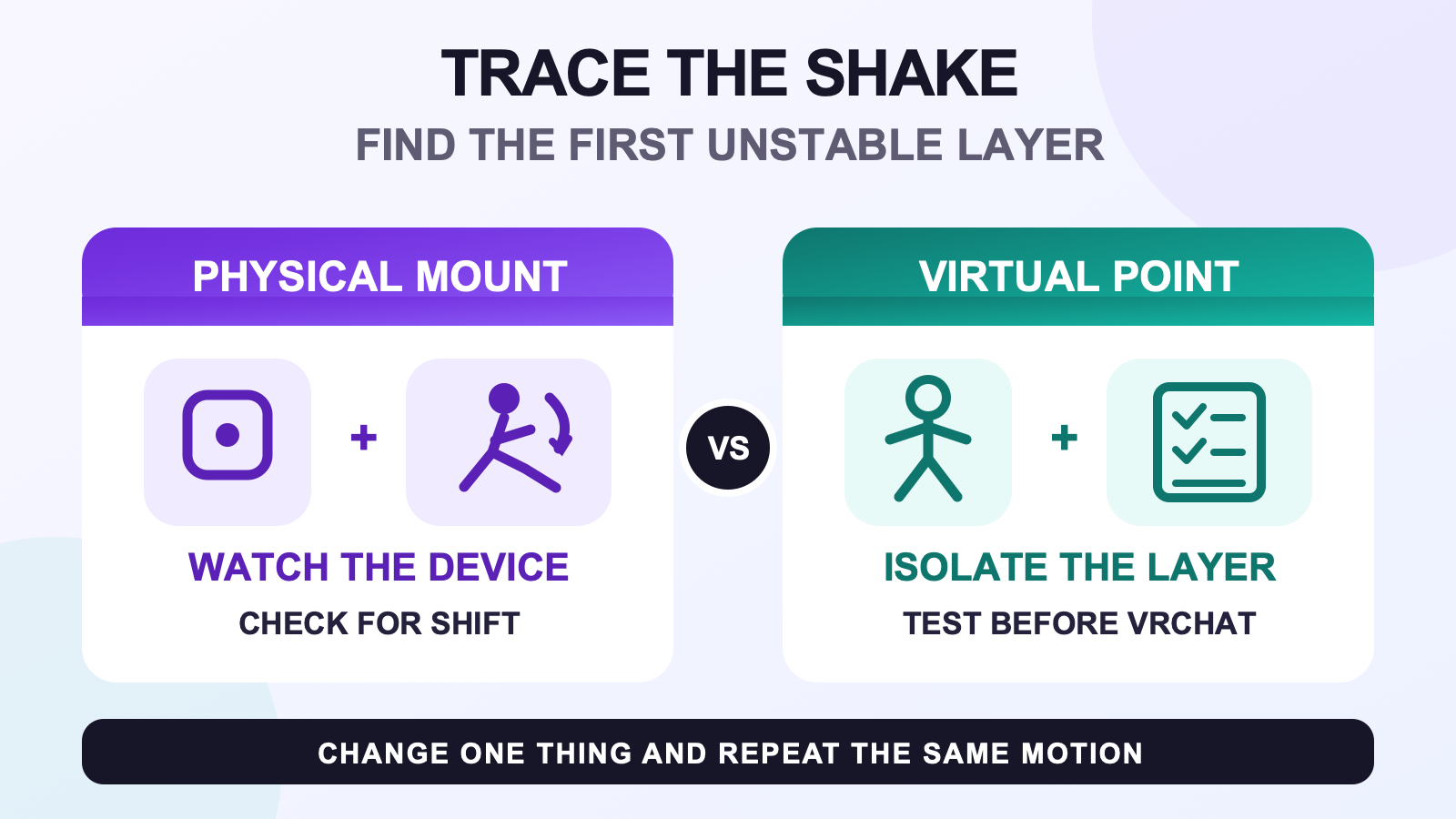
To reduce full body tracking jitter, first find where the shaking begins. Watch the physical tracker, the matching point in SlimeVR, and the final avatar as three separate layers. Test once while still, then repeat one controlled movement. If the device slides or rocks on your body, correct the mount. If the device is stable but its SlimeVR point shakes, move to the current sensor instructions or support path. If SlimeVR stays stable and only the avatar shakes, check the application, avatar, and normal calibration layer.
This process does not promise a perfectly motionless point. It gives you a way to stop changing unrelated settings. Keep the same tracker, body position, avatar, and movement while you compare one adjustment.
Name the movement before changing anything
Use this article for repeated small back-and-forth movement around the position where a body point should stay. You may see it while standing still, during a step, or just after you stop. Other patterns need a different test.
| What you see | What the pattern suggests | Where to continue |
|---|---|---|
| A point trembles around the same area | Keep using the layer test on this page. | Compare the physical mount, SlimeVR point, and avatar. |
| The movement follows your body late | This is a timing symptom, even if it also looks unsteady. | Use the timing and delay guide. |
| A leg or point slowly leaves its starting alignment | The position is changing over time rather than trembling around one spot. | Use the gradual leg movement guide. |
| The whole pose is wrong as soon as calibration ends | The starting result is wrong across the skeleton. | Use the bad-calibration recovery guide. |
You do not need perfect terminology. A note such as “left foot point shakes while I stand still, but the physical tracker does not move” is enough to choose the next check.
Watch the three layers separately
Start with the lowest layer you can see. Looking only at the avatar hides useful evidence because a physical shift and an application response can look similar inside the headset.
- Watch the physical device. Check the tracker housing and the clothing or strap beneath it. Does the housing slide, rotate, lift, or bounce while the body area is still? If possible, ask another person to watch or use a short phone recording. The observation matters more than the camera quality.
- Watch the matching SlimeVR point. Use the same pose and movement. Note whether the virtual point shakes while the physical device appears stable. Check one point rather than judging the whole skeleton at once.
- Watch the final avatar. Keep the SlimeVR view as your reference. If the source points remain steady but one avatar twitches, the fault has moved beyond the physical mount. Test a known avatar and the normal application calibration path before changing tracker hardware.
Stop at the first layer that becomes unstable. A foot housing that rocks on the shoe is already a useful finding. There is no reason to change sensor settings until the mount passes the same movement.
Compare stillness with one controlled motion
Use two short observations. First, stand in a comfortable neutral pose and watch the same point without deliberately moving it. Second, make one ordinary motion that exposes the symptom, such as lifting that foot, bending the related joint, or turning once. Return to the starting pose and watch what happens after you stop.
Keep the movement easy to repeat. A long dance sequence introduces too many changes in strap position, clothing, body angle, and application load. One foot lift or one turn gives you a clearer before-and-after comparison.
- If the physical tracker moves during the motion and the virtual point follows that extra movement, inspect the mount.
- If the housing stays fixed but the SlimeVR point shakes at rest, record the tracker and body role, then use the device-specific sensor path.
- If the SlimeVR point is stable but the final avatar starts shaking only after the motion, compare another avatar and repeat the normal application calibration.
- If every layer is stable during the short test, repeat the actual movement that first showed the problem. Do not assume the symptom is solved from a different pose.
After one change, repeat the same stillness and motion checks. Changing the strap, clothing, avatar, and calibration together may improve the result, but it removes the evidence you need when the symptom returns.
Correct a mount that moves on the body
SlimeVR’s mounting guidance says the tracker role should match the body area, the configured orientation should match the real device direction, and the tracker should sit tight enough to move with that area. It also recommends experimenting one tracker at a time because comfortable positions differ.
Use the pre-calibration wear checklist to confirm the body role and mounting direction. If the housing rocks or slides, follow the strap tension guide rather than pulling every strap tighter. If the layer under the strap moves, use the clothing layer checkpoint.
Correct only the unstable point. Run the same motion again and inspect the physical device before looking at the avatar. If the housing now moves with the body area and the virtual shaking remains, you have ruled out one cause without pretending that the mount explains every symptom.
Escalate a point that moves before the avatar
A stable housing with an unstable SlimeVR point belongs to a device or source-tracking check. SlimeVR’s current IMU documentation separates start-up sensor calibration from session pose resets and gives different instructions for different IMUs and firmware paths. Follow the current page for the exact hardware path instead of copying a procedure from another sensor family.
Record whether the point moves while the tracker is worn and whether it also moves when the device is unworn on a flat, stable surface. Do not treat that comparison as a repair. It tells you whether tightening a strap is relevant. If the source point still shakes in the stable off-body state, keep the device name, body role, software version, and a short recording for support.
If the source points are stable and only the avatar moves, return to your normal calibration routine with a known avatar. If several symptoms remain or the first unstable layer is still unclear, use the general symptom router instead of repeating random fixes.
Use the result to choose one next action
| Test result | Next action | What to keep unchanged |
|---|---|---|
| The physical device shifts | Correct its position, strap, or clothing contact. | Keep the avatar, software state, and test motion the same. |
| The device is stable but the SlimeVR point shakes | Follow the current device-specific IMU instructions or contact support. | Keep the body role and observation method the same. |
| SlimeVR is stable but the avatar shakes | Compare a known avatar and repeat normal application calibration. | Keep the tracker mount and source points unchanged. |
| The symptom appears only in a longer or different motion | Shorten that motion until you can repeat the first moment it appears. | Keep every unrelated variable fixed. |
A useful result is not always “the shaking disappeared.” Finding the first unstable layer is progress because it prevents the next test from spreading across the whole setup.
Check current kit details after isolating the layer
If you use FBTKit hardware, review the current FBTKit hardware and setup details for included parts, tracker-count options, and current setup notes. The product page does not replace the observation test, and this guide does not claim a measured FBTKit jitter result.
FAQ
Why does one tracker shake while I am standing still?
The cause is not clear from the avatar alone. Watch the physical housing and the matching SlimeVR point separately. If the housing moves, correct the mount. If the housing is stable but the SlimeVR point moves, use the current device-specific sensor instructions or support path.
How can I tell whether a strap or sensor is causing the shaking?
Compare the physical tracker with its SlimeVR point during the same still pose and short motion. A housing that slides or rocks makes the mount relevant. A stable housing with a moving source point needs a device-specific check. Do not change both layers before repeating the test.
Why does the avatar shake only after I start moving?
The movement may expose a shifting mount, a source point that becomes unstable, or an application-only response. Repeat one smaller version of the motion and watch each layer. Note whether the housing moves first, the SlimeVR point moves first, or only the avatar changes.
Should I recalibrate every time I see a small twitch?
No. First repeat the symptom and find the first unstable layer. Recalibration is relevant when the physical mount and source points are stable but the application result is wrong. A moving strap or a shaking source point needs its own check.
What does an off-body stillness check tell me?
It only helps separate physical mounting movement from source-point movement. Observe the unworn tracker on a flat, stable surface as the current device instructions require. If the source point still moves, strap tension is not causing that observation. The check does not prove that the sensor is healthy or prescribe a repair.
Official SlimeVR sources
Official documentation and current FBTKit product details were checked on August 10, 2026. No FBTKit shake test, sensor threshold, recovery time, or guaranteed jitter reduction is claimed.
