
Jul
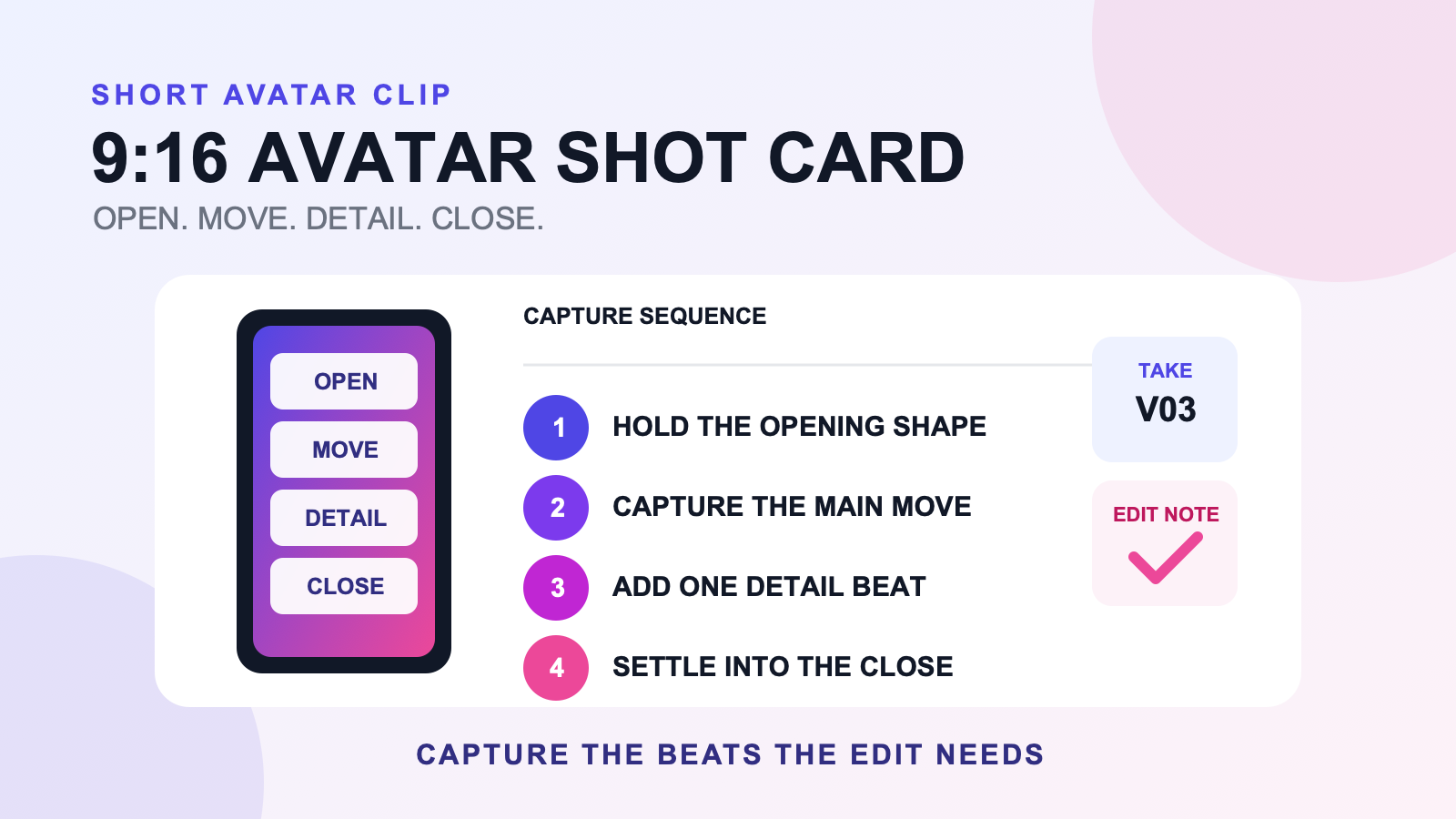
Full body tracking for TikTok avatar clips needs a capture plan that fits the vertical frame and reaches a clean ending quickly. A vertical short clip shot card turns that plan into six decisions: opening shape, main movement, detail beat, closing pose, take name, and edit note. Lock a 9:16 preview before recording, capture each beat with a little extra time at both ends, and label the take while you still remember what changed.
The card does not guarantee that a clip will perform well on TikTok or any other platform. Reach, acceptance, trends, music rights, and account rules sit outside this workflow. Its job is to give the editor a short sequence whose framing and movement choices are clear.
Lock the vertical frame before you move
Set a 9:16 guide in the actual capture or editing route you plan to use. Do not rely on a wide monitor preview and assume the later crop will keep the avatar. Check the top of the head, both hands at the widest planned gesture, the feet at the lowest pose, and the empty space needed for the main movement. If the shot needs more room, reduce the motion or change the camera before recording.
Place the avatar in the frame’s useful center, not necessarily its mathematical center. A side-facing move may need extra room in front of the body. A low pose may need more space below the usual waist-up composition. Test the opening and closing shapes because those are the moments most likely to be held during an edit.
Use the home avatar recording guide for the broader room mark, capture, playback, and file-handling workflow. This page assumes you have a usable capture route and focuses on the short vertical sequence.
Fill the vertical short clip shot card
| Field | Decision to write | Review question |
|---|---|---|
| Opening shape | The first readable full-body silhouette | Can the editor hold it before motion starts? |
| Main movement | One action that carries the clip | Does it stay inside the 9:16 frame? |
| Detail beat | A small accent, turn, level change, or reaction | Is it separate from the main movement? |
| Closing pose | A deliberate final shape | Does the avatar settle long enough to cut? |
| Take name | Clip, shot, and version | Can you find the take without replaying everything? |
| Edit note | One keep, trim, crop, or reject decision | Does the note point to a specific beat? |
Keep the card to one clip concept. If you are planning a dance sequence beat by beat before capture, use the avatar dance clip planning guide. A vertical shot card begins after the concept is narrow enough to fit into a handful of shots.
Capture four edit-ready shots
- Opening hold. Settle into the first shape and leave a short quiet handle before the movement. Look toward the intended camera direction rather than searching for the frame during the take.
- Main movement. Capture the complete action without changing the camera. If the body leaves the guide, fix the frame or reduce the movement on the next take.
- Detail beat. Record the accent as its own shot when a clean insert would help the edit. Do not force it into the main take if that makes both beats unclear.
- Closing hold. Arrive at the final pose, settle, and leave another edit handle. A rushed ending gives the editor fewer choices.
You may decide to use one continuous take instead. The four-shot card still helps because it identifies the internal beats that the continuous take must contain. If the same session also needs a live dance output, the dance stream and avatar clip guide covers that split-deliverable decision.
Check silhouette changes, not every joint
Review the clip once at normal speed. Look for the opening shape, the main movement’s path, the detail beat, and the closing pose. If one moment is hard to read, compare its silhouette with the beat before it. A clear level, facing, spacing, or weight change is easier to evaluate than a vague sense that the motion needs more energy.
Use the avatar pose practice guide when a held shape needs separate study. The short-clip workflow should not turn into a large pose library during capture. Fix the specific opening or closing shape, then return to the shot card.
Do not diagnose technical performance from a single stylized move. If an unexpected offset persists in neutral and across takes, use the relevant setup or troubleshooting guide. The edit note should record what is visible, such as “right foot leaves frame on the turn,” without inventing a cause.
Name the take while the decision is fresh
A practical name includes the clip, shot, and version: `greeting_open_v02` or `turn_main_v03`. Add one edit note beside it: keep the ending, trim the first second, reject because the hand leaves frame, or compare with another take. That note is more useful than naming every file `final`.
If you are producing several pieces over a week, hand the approved take to the weekly VR production workflow. A first-time creator who has not completed any small output can instead use the first creator loop. Those guides cover scheduling and completion, while this page stays with one shot card.
Keep capture choices separate from the system
The short card should name only the performance and edit decisions. Camera route, audio monitoring, storage, and software connections belong on the creator system map. Keeping those layers separate prevents a framing change from becoming an unexplained system rebuild.
You can make the shot card before choosing new tracking hardware. If waist and leg expression are central to the planned sequence and a SlimeVR-compatible route fits your setup, inspect the current FBTKit product page for live compatibility, included items, price, and terms. This article does not establish any of those product facts.
FAQ
What should a vertical avatar clip shot card include?
Include the opening shape, main movement, detail beat, closing pose, take name, and one edit note. Keep the card tied to one short clip concept. A larger content calendar or system diagram belongs in a separate planning document.
Should I record a short avatar clip in 9:16 or crop it later?
Preview the 9:16 frame before recording even if your capture file is wider. This lets you check the head, hands, feet, travel direction, and held poses against the intended crop. The exact capture and export settings depend on your tools and destination.
Why should I hold the opening and closing avatar poses?
A brief settled hold gives the editor a clean place to begin, end, or trim the shot. The hold also makes the silhouette easier to inspect. Its useful length depends on the intended edit, so capture a little extra rather than promising a universal timing.
How do I choose between two short avatar clip takes?
Compare the same planned beat in both takes. Check whether the full movement stays in frame, the detail reads separately, and the closing pose settles. Write one keep or reject reason on the shot card instead of judging the entire performance at once.
This workflow was prepared from local site evidence on August 11, 2026. It does not claim a TikTok result, platform acceptance, creator outcome, tracking improvement, or live product specification.
