
Jul
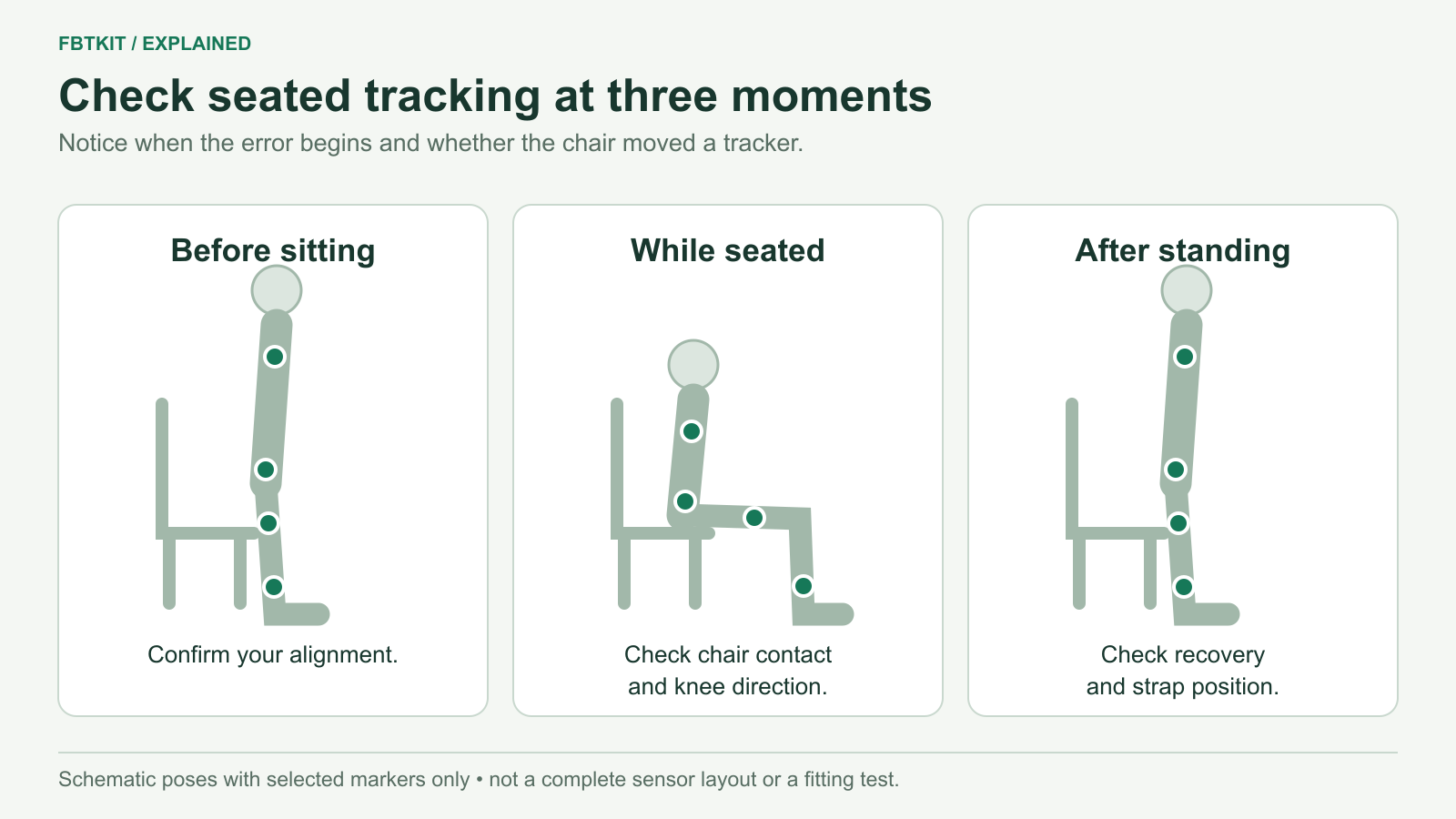
SlimeVR can track seated movement, but a chair can shift trackers and expose mounting or body-proportion errors that are less obvious while standing. If your legs cross or hips twist as you sit, compare the physical tracker positions, the SlimeVR skeleton and the VRChat avatar before changing settings.
Make room for the trackers when sitting
Wear the trackers on their assigned body regions, then check where the seat, backrest and armrests touch them. A case pressed against the chair can rotate as you lean. A loose thigh strap can slide when the leg changes angle.
If you need a different mounting position, stay within the appropriate body region and update mounting calibration. Moving from the belt-line Hip position to the higher Waist region changes the role as well. Use the placement guide to preserve that distinction.
For a normal sit-down session, establish working tracking before sitting. Follow the calibration poses supported by your software and abilities. If you cannot stand, do not substitute an improvised seated pose for a standing-only calibration procedure; check the current supported options with the software project or hardware supplier.
If the knees cross as soon as you sit
- Look at SlimeVR first. Slowly bend each knee. Confirm that the matching Upper Leg and Lower Leg assignments move on the correct side.
- Check the thigh trackers. Look for rotation or contact with the chair. A different height or angle on the same thigh can fit your body better; change one tracker at a time.
- Repeat mounting calibration after repositioning. Follow the displayed stance and avoid putting the feet together. SlimeVR’s current common-issues guidance specifies at least 10 cm between feet during mounting calibration when investigating crossed legs.
- Repeat the seated pose. If SlimeVR now looks correct but VRChat still crosses the legs, compare a familiar avatar and recalibrate in VRChat.
If the legs start correctly and rotate inward later without the straps moving, a correctly posed yaw reset may restore heading. That is different from crossing immediately because of mounting. See the drift and alignment guide if the distinction is unclear.
If the feet slide or the hips float
Place the feet where you normally keep them while seated and lean gently forward. Compare the server’s estimated feet with what your real feet did. If the feet slide in the server while they stay planted in reality, check mounting and body proportions. If the whole body is vertically offset, check the headset floor reference and height settings.
Do not increase hip width simply to force crossed legs apart. SlimeVR’s body-proportion instructions specifically advise against using hip width that way. Correct the cause of the leg direction first, then review body measurements with the documented procedure.
If the server is aligned and only the avatar’s torso distorts, compare VRChat’s IK lock settings and avatar fit using the avatar troubleshooting guide. A seated pose can reveal a mismatch between the avatar’s limb lengths and your tracked body.
If tracking changes only after a world seat or animation
Compare physically sitting near a mirror with using the world’s seat interaction or an avatar pose toggle. If the error appears only after activating that feature, turn it off and repeat. This comparison helps separate the physical seated pose from an animation or world-specific behavior.
Changing physical tracker assignments is unlikely to be the right first response when the same sitting movement works before that interaction. Keep the working setup while checking the avatar or world’s controls.
Check what happens when you finish sitting
If you can comfortably stand, return to your original stance and check the strap positions. When alignment was correct before sitting but stays wrong afterwards, inspect for a tracker that moved against the chair. Restore its position and repeat the relevant calibration. If standing remains correct and only sitting fails, focus on the seated mounting and avatar fit.
For a seated-only session, use a small forward lean and return to your normal seated position as the comparison. You are checking whether the same pose returns consistently, not proving that a chair or tracking setup is suitable for every user.
Based on SlimeVR’s crossed-leg troubleshooting, mounting guidance and the sources linked above, checked September 29, 2026. No FBTKit seated hardware test is claimed.
