
Blog, Comparisons
SlimeVR vs VIVE Tracker 3.0: Equipment, Cost and Setup
Jul
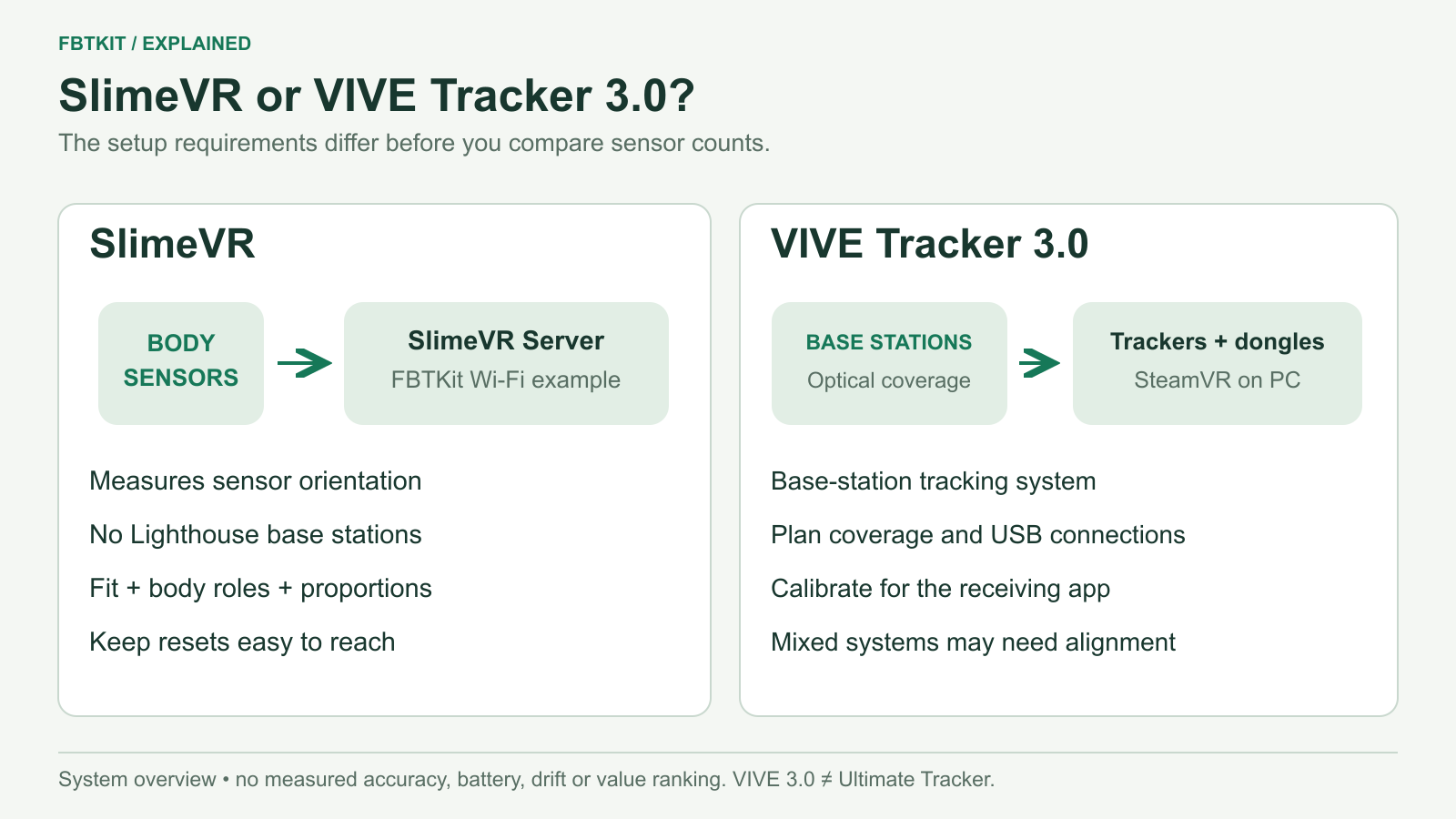
Choose a SlimeVR setup if you want body tracking without Lighthouse base stations and are willing to configure body sensors and calibration. Consider VIVE Tracker 3.0 if you already own compatible base stations or want to build a SteamVR system around them. Your existing equipment, room and willingness to manage each setup matter more than the tracker count printed on the box.
This comparison covers SlimeVR’s IMU-based tracking approach, with FBTKit as one purchasable kit, and HTC VIVE Tracker 3.0. It does not cover VIVE Ultimate Tracker. We have not run a side-by-side hardware test, so the recommendations below concern documented requirements and purchase fit.
The differences that affect your purchase
| Decision | SlimeVR / FBTKit example | VIVE Tracker 3.0 |
|---|---|---|
| How body motion is measured | Sensors measure rotation; SlimeVR calculates a body pose using a configured skeleton | Tracker sensors receive Lighthouse signals to track the device in the base-station space |
| Room equipment | No Lighthouse base stations | Compatible base stations and appropriate tracking coverage |
| Connection | FBTKit lists 2.4 GHz Wi-Fi to SlimeVR Server; other SlimeVR hardware can differ | Receiver dongles connected to a PC for the normal wireless setup |
| PCVR software | SlimeVR Server and SteamVR, followed by the receiving game | SteamVR and the receiving game |
| Quest standalone VRChat | Documented SlimeVR OSC option, with a supported server host | Not the direct standalone configuration covered here |
| Setup you maintain | Body roles, mounting orientation, proportions and resets | Base-station coverage, receiver pairing, roles and application calibration |
Sources: SlimeVR’s system explanation, HTC’s Tracker 3.0 specifications and dongle instructions.
SteamVR is software, so using SteamVR does not by itself require base stations. VIVE Tracker 3.0 needs them because of its tracking hardware; the SlimeVR setup above does not.
Tracker 3.0 supports base stations 1.0 and 2.0, but that does not mean you can mix those generations in one setup. HTC specifies using base stations of the same version. Check the compatibility of your headset and controllers separately.
Compare the full cost, including what you already own
The current FBTKit listing offers 5, 6, 8 and 10 tracker options at $169, $199, $249 and $299 respectively, checked September 29, 2026. These are listed kit prices, not a delivered-cost estimate. Check shipping, tax and the selected package at checkout.
For VIVE Tracker 3.0, obtain a current local quote for the number of trackers you need, compatible base stations if missing, straps and mounting hardware. HTC lists a dongle, cradle and USB cable with a tracker; base stations and wearable straps are separate. A used tracker may not include its receiver, so inspect that offer individually.
Compare these two totals:
- Starting from nothing: kit or trackers + room equipment + straps and charging + a suitable server device or VR-capable PC + shipping and tax.
- Expanding an existing system: only the items you still need, after checking compatibility and included accessories.
FBTKit’s generic packaging description lists six straps and one 1-to-6 charging cable. It does not separately confirm accessory quantities for the 8- and 10-tracker packages. Confirm those contents before treating either larger kit as a complete wearable and charging set. Our cost guide keeps the package questions together.
Three VIVE trackers and five SlimeVR sensors are different setups
A basic VIVE arrangement adds hip and foot references to your headset and controllers. SlimeVR’s five-sensor lower-body arrangement measures the chest, upper legs and lower legs, then calculates the body pose. Do not interpret five versus three as an automatic quality ranking.
For SlimeVR, additional hip, foot and upper-arm sensors add different body information. Compare the actual locations with the sensor quantity guide. Also check whether a kit’s count includes extensions, since an additional sensor does not always mean an additional wireless device to charge.
What changes in everyday use?
Room coverage and obstruction
VIVE Tracker 3.0 needs suitable base-station coverage. HTC’s developer guide describes the sensors that receive those signals. Plan where you will stand, turn or sit, and whether furniture or your body can obstruct the tracker. Secure the stations and follow the manufacturer’s placement instructions.
SlimeVR’s inertial measurements do not need a Lighthouse view of each sensor. That removes that particular room requirement. You still need a working data connection, secure straps and a correctly configured body model; “no base stations” does not mean “no setup.”
Calibration and drift
SlimeVR uses your body proportions to calculate positions. Its proportion setup and reset documentation explain why mounting and resets matter. Yaw drift can accumulate with IMU tracking, and a yaw reset corrects heading. The interval depends on the hardware and conditions; there is no verified FBTKit reset-time result in this comparison.
VIVE’s base stations provide an external reference, but the final avatar still needs correct tracker roles and in-app calibration. If a tracker is hidden from the stations or a strap shifts, buying more trackers is not the first fix. Both systems also depend on the receiving avatar’s proportions and rig.
Using Quest
SlimeVR documents both PCVR and standalone VRChat connections. With VIVE Tracker 3.0 and an independently tracked PCVR headset, aligning the two tracking spaces can add setup work; OpenVR Space Calibrator is a community project for that purpose. Do not assume a Tracker 3.0 purchase pairs directly to a standalone Quest app.
Which would we shortlist for you?
- No base stations and mainly standalone VRChat: investigate the SlimeVR OSC setup first. Confirm a supported phone or computer can run its server.
- A working Lighthouse PCVR room: price the missing VIVE Tracker 3.0 hardware before assuming a complete replacement kit costs less.
- Frequent changes of room: weigh SlimeVR’s lack of base stations against the network and calibration work you will perform in each place.
- A decision driven by dance accuracy or long sessions: ask for comparable, model-specific demonstrations and measured results. The specifications here do not establish an accuracy or battery-life winner.
Next, use the buying guide to finish your equipment list, or the Quest guide to choose PCVR or standalone before ordering.
