
Blog
How to Choose Straps for Full Body Tracking
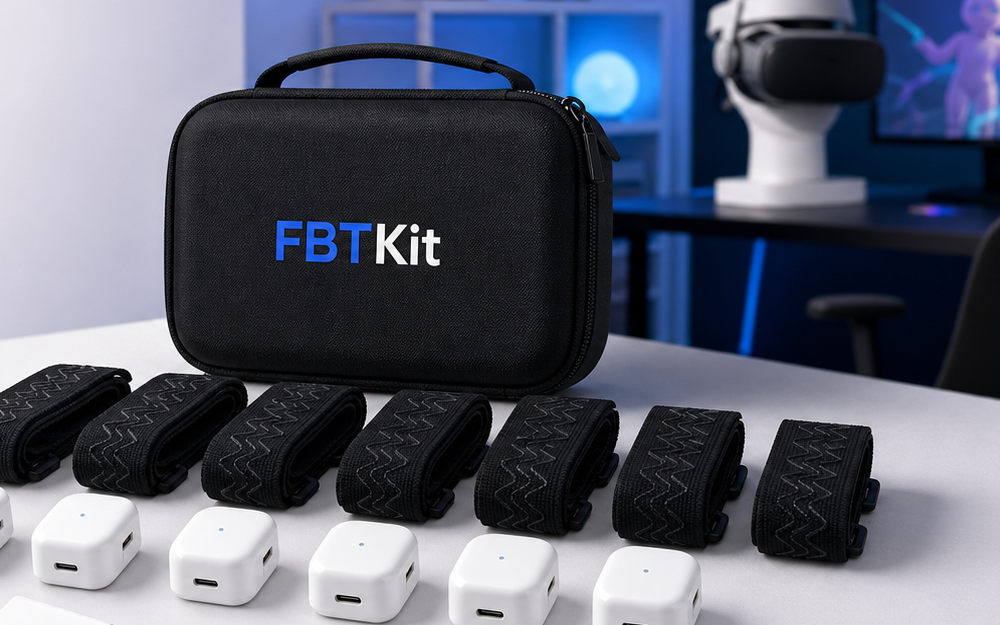
Jul
Quick answer: choose full body tracking straps by body point, movement style, fabric contact, and repeatability. Do not buy straps only because they look sturdy. A good strap holds the tracker in the same orientation through your real session without pinching, sliding, twisting, or making setup harder to repeat.
This is a buying checklist. If you already own straps and want tension advice, read how tight full body tracking straps should be. Here, the goal is to decide what strap qualities matter before you build a routine around them.
For current kit context, review the Core Full Body Tracking Kit. If you have a specific body-point question, use FBTKit contact with details about your sessions.
Choose By Body Point
Different body points ask different things from a strap. A waist strap must handle sitting, turning, and torso movement. A foot strap must handle floor contact, shoe or sock changes, and small rotations. A knee or leg placement must avoid sliding while still letting you bend comfortably.
Do not assume one strap style solves every point equally. Before buying, list the body points you need and the movements each point must survive. The strap that works on a quiet waist position may not work on an active foot placement.
Look For Repeatable Orientation
Repeatability matters more than one perfect fit. The tracker should face the same way each time you set up. If you need to guess the angle every session, calibration becomes harder to trust. Look for strap shapes, markings, or habits that make orientation easy to repeat.
A repeatable strap routine reduces frustration. You can place the tracker, run a short movement test, and calibrate without wondering whether yesterday’s fit was different.
Match Strap Surface To Clothing
Straps do not grip skin, socks, jeans, leggings, and thick lounge pants the same way. Smooth fabric can slide. Loose fabric can bunch. Thick fabric can compress after a few minutes. Shoes and socks change foot placement completely.
When comparing straps, picture your actual VR outfit. A dance session, a seated hangout, and a winter hoodie setup may need different contact surfaces. If your clothing changes often, choose a strap routine that can be checked quickly before calibration.
Prioritize Adjustment Range
Adjustment range matters because bodies, clothing, and movement styles vary. A strap should have enough room to fit securely without sitting at the very end of its adjustment. If the strap only works when fully tightened, it may loosen as fabric compresses or become uncomfortable during long sessions.
Also think about who else might use the kit. If more than one person will wear it, a narrow fit range can make sharing frustrating. Marking common settings can help, but the strap still needs enough range to fit safely.
Check The Small Setup Details
Small details decide whether straps stay pleasant after the first week. Look for a simple way to identify left, right, waist, or foot use. Check whether the tracker can be attached without covering buttons, charging access, or orientation marks. Notice whether the strap can be packed without tangling with other kit pieces.
These details are easy to ignore while comparing photos. They matter during a real session because setup is repeated every time. A strap that is slightly easier to identify, attach, and store can save more frustration than a strap that only looks stronger on the product page.
Use Movement Style As The Final Filter
Movement style should decide between acceptable options. Social VR may need comfort and seated stability. Dance needs stronger control through turns and steps. Avatar clips need repeatable framing. Travel setups may need straps that pack cleanly and are easy to identify.
Write your main session type before choosing. This keeps you from overbuying for a movement style you rarely do or underbuying for the one that matters most.
If two strap options both seem acceptable, choose the one that makes the routine easier to repeat. Repeatability usually beats maximum grip for ordinary social use, while movement-heavy sessions may justify a firmer fit after comfort is checked.
Run one short movement check before judging the strap. Turn, sit, stand, step in place, and reach down as if adjusting a controller cable. If the tracker keeps its angle and the strap still feels comfortable, the strap has passed a more realistic test than a standing-only fit check.
A Practical Strap Checklist
| Check | What to ask | Why it matters |
|---|---|---|
| Body point | Waist, foot, knee, or hip? | Each point moves differently. |
| Orientation | Can I repeat the angle? | Calibration starts cleaner. |
| Surface | What clothing touches it? | Grip changes by fabric. |
| Range | Is there room to adjust? | Comfort and sharing improve. |
Build A Strap Setup Around The Sessions You Actually Run
Compare the current FBTKit product details when you are ready to match strap needs to your full body tracking routine.
FAQ
Are tighter straps always better for full body tracking?
No. Tightness is only one part of fit. Orientation, clothing surface, movement style, and comfort all matter.
Should waist and foot straps be the same type?
Not necessarily. Waist and foot points move differently, so each strap should be judged by the body point it holds.
What should I check before calibration?
Check orientation, tension, clothing movement, and a short motion test. Calibration works better after physical fit is stable.
Can clothing make a good strap feel bad?
Yes. Smooth, loose, or thick clothing can change grip and pressure. Test the outfit you actually use in VR.
What if I use different session types?
Keep a repeatable checklist and adjust by session. A quiet seated hangout and an active dance session may need different fit priorities.
