
Blog
Full Body Tracking vs Head and Hand Tracking Only
Jul
Quick answer: choose head and hand tracking when the session is mainly controller actions, quick chat, menus, or seated play. Choose full body tracking when the session depends on a readable full pose, roleplay stance, dance movement, seated body language, or recorded avatar clips. This is a workflow decision, not a definition of the category.
If you need the basic meaning of full body tracking, read the full body tracking explainer. This comparison starts later in the buying journey: you already understand the idea, but you need to decide whether the extra setup changes your actual VR routine.
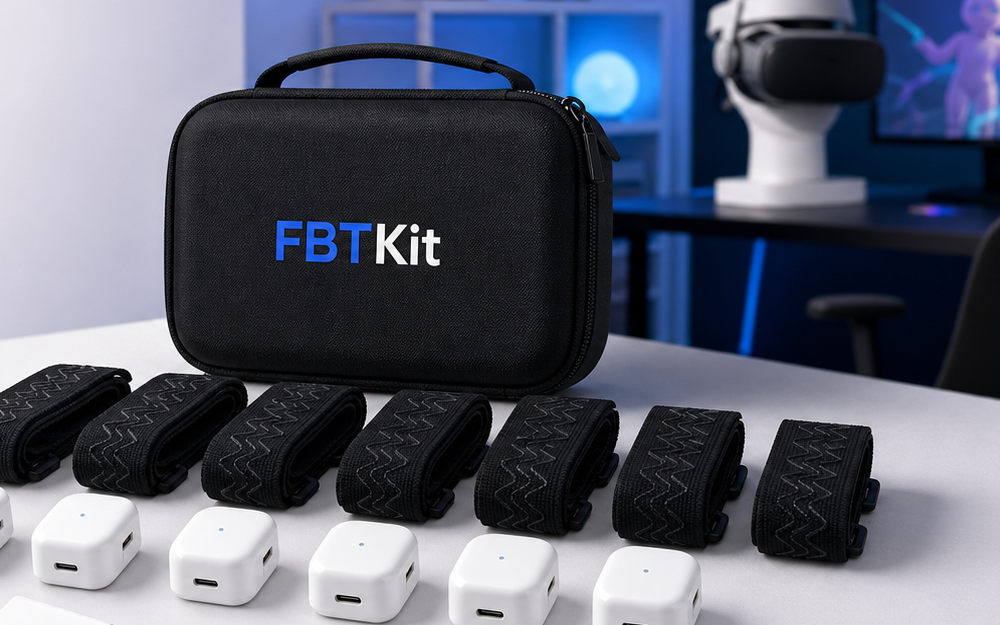
Use the current Core Full Body Tracking Kit page when you are ready to compare product details. Before that, use the tests below to decide whether your sessions deserve the added routine.
Start With The Session, Not The Hardware
Hardware names can make the decision sound technical too early. A better first question is simple: what are you trying to do in VR? A controller game, a quick friend chat, and a dance recording do not need the same body information. One may reward simplicity. Another may reward full-body expression.
Write down your three most common sessions. If all three are short, controller-focused, or seated in a way where posture does not matter, head and hand tracking may remain the better default. If two or more depend on whole-avatar communication, full body tracking becomes easier to justify.
When Head And Hand Tracking Wins
Head and hand tracking wins when speed and low friction matter most. You put on the headset, pick up controllers, enter the app, and play. There are fewer items to charge, fewer straps to place, fewer points to calibrate, and fewer physical fit checks before a session begins.
That simplicity is valuable. It is especially useful for menu-heavy apps, controller games, seated cockpit play, short exercise sessions, and voice-first hangouts where friends mainly read your head direction and hand gestures.
When Full Body Tracking Wins
Full body tracking wins when lower-body information changes the result. In VRChat roleplay, a stance can change the scene. In dance, footwork and hip motion carry rhythm. In seated hangouts, posture can make an avatar feel relaxed instead of stiff. In creator clips, a full pose can make the shot look intentional.
The strongest signal is repeated frustration. If you keep thinking “my avatar does not show what I am doing,” full body tracking may solve a real problem. If the idea only sounds impressive, wait and keep your setup simple.
Use A Two-Week Decision Test
For two weeks, note each VR session as either upper-body enough or full-body useful. Upper-body enough means head direction, hand movement, and voice carried the session. Full-body useful means stance, feet, seated posture, or body performance would have changed what others saw.
At the end, count the full-body useful sessions. If they are rare, do not rush. If they appear repeatedly, compare product details, placement routine, strap comfort, charging habits, and support options before buying.
Do Not Count Curiosity As A Session Need
Curiosity is a fine reason to research full body tracking, but it is not the same as a session need. A session need appears while you are actually in VR: a dance move is unreadable, a seated pose looks stiff, a roleplay stance feels wrong, or a creator clip loses the body language you wanted.
Separate those moments from general upgrade excitement. If you only want to try the category, start with research and compatibility checks. If you can name repeated scenes where lower-body motion would change the result, the upgrade has a clearer job.
Compare The Cost In Time
The extra cost is not only money. Full body tracking adds setup time. You need to charge gear, place trackers consistently, test straps, calibrate, and store items after the session. That routine is fine when the payoff appears often. It feels heavy when the payoff is occasional.
Head and hand tracking asks less of you. Full body tracking gives more expressive body information. The better choice is the one you will use without resentment.
Also consider session timing. If you usually enter VR for ten minutes between other tasks, added setup may block use. If you plan longer social nights, performance practice, or recording sessions, setup becomes part of preparation rather than an interruption.
Decision Table
| Routine | Better default | Why |
|---|---|---|
| Short controller games | Head and hands | Fast setup matters most. |
| VRChat roleplay | Full body tracking | Stance and posture affect the scene. |
| Dance or avatar clips | Full body tracking | Feet, hips, and pose are visible output. |
| Occasional social chat | Head and hands | Lower friction may be worth more. |
Compare Full Body Tracking When The Routine Fits
Review the current FBTKit product page if your sessions repeatedly need visible stance, sitting, footwork, or full-avatar clips.
FAQ
Is full body tracking always better than head and hand tracking?
No. It is better only when the session benefits from visible lower-body movement or posture enough to justify extra setup.
Who should stay with head and hand tracking?
Users who mostly play short, seated, controller-focused, or menu-heavy experiences may prefer the simpler routine.
Who should compare full body tracking kits?
Users who often do social VR, VRChat roleplay, dancing, seated presence, avatar photos, or recorded clips have a clearer reason to compare kits.
What should I check before buying?
Check included items, placement routine, comfort, charging, setup notes, support path, and whether your main sessions really need full-body cues.
Can I start simple and upgrade later?
Yes. Many users learn their VR habits with head and hands first, then upgrade once they know which movements are missing.
