
Blog
Full Body Tracking for Social VR Meetups
Jul
Full body tracking for social VR meetups should be ready before the meetup window begins. Finish the hardware routine, check the chosen avatar in a private or low-pressure room, and carry one quiet recovery plan in case something changes later. The standard is social continuity: join without making the group wait, stay present, and know when to stop troubleshooting.
A scheduled meetup is different from an ordinary evening when you can spend as long as you like in front of a mirror. Other people agreed on a time. The world may be busy when you arrive. Your avatar choice, chair position, or room plan may change what needs checking. A short arrival timeline keeps those decisions out of the group’s first conversation.
Start before the arrival window
Work backward from the agreed time without inventing a universal number of minutes. Your preparation needs enough room for the normal wear and setup routine, one avatar check, and one correction if something obvious is wrong. If you begin at the event time, every ordinary check becomes a delay.
Set out the gear and confirm the route earlier in the day when possible. The spontaneous-session readiness guide covers storage and charging habits in depth. For a scheduled meetup, the important difference is the deadline: preparation must finish before other people expect you.
Choose what kind of evening this is. A conversation room can use a fun-first acceptance target, while a planned group recording may need a stricter check. Use the fun and accuracy decision guide to set that target before the event changes your attention.
Use a private-room check
Enter a private, home, or otherwise low-pressure space before joining the group. The check should look like the meetup, not like a performance test. Stand in the expected neutral position, turn toward an imaginary speaker, sit if the event will involve sitting, and move in the way the chosen avatar is likely to use.
Confirm the avatar before the group arrives. A different body shape or configuration can expose a problem that was not visible in the previous avatar. This page does not claim that one avatar type works better. It simply avoids changing two major variables after the room is already busy.
If seated time matters, use the seated VR workflow for chair contact and sit-to-stand checks. Finish that branch privately, then return to the meetup timeline.
Join with one recovery plan
A useful recovery plan has two levels. The quiet fix handles an observable physical change, such as a strap that moved or a chair that shifted. The exit fix covers a problem that needs the full setup process. Decide in advance which one you will use.
- Step away from the center of the conversation if the world allows it.
- Check one physical cause without changing several settings.
- Repeat one small movement that exposed the problem.
- Return if the result meets the original session target.
- Leave for a proper reset if the problem keeps interrupting you or the group.
Follow your tracker’s documented route and use the setup and calibration guide for a full reset. A crowded meetup is a poor place to improvise a new procedure.
| What happens | Fix now | Save for later |
|---|---|---|
| A strap or tracker visibly moved | Step aside and restore the physical position | Note why it moved if the cause is not clear |
| A small cosmetic wobble appears once | Continue if it does not affect the chosen target | Record the movement that exposed it |
| The avatar repeatedly breaks during normal meetup movement | Use the planned exit and run the proper setup check | Do not test multiple fixes in the group room |
| Discomfort changes how you sit or stand | Pause and change the physical setup | Review the long-session routine before the next event |
Use a specialist workflow for the meetup activity
Social meetups can contain roleplay, group dance, interviews, photo moments, or hours of quiet conversation. Those activities do not need to become one giant setup article. Use this page for the event timeline and choose the specialist workflow when the meetup has a defined purpose.
The roleplay and immersive social VR guide covers character movement. The group dance world guide covers coordinated dance situations. Keeping those branches separate helps you test the right movement privately instead of checking everything.
Protect attention during a long event
Once the setup meets the session target, stop looking for problems. Constant mirror checking can pull attention away from the people you joined. Check again when something observable changes: you sit in a different chair, change avatars, move to a different physical area, feel discomfort, or see the same fault repeat.
Long events can reveal pressure or slipping that a short private check did not. The long-session comfort guide covers those decisions. Do not use an early comfort check as proof that the whole event will feel the same.
Decide whether meetups justify the routine
If scheduled social events are a regular reason you enter VR, a repeatable FBT routine may fit the way you spend time there. If meetups are rare, your avatar is mostly seen close-up, or preparation makes you miss the event, the use case may not justify the added routine. That is a personal fit question, not a popularity contest.
Compatibility still comes first. Use the compatibility checklist for the headset, app, and tracking route. After those questions and the meetup routine are clear, review the current FBTKit product listing. The listing cannot promise that a group event will go smoothly or that other people will notice a particular movement.
Bring a timeline, not a troubleshooting project
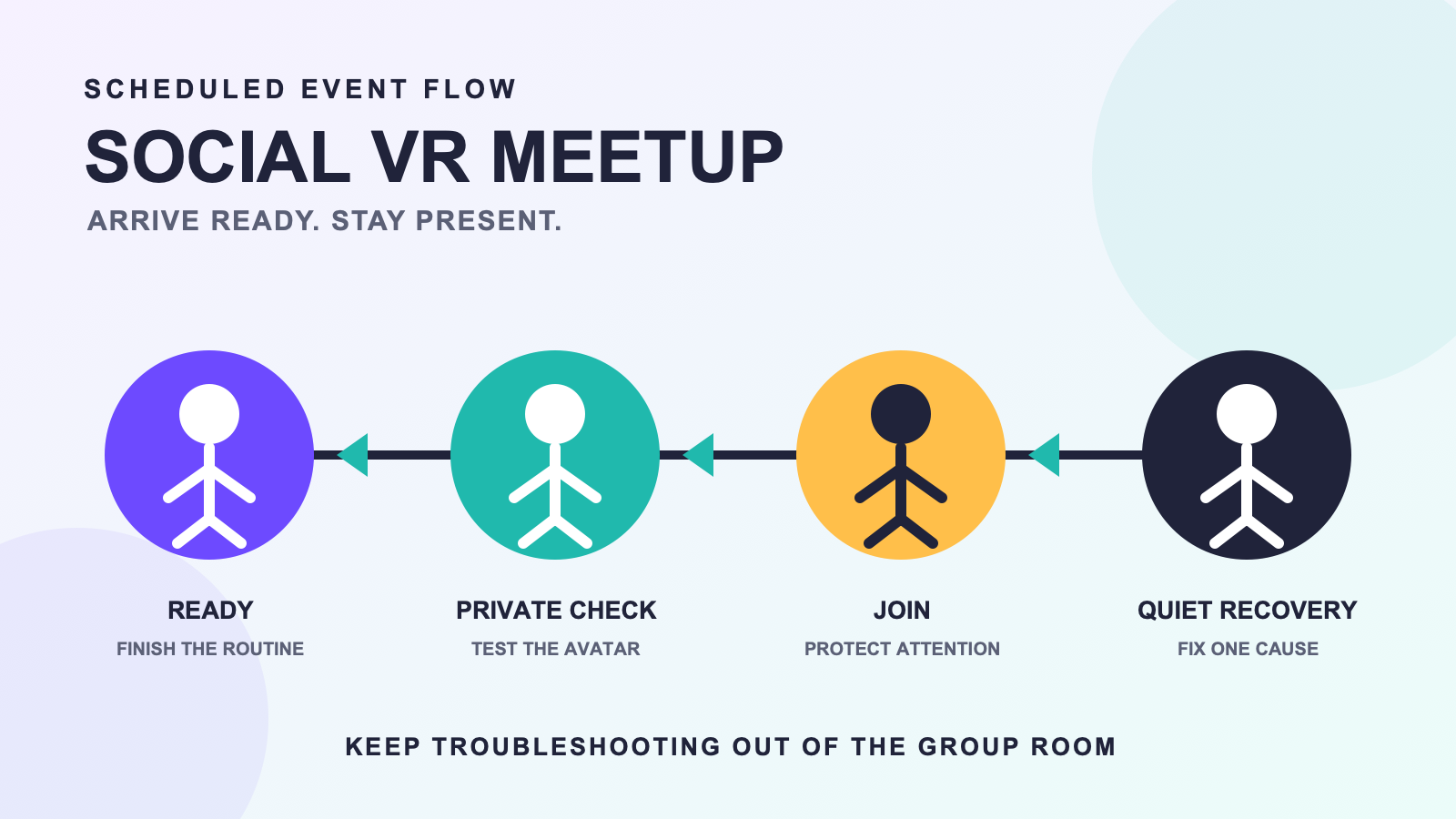
Write down four steps: prepare, check privately, join, recover quietly. The meetup gets your attention, while deeper troubleshooting gets its own time.
FAQ
How early should I start preparing for a social VR meetup?
Start early enough to complete your normal setup, check the selected avatar privately, and correct one obvious issue before the agreed arrival window. The exact time depends on your established routine.
Why use a private room before a scheduled meetup?
A private or low-pressure room lets you check the intended avatar and the meetup’s likely movements before other people are waiting. It also gives you space to correct one obvious issue without disrupting the group.
Should I choose my avatar before setting up FBT?
Choose and check the intended avatar before joining the group. Changing avatars later may justify another small movement check because the visible result can differ.
What is a quiet recovery plan for a meetup?
Step aside, check one observable physical cause, repeat one small movement, and return only if it meets the session target. Leave for a proper reset if the problem keeps interrupting the event.
Is FBT worth using only for scheduled meetups?
It can be if those events are a recurring part of your VR routine and tracked body movement matters to how you participate. If preparation regularly makes you late or the body is rarely visible, a simpler routine may fit better.
