
Blog
Full Body Tracking for Fitness and Movement Games
Jul
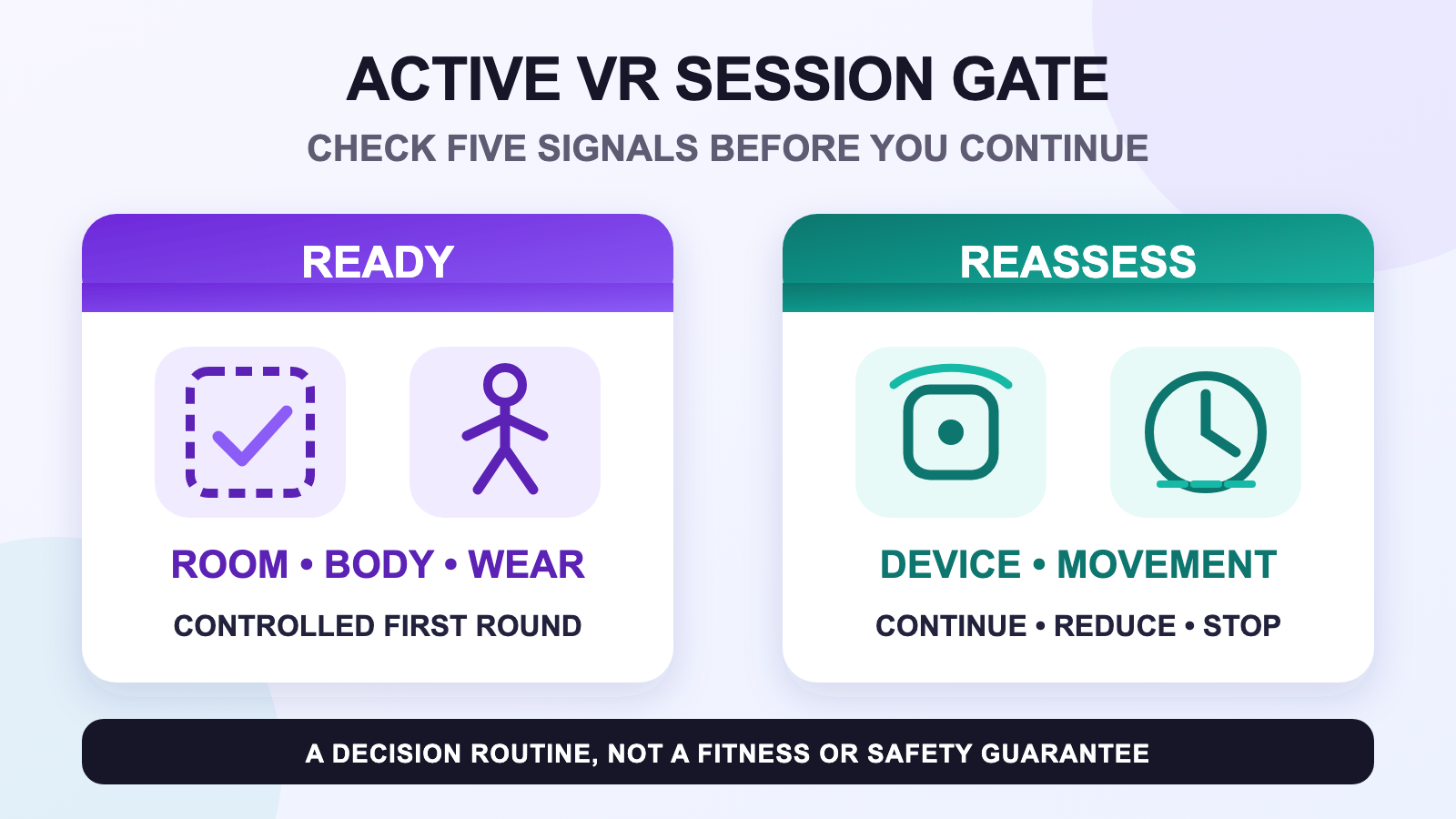
Full body tracking for fitness and movement games needs a conservative session gate, not a promise that more tracked points create a better workout. Before starting, check five things: the room, your comfort, strap stability, device state, and the movement the game expects. Run one familiar, controlled round, then decide whether to continue, reduce the movement, troubleshoot one signal, or stop.
FBT can make an avatar reflect more of a player’s stance and lower-body movement, but it is not a medical device or a universal measure of exercise quality. It does not prove calories, heart rate, training effect, rehabilitation progress, or injury prevention. If you are still deciding whether lower-body visibility has a job in your sessions, compare body tracking with head-and-hand-only VR. Follow the current health and safety guidance for your headset and application, and use advice from an appropriate professional when your health or physical ability is part of the decision.
Use a five-part gate before active play
A fast readiness check is easier to repeat than a perfect pre-session ritual. Name each signal before the headset goes on, and do not let excitement turn an uncertain signal into an automatic yes.
- Room: the activity space is clear, the boundary is current, and there is a buffer from objects.
- Body: you feel oriented and comfortable enough for the planned movement.
- Wear: trackers and straps are secure, comfortable, and assigned to the intended roles.
- Device: the headset, controllers, trackers, network, and application are in a known state.
- Movement: the first round uses movements you can perform with control in that room.
Meta’s current Quest Safety Center advises a clear indoor activity space, a clear buffer, use of available boundary features, attention to on-screen warnings, and regular breaks. Those are headset-vendor directions, not a guarantee for every room or game. For the complete FBT-specific safety check, use the active VR safety guide.
Prove wear with the movement the game uses
A strap that stays still during a mirror pose may move during repeated stepping. Official SlimeVR guidance says tracker role and orientation should match the mounting location, and the tracker should sit securely and move with the intended joint. Establish the physical baseline with the whole-kit strap placement guide, then test with a familiar movement from the actual game.
Do not maximize tightness. Secure and comfortable are both required. Body shape, clothing, mounting route, and movement differ, so adjust one variable at a time. If a tracker rotates, stop and inspect wear. If the tracker stays fixed but the virtual symptom repeats, keep the physical setup unchanged while you diagnose the next layer.
Run one controlled first round
The first round is a comparison point, not a performance test. Choose a familiar low-complexity section and pay attention to the five signals. Is the boundary still where you expect? Did a cable enter the foot path? Did clothing or sweat change the strap position? Is the movement still controlled? Did the device state change?
A modeled scenario shows the decision without inventing a result: a player finishes one familiar rhythm round, pauses, notices that a lower-leg tracker shifted, and reruns a simpler movement only after fixing the physical wear. Another player may find that the room, body, or application is the limiting signal. There is no universal round length or required intensity.
| Signal after the first round | Best next action | What not to assume |
|---|---|---|
| Everything remains controlled | Continue and reassess later. | Do not assume the state will remain unchanged indefinitely. |
| Movement is too large for the room | Reduce range or choose another mode. | Tracking does not make the room larger. |
| A strap or tracker moved | Pause and restore comfortable physical wear. | Calibration cannot secure a moving mount. |
| One repeatable virtual symptom remains | Keep variables fixed and route the symptom. | Do not replace every component at once. |
| Comfort or orientation is uncertain | Stop and follow current headset guidance. | Completing the game is not more important than control. |
Choose continue, reduce, troubleshoot, or stop
A useful gate produces a decision. Continue when the room, body, wear, device, and movement remain controlled. Reduce the movement when the room or current comfort does not support the original range. Troubleshoot when one equipment or tracking symptom is specific and repeatable. Stop when comfort, orientation, the boundary, an obstacle, or the equipment state is uncertain.
Do not turn the choice into a toughness test. A slower or seated mode may be the correct session for the room and the day. If a repeatable tracking symptom remains after the physical setup is stable, use the FBT symptom router rather than changing unrelated settings.
Keep care, charging, and replacement separate
Active sessions can leave soft gear warm or damp, but this article does not invent a cleaning method for unknown strap materials. Remove electronics only when the product design and instructions allow it, then follow the strap cleaning guide and the applicable manufacturer directions. Store electronics and soft gear according to their real care requirements.
Power readiness also deserves its own routine. The cable and charging organization guide explains how to keep the right charging path with the kit without prescribing an unsupported charger or schedule. If a strap no longer holds position comfortably or shows damage, use the strap replacement guide; do not rely on a universal age limit.
Record one useful note after the session
Write down the game or mode, clothing, movement that exposed the issue, whether the physical tracker shifted, and which of the five signals changed first. This small record makes the next session comparable. It also helps support distinguish a room or wear problem from a device or software symptom.
If you need a focused diagnosis, record the tracker route, headset and application, the exact repeatable movement, and what stayed physically fixed. Avoid broad claims such as “it fails during fitness” when a specific symptom can be described.
Choose an FBT routine you can keep controlled
Review the current FBTKit options for today’s included parts, variants, pricing, and setup notes. Decide whether the wear, charging, care, and troubleshooting routine fits your actual movement games.
FAQ
Does full body tracking make a VR game a better workout?
Not necessarily. FBT may change how an avatar represents movement, but it does not prove exercise quality, calories, heart rate, training effect, or a health outcome. Judge the tracking use case separately from fitness advice.
What should I check before using FBT in a movement game?
Check the room, your comfort and orientation, strap stability, device state, and the movement the game expects. Follow current headset and application warnings, then begin with a familiar controlled section.
Should I keep playing if a tracker starts to slide?
Pause and restore a comfortable, stable physical mount before continuing. Calibration cannot secure a tracker that is moving on the body, and painful tightness is not the goal.
How long should an active VR session last?
There is no universal duration in this guide. Follow the current guidance for your headset and application, take regular breaks, and stop when comfort, orientation, room control, or equipment state becomes uncertain.
Can FBT prevent injuries during movement games?
No. Full body tracking is not an injury-prevention guarantee. Keep the activity space clear, use available boundary features, choose controlled movement, and follow the health and safety information for your headset and application.
Official sources
Official sources were accessed on August 11, 2026. This guide is not medical or fitness advice and does not claim a first-hand FBTKit movement-game test, exercise result, or safety outcome.
