
Blog
Body Tracking VR vs Head and Hand Tracking Only
Jul
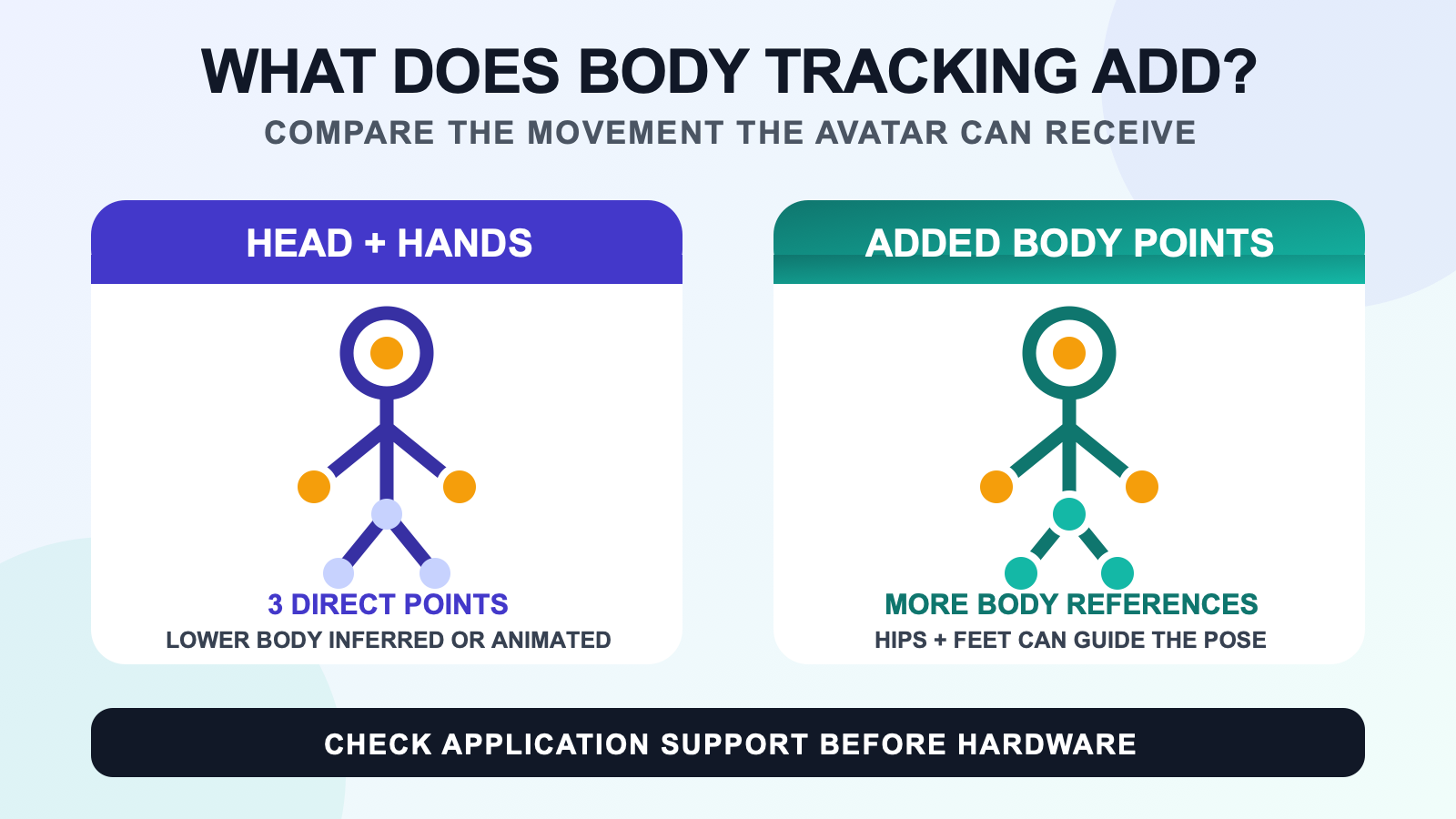
Head and hand tracking directly tells a VR application where your headset and controllers are. Body tracking can add references for areas such as the hips and feet when the application supports them. The visible difference is not simply “more movement.” It is the difference between lower-body motion that the avatar system estimates or animates and motion guided by additional tracked points.
That difference matters most when your stance, foot placement, seated posture, or weight shift is part of what you want other people to see. It may matter less when you spend most of a session talking, exploring menus, or playing an experience that does not use extra body points. Software support, avatar rigging, calibration, and the tracking hardware still shape the result.
Start with the points the application receives
A headset provides a head reference. Controllers or hand tracking provide hand references. An avatar system can use those points, controller inputs, and its own inverse kinematics or animation rules to pose the rest of the body. The legs may still walk, bend, or turn on screen even when no device is measuring the user’s feet.
That generated movement can be useful. It keeps an avatar from becoming a floating head and pair of hands. It is not the same input as a tracked hip or foot. The official VRChat full-body tracking documentation lists supported additional points including the feet, knees, hip, chest, and elbows or shoulders. Another application may accept a different set, so check the destination software rather than assuming one universal body map.
Compare the visible result by scene
| Scene | Head and hands only | With supported body points |
|---|---|---|
| Standing conversation | The system can infer torso and leg pose from the tracked upper points and animation state. | A hip reference can help the avatar follow turns, leans, and stance changes more directly. |
| Seated session | The avatar may use a seated mode or inferred lower-body pose. | Supported hip and foot points can give the solver more information about the actual seated position. |
| Dance or pose practice | Arm paths and head direction are visible, while much of the lower body is animated or inferred. | Tracked feet and hips can connect more of the pose to the user’s movement. |
| Avatar clip | The clip can still communicate gestures and timing through the head and hands. | Additional points may make footwork and stance part of the captured performance when the whole path supports them. |
The table describes input, not quality. A poorly fitted avatar or rushed calibration can look wrong with extra trackers. A well-designed head-and-hand animation can look clear in the scene it was made for. The useful question is whether the movement you care about is one of the movements the application can receive and show.
Notice the difference in stance and weight shifts
Head and hand movement can suggest where the torso should face, but it does not directly describe every shift in the pelvis or feet. If you lean your shoulders while keeping your hips centered, cross one foot behind the other, or change which leg carries your weight, a head-and-hand-only avatar may simplify that pose.
Additional body references give the solver more evidence. They do not record every joint. The application still calculates the knees, spine, and other untracked areas from the points it receives and from the avatar’s rig. That is why the same physical pose can look different across avatars or calibration attempts.
If sitting is the main use case, the seated VR session guide goes deeper into what to test. For character interaction, the roleplay and immersive social VR guide focuses on scene choices rather than hardware theory.
Decide whether lower-body visibility changes your activity
For a dance routine, the shape of a step may be the point of the activity. During a casual conversation, a small foot adjustment may add little. A creator framing only the upper torso has different needs from someone recording a full-height avatar. The dance streams and avatar clips guide covers that production branch.
Try to name one movement that head and hand tracking does not show the way you want. “I want better tracking” is too broad to guide a purchase. “I want the avatar to show my planted feet during a turn” is testable. If no missing movement comes to mind, the current input may already fit the session.
The full body tracking overview explains the broader category. The worth-it guide helps connect the visible difference to session frequency and effort.
Check the software and avatar before buying
Extra hardware cannot make an application consume data it does not support. Confirm the headset path, computer or standalone path, tracking software, target application, and supported body roles. Then test an avatar with suitable humanoid rigging and a calibration process you can repeat.
Use the VR full body tracking compatibility checklist for that chain. Do not treat a video recorded in another application, on another headset, or with another avatar as proof for your setup.
Run a movement-first decision test
- Write down the application and avatar you expect to use.
- Name two movements that feel missing with head and hand tracking.
- Confirm which additional body points the application accepts.
- Check whether the avatar rig and calibration workflow support those points.
- Decide whether the added setup work fits how often you will use the feature.
No verified side-by-side recording or measured session was available for this article. The comparison stays at the input and visible-scene level instead of promising a personal result.
Review a wearable route after the movement test
The FBTKit LSM6DSV SlimeVR-Compatible Full Body Tracking Kit is one wearable tracker route. Use the product page for current kit facts, then verify that SlimeVR Server and the intended application path support the body roles you want before ordering.
FAQ
What does head and hand tracking control in VR?
It directly provides head and hand references through the headset and controllers or supported hand tracking. The application then uses IK, animation, and input state to pose body areas that are not directly tracked.
When is head-and-hand tracking enough instead of body tracking?
Head-and-hand tracking is often enough when the outcome depends on looking, pointing, grabbing, or controller input rather than measured lower-body pose. Add body tracking only when missing stance, hip, seated, or foot information changes the scene you care about.
Can an avatar move its legs without full body tracking?
Yes. Applications can animate or infer lower-body movement from locomotion controls, head and hand positions, and IK rules. That movement is generated by the avatar system rather than measured at the user’s feet.
Is body tracking useful if I mostly sit in VR?
It can be useful when the application supports the relevant points and seated posture is something you want the avatar to show. Test the target avatar and seated mode before assuming that extra trackers will change the result you care about.
Does adding body trackers always make an avatar look better?
No. Extra points provide more input, but avatar rigging, calibration, mounting, software support, and the movement itself still affect the visible pose. Define a missing movement and test that outcome instead of assuming more hardware guarantees a better avatar.
