
Jul
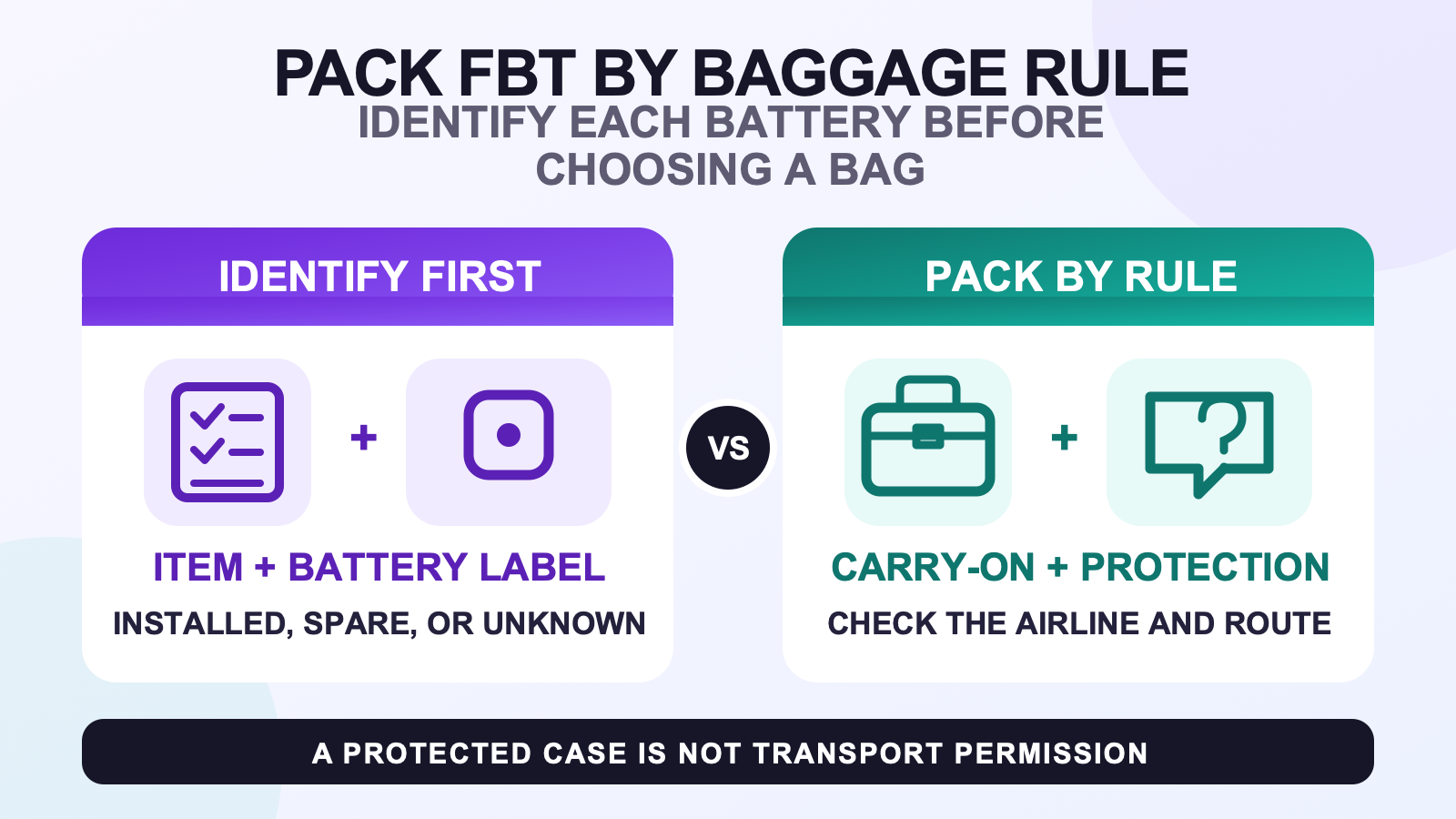
Before traveling with full body tracking gear, make an item-and-battery manifest, then choose each baggage zone from the actual device, route, and carrier rules. Do not assume that a tracker, spare battery, or power bank may go in checked baggage. For U.S. air travel, TSA handles checkpoint screening, FAA rules govern hazardous materials, and the airline may require approval or impose stricter limits.
A useful travel checklist begins before the suitcase comes out. Write down every tracker, strap, cable, adapter, mount, case, computer or headset dependency, and battery-powered accessory needed for the planned session. Then record whether each device contains an installed battery, uses a spare battery, or has no battery. Unknown is a stop sign, not a baggage category.
Build an item-and-battery manifest before choosing luggage
Start with the current package contents checklist, then narrow it to the exact session. A short social visit may need a different setup from a dance recording or a PCVR demonstration. Pack the route you have tested, not every accessory you own.
Give each line of the manifest five fields:
- item name and count;
- role in the planned session;
- battery status: installed, spare, power bank, none, or unknown;
- battery chemistry and watt-hour rating when the label or official document provides them;
- planned bag and protection method.
If the exact tracker or accessory is unclear, compare it with the current FBTKit product record and your order record. Do not copy a battery specification from a similar-looking device. If the label or official manual does not resolve the battery, ask the maker and airline before an air trip.
Separate TSA, FAA, and airline decisions for U.S. flights
| Authority | What to verify | What it does not prove |
|---|---|---|
| TSA | Whether an item may pass the U.S. security checkpoint. TSA’s battery pages point travelers to FAA rules, and the final checkpoint decision rests with the TSA officer. | A TSA page is not airline approval and does not guarantee passage in every case. |
| FAA | U.S. hazardous-material rules for installed devices, spare batteries, power banks, size limits, short-circuit protection, and damaged or recalled batteries. | FAA guidance does not identify the battery inside your tracker. |
| Airline | Carrier approval, quantity limits, watt-hour limits, gate-check procedure, and any stricter restriction for the itinerary. | A general FAA allowance does not force an airline to accept an item. |
| Other country or airport | The relevant aviation authority, security agency, airline, and route-specific instructions. | U.S. TSA and FAA pages are not a universal international rulebook. |
Check the airline before departure and again when the itinerary changes. A codeshare, connection, or gate-checked cabin bag can change which operator handles the bag. Save the applicable pages offline so you can identify the rule you relied on without claiming that a screenshot guarantees acceptance.
Use a baggage-zone matrix
| Item type | U.S. air-travel starting point | Protection and preflight check |
|---|---|---|
| Portable device with an installed lithium battery | FAA says it should be in carry-on baggage. If a device is permitted in checked baggage, it must be completely powered off and protected from damage and unintentional activation. | Identify the battery, protect the switch and housing, and confirm the airline’s rule before choosing checked baggage. |
| Spare uninstalled lithium battery | Carry-on only under FAA and TSA guidance. | Protect terminals from short circuit and the battery from damage. Remove it if the cabin bag is gate-checked. |
| Power bank or portable recharger | Carry-on only under FAA and TSA guidance. | Protect it from activation and damage. Remove it from any bag handed over at the gate or planeside. |
| Spare lithium-ion battery from 101 through 160 Wh | Airline approval is required, with no more than two such spares per passenger under the cited U.S. guidance. | Get the carrier decision before travel; the airline may be stricter. |
| Battery identity unknown | No baggage assumption. | Resolve chemistry, Wh rating, installed-versus-spare status, and airline requirements first. |
| Damaged, swollen, overheating, or recalled battery or device | Do not pack it as normal gear. FAA says a damaged or recalled item likely to spark or generate dangerous heat must not be carried unless the battery is removed or otherwise made safe. | Stop using it and follow the maker, recall, airline, and applicable authority instructions. |
This matrix is a decision aid, not permission for a specific tracker. It also does not cover every battery chemistry, mobility device, professional shipment, customs question, or international exception.
Protect devices, terminals, straps, cables, and small parts
Use a case or divided pouch that prevents devices from pressing against keys, metal adapters, bottles, or heavy equipment. Keep spare-battery terminals protected from short circuit using the method allowed for that battery. Do not let a switch stay under constant pressure where the device could turn on inside the bag.
Pack straps only when they are fully dry. Clean them early enough to finish the strap cleaning and drying routine without resorting to unapproved heat. Keep damp clothing and liquid containers in a different zone from trackers and charging equipment.
Label cables by purpose and count small adapters into a closed pocket. The cable and charging organization guide covers the full charging-station workflow. For travel, the goal is narrower: pack only the verified charging path and make sure no cable is left in the home charging area.
Test the exact destination hardware, software, and network path
A travel setup can fail even when every physical part arrived. The destination may change the PC, headset route, local network, account, application version, or room. Write the intended path in one line, then run that path before the important session when possible.
Use the full body tracking compatibility checklist when a headset, computer, or app changes. If the route involves base-station-tracked hardware, the SteamVR base-station guide explains why that hardware decision must be made before packing. Do not treat a working home setup as proof that a different destination path will work.
Keep installers, official setup documentation, and account recovery information available through a secure method. Do not store passwords in a shared packing note. If the destination network is controlled by a hotel, venue, school, or workplace, confirm access constraints without assuming that a device can join or communicate normally.
Adjust the session to the real room
Inspect the room before wearing trackers. Check floor area, furniture edges, rugs, cables, low fixtures, doors, other people, and anything that could move into the path. A room suitable for standing conversation may not support wide steps, dance, or rapid turns.
Begin with a slow stance, step, turn, and sit check. Reduce the movement plan when the room is smaller or busier than expected. For a meetup, use the social VR meetup guide for people, timing, and shared-session planning instead of making the travel checklist carry the whole event workflow.
Run a departure and return-home count
Count gear at four points: before closing the bag at home, after security or a baggage handoff when practical, before leaving the destination, and after unpacking at home. Use the same manifest each time. A photo can help remember the arrangement, but the written count is the record.
At home, remove the gear from the travel bag. Inspect for damage, let straps air when needed, and return each part to the between-session storage routine. Do not leave battery-powered devices in a hot vehicle, wet bag, or crushed compartment while waiting for the next session.
Before-leaving checklist
- Session goal and exact hardware path written down.
- Every tracker, strap, cable, adapter, mount, case, and dependent device counted.
- Installed, spare, power-bank, no-battery, or unknown status recorded for each electronic item.
- Battery chemistry and Wh rating copied from the correct label or official document when available.
- TSA, FAA, relevant foreign authority, airport, and airline rules checked for the actual route.
- Carrier approval obtained when required.
- Spare-battery terminals protected and power banks assigned to carry-on.
- Plan ready to remove every spare lithium battery and power bank if the cabin bag is gate-checked.
- Devices protected from damage and unintentional activation.
- Straps completely dry and cables labeled by purpose.
- Destination headset, PC, software, account, network, and room path tested or marked unresolved.
Destination and return checklist
- Inspect the room before active movement.
- Count the kit before and after the session.
- Stop using any device that is damaged, swollen, unusually hot, smoking, or emitting an unusual smell.
- Repack every spare battery and power bank in its compliant carry-on zone.
- Check the room, outlet area, case, and cable pocket before leaving.
- Unpack, inspect, air, and store the kit after returning home.
Close the unknown battery and baggage questions before departure
Write down the exact device, battery label, Wh rating, installed-versus-spare status, airline, and route. Ask the maker or carrier when any field is missing. A protected case is useful, but it cannot turn an unknown or prohibited battery into an approved item.
FAQ
Can full body tracking devices go in checked baggage?
Do not assume they can. First identify the battery. For U.S. travel, FAA says portable devices containing lithium batteries should be carried on; if a device is permitted in checked baggage, it must be completely powered off and protected from damage and unintentional activation. Confirm the airline’s rule.
Where should I pack spare lithium batteries and power banks?
For U.S. air travel, FAA and TSA say spare lithium batteries and power banks belong in carry-on baggage only. Protect spare-battery terminals from short circuit, and remove these items if the cabin bag is gate-checked.
Do I need to know the battery watt-hour rating?
Yes, when air-travel rules depend on battery size. Use the rating on the exact battery or official device documentation. Do not borrow a specification from a similar tracker, and ask the maker or airline when the value is unclear.
What happens with spare lithium-ion batteries from 101 through 160 Wh?
Under the cited U.S. guidance, airline approval is required and a passenger may carry no more than two spare batteries in that range. The operating airline may impose stricter limits, so obtain its decision before travel.
Are TSA and FAA battery rules the same as airline rules?
No. TSA makes U.S. checkpoint decisions, FAA sets U.S. hazardous-material carriage rules, and the airline may require approval or use stricter limits. Other countries and airports have their own authorities and instructions.
Official U.S. air-travel references
- FAA PackSafe: Lithium Batteries
- FAA PackSafe: Portable Electronic Devices Containing Batteries
- TSA: Lithium Batteries 100 Wh or Less in a Device
- TSA: Lithium Batteries More Than 100 Wh
- TSA: Power Banks
FAA, TSA, and public FBTKit pages were checked on August 11, 2026. The aviation links are U.S. guidance and must be rechecked with the operating airline and every relevant authority for the actual itinerary. This article does not claim a verified battery specification for every FBT device or first-hand airport clearance.
