
Blog
Vive Tracker vs Full Body Tracking Kit: What Buyers Compare
Jul
Quick answer: a Vive Tracker search is usually asking about a tracker-centered hardware path, while a full body tracking kit page should be judged by the whole buying path: what you must already own, what arrives in the box, what software route is expected, how the trackers are worn, and where support comes from. Do not compare only the product names.
This article is narrower than a broad ecosystem comparison. If you want SlimeVR, Tundra, Vive, and FBTKit-style paths side by side, read the neutral ecosystem notes. Here, the goal is to decode the Vive Tracker style search result and turn it into a list of buyer questions.
Vive Tracker Is A Hardware Term
People often search for Vive Tracker because the name is familiar in VR tracking discussions. That does not mean every buyer needs the same hardware route. A tracker-centered setup can involve several supporting pieces, and the real question becomes: what does the whole system require before it works in your room?
When a page or comment mentions Vive trackers, pause and identify whether it is talking about the tracker itself, the tracking ecosystem, body straps, base stations, dongles, software setup, or a complete bundle. Those are different purchase questions.
List The Extra Pieces Before Comparing Price
The visible price of one tracker does not always represent the total path. You may need mounting accessories, charging accessories, software setup time, tracking hardware, or other items depending on the route. A kit path should be judged by whether it makes the whole path clear, not only by whether one part looks familiar.
Write down what you already own before you compare anything: headset, controllers, PCVR route, base stations if relevant, straps, charging space, and the app where you want movement to appear. Then compare product pages against that list.
Ask What The Page Actually Sells
A Vive Tracker result may sell one tracker, a pair, a bundle, an accessory, or a used item. A full body tracking kit page may sell a more guided package, but you still need to confirm what is included today. Read the product page line by line. Do not import assumptions from a forum comment, a marketplace photo, or another user’s setup.
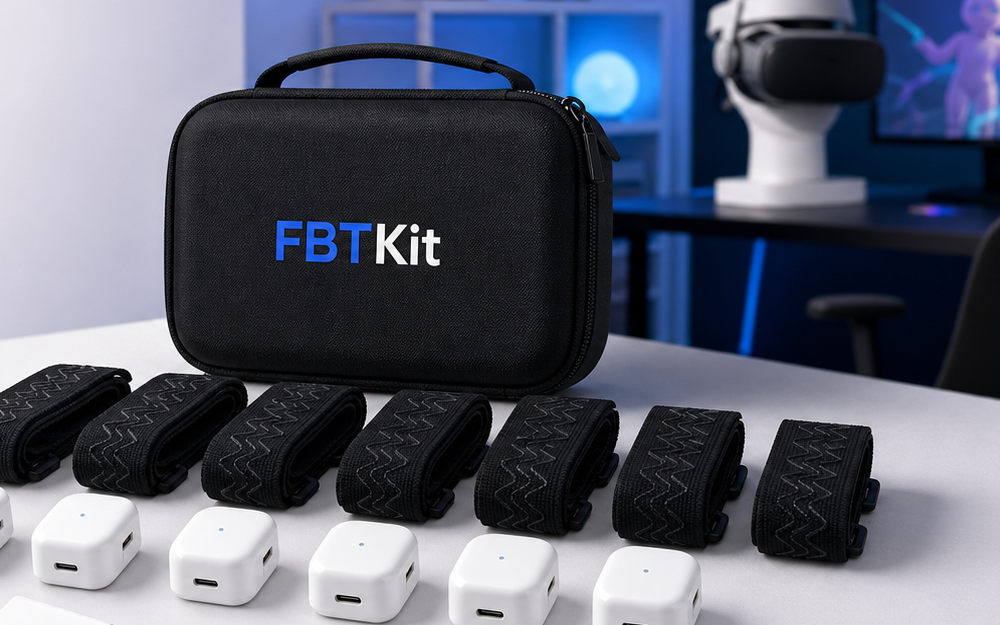
The FBTKit product page should be reviewed as its own buying path. Check the current kit details, support access, and checkout information directly rather than assuming it matches a different hardware ecosystem.
Compare Setup Ownership
Tracker-centered setups can reward people who enjoy building and tuning their own route. A more guided kit path may appeal to buyers who want fewer open questions before checkout. Neither style is automatically right for everyone.
Ask who owns the complexity. Will you be responsible for selecting every piece, reading outside setup discussions, and solving compatibility details? Or does the seller provide enough current product information and support access for your situation? The answer may matter more than the brand name.
Use A Vive-Style Buyer Checklist
- Am I buying one tracker, several trackers, straps, or a complete path?
- What tracking hardware or software route is expected?
- What do I already own, and what would be extra?
- How will each tracker be worn and charged?
- Who answers setup questions if my headset route is unusual?
- Does the product page describe current contents clearly?
When A Kit Path May Be Easier
A kit path may be easier when you want a single place to review contents, support, policy, and checkout. That can be valuable for a first full body tracking purchase, especially if you are less interested in piecing together a hardware stack yourself.
Still, easier does not mean universal. You must verify your own headset route, app, room, comfort expectations, and current product details. A careful buyer compares clarity, not just category labels.
Used Listings Need Extra Care
Vive-style searches often lead to used listings. Used gear can be appealing, but it adds questions that a new kit page may answer more clearly. Ask whether every required piece is included, whether the item has visible wear, whether charging accessories are present, whether returns are possible, and whether the seller can answer setup questions after purchase.
A used tracker without the rest of the route can become more expensive than it looks. Before you treat a used listing as a bargain, write the missing pieces on paper. Add straps, charging, software time, tracking hardware, support risk, and shipping uncertainty. Then compare that total route with the current kit page you are considering.
Also check how much learning you are accepting. Some buyers enjoy piecing together a setup from separate parts. Others want one product page, one support path, and fewer open loops. That preference is part of the cost, even when it does not appear as a line item.
Review The FBTKit Path
Use the current FBTKit product page to compare kit details, support access, and checkout information against the tracker path you are considering.
FAQ
Is a Vive Tracker the same as a full body tracking kit?
No. A Vive Tracker is a hardware term. A kit should be reviewed as the complete purchase path and current contents, not just one component name.
Why can Vive-style setups cost more than expected?
The total route may include accessories, tracking hardware, charging, straps, or software setup time depending on what you already own.
Should I compare brands or requirements first?
Compare requirements first. The brand name matters less than whether the route fits your headset, app, room, comfort, and support needs.
What should I ask support?
Ask with your exact headset route, app, room, movement goal, and any gear you already own. Specific questions get better answers.
