
Blog
Full Body Tracking vs Webcam Body Tracking
Jul
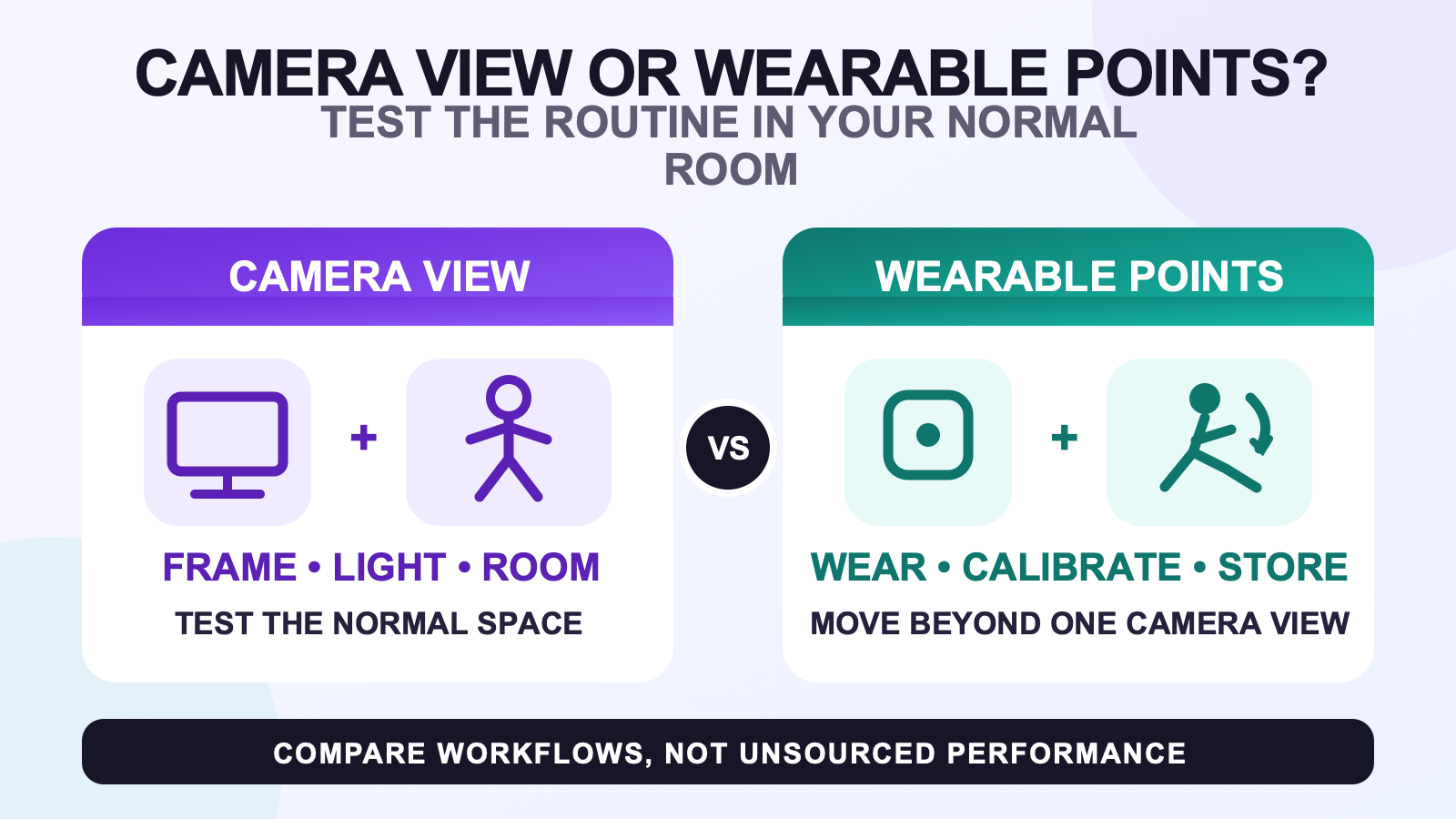
Full body tracking versus webcam body tracking is a choice between two kinds of setup work. A webcam method depends on a clear camera view, suitable room conditions, and the exact software path. Wearable trackers depend on charging, consistent body placement, calibration, and their own server or receiver path. Test the workflow you can repeat in your real room.
This is not an accuracy ranking. Webcam applications and wearable systems differ, and no controlled comparison was supplied for this article. The useful decision is whether your normal session can keep the method’s dependencies stable while you stand, sit, turn, and move around furniture.
Map the webcam capture zone
Put the camera where the proposed software expects it, then mark the part of the floor that remains visible. Test the framing with the desk, chair, monitor, and other fixed objects in their normal positions. A clear empty-room demo does not answer whether the view survives your usual session.
Check the scene at the time of day when you use VR. Lighting, shadows, background movement, and clothing can matter to camera-based software, but the exact effect depends on that product. Use its current instructions instead of copying universal camera settings.
The small-room tracking guide can help you draw the movement boundary. Keep the webcam’s viewing area separate from the headset’s play boundary and any cable route.
Take one reference photo of the room layout for your own notes. It can help you restore the tested camera position without claiming that the position works for anyone else’s space.
Test the movements that usually break framing
Start with the positions you will use, not a collection of dramatic poses. Stand in the center, take one step each way, turn, sit in the normal chair, lean toward the desk, and reach for something at your side. Watch whether the full body remains visible and whether the software keeps producing the output expected by the destination.
Sitting deserves its own check. A chair can hide the lower body, change the camera angle, or move when you lean. If the webcam must be repositioned each time you switch between standing and sitting, write that down as part of the workflow. Do not dismiss it as a one-time setup issue.
Compare the work each method asks from you
| Session task | Webcam body tracking | Wearable full body trackers |
|---|---|---|
| Before the session | Position the camera and prepare the visible scene | Charge, identify, and wear assigned trackers |
| Calibration | Follow the exact camera software process | Follow the tracker-system sensor and mounting process |
| Room dependency | Keep the required body view and environmental conditions | Keep a safe movement area and satisfy the chosen tracking method |
| Common interruption to record | Body leaves the frame or the app loses the pose | A tracker shifts, disconnects, or needs recalibration |
| Storage | Return the camera or room to its normal use | Remove, identify, charge, and store the wearables |
If you are also considering a phone camera or sensor workflow, use the phone based tracking comparison. The devices can overlap, but the decision evidence should still name the exact app and capture method.
Wearable trackers trade framing for placement
Wearable trackers do not need the body to remain inside one webcam frame, but they introduce physical setup. Each unit needs the correct role, a repeatable position, and a stable mounting orientation. The system may also need Wi-Fi, server software, receivers, or base stations depending on the method.
Review the setup and calibration workflow before calling that route easier. The routine is different, not absent. Use the tracking-method comparison if you have not chosen between wearable IMU and base-station-tracked hardware.
Run a fair two-session comparison
If both methods are available, compare them in the same room and destination. Use one short movement sequence and repeat it on two different days. Record setup actions, interruptions, and the point where you felt tempted to skip a step. Personal notes are useful here because they describe your routine. They are not evidence that another buyer will have the same result.
- Name the webcam software and wearable system.
- Confirm both routes reach the same destination app.
- Use the same standing, turning, sitting, and leaning sequence.
- Record what you had to move, wear, charge, or restart.
- Repeat on another day without relying on the first session’s temporary setup.
Before buying a wearable system, complete the compatibility checklist. A webcam trial can show that you value body movement, but it cannot confirm the output path of a different tracker system.
Choose the workflow that survives your normal room
A webcam method can be a sensible experiment when the camera view is easy to maintain and the exact software supports your destination. Wearable trackers deserve comparison when you want to move beyond the camera frame and can accept the charging and placement routine.
For a plain explanation of the category before choosing a method, read what full body tracking adds in VR. It separates the value of additional body points from the hardware used to provide them.
Review a wearable IMU route
The FBTKit SlimeVR-compatible tracker kit uses wearable IMU trackers and SlimeVR Server. Compare its current setup requirements with the webcam-room notes you recorded before ordering.
FAQ
What should a webcam body tracking room test include?
Test the normal camera position, lighting, background, desk, chair, standing area, sitting position, and the movements you expect to use in the destination app.
Why does camera framing change when I sit?
The chair, desk, and new body angle can hide areas that were visible while standing. Check the exact webcam software rather than assuming one camera position covers both.
Do wearable trackers remove all setup work?
No. Wearable systems require charging, assigned roles, stable placement, calibration, and the software or hardware dependencies of the chosen tracking method.
Which approach suits a shared room?
Choose after testing the actual room. A webcam needs a maintainable capture zone, while wearable trackers need storage, charging, safe movement space, and any method-specific hardware.
Can a webcam trial prove dedicated trackers will work?
No. It can show whether body movement matters to you. Dedicated trackers still need their own headset, app, output, server or receiver, and room compatibility checks.
