
Blog
IMU Based Full Body Tracking vs Base Station Tracking
Jul
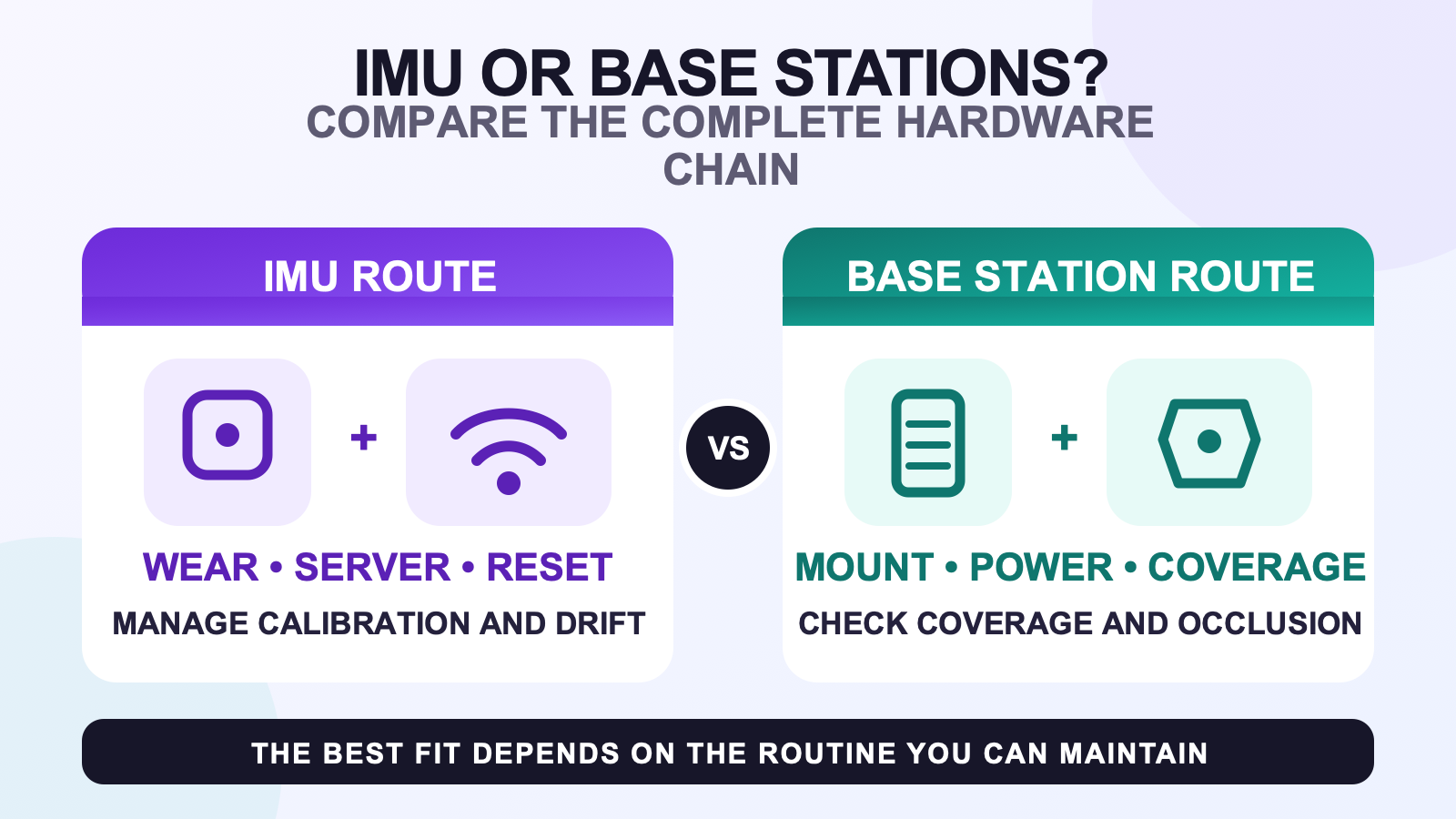
IMU based full body tracking and base station tracking solve the same broad problem with different dependencies. IMU wearables measure motion on the body and use software to estimate pose. Base-station-tracked devices use compatible room hardware and tracked sensors. Choose by checking the complete setup you already own, the room you can maintain, and the correction routine you will accept.
Neither method is a universal winner. SlimeVR documents sensor calibration, mounting, reset, and drift-related troubleshooting for its IMU workflow. Valve and HTC document exact compatibility, coverage, and base-station requirements for SteamVR Tracking hardware. Those sources support a method comparison, not an unsupported promise about accuracy or latency.
Start with the hardware chain
An IMU route needs the wearable trackers, stable mounting, power and charging, a network or receiver path, tracker software, body assignments, and a supported output to the destination app. SlimeVR hardware trackers, for example, use IMUs, Wi-Fi, and SlimeVR Server without external base stations.
A SteamVR Tracking route needs tracked devices that support the station generation, base stations, power, mounting or stable placement, receiver or dongle capacity, room coverage, and a software path into the destination app. The SteamVR base station guide handles those exact-model checks.
| Decision area | IMU route | Base station route |
|---|---|---|
| Room hardware | No external stations for the wearable sensors | Compatible stations are part of the tracking path |
| Wearable setup | Roles, mounting orientation, sensor calibration, and resets | Tracked-device placement, receivers, and body calibration |
| Room check | Network, movement area, and repeatable mounting | Coverage, occlusion, mounting positions, and power |
| Correction habit | Use the documented reset and calibration workflow | Check tracked-device visibility and the exact ecosystem setup |
| Portability question | Can the server, network, wearables, and calibration move with you? | Can the station layout and coverage be rebuilt correctly? |
Understand IMU calibration and drift work
An IMU measures motion; the software combines those measurements with the configured skeleton and mounting information. Small orientation errors can accumulate, so the workflow includes sensor calibration, mounting calibration, and resets. Do not treat the word “low drift” as permission to skip those steps.
When a pose gradually separates from your real stance, record whether one point or the whole body moves, how long the session has run, and which reset changes the result. The VR leg drift checklist gives that symptom its own diagnosis path. This comparison only identifies drift management as part of the IMU routine.
Understand coverage and occlusion work
Base stations add fixed room infrastructure. A tracked device needs compatible coverage in the movement area, and bodies or objects can block the path. Plan where the stations can stay, how they receive power, and whether the intended poses keep the tracked devices within the documented coverage.
Do not copy a universal station count, height, or room size from another setup. Exact station generations and tracked devices have their own requirements. In a small or shared room, use the room-layout checklist before assuming that fixed tracking hardware will fit.
Compare portability honestly
IMU wearables can avoid fixed base stations, but moving them still means carrying trackers, straps, charging gear, and the server device, then joining a usable network and recalibrating. That may suit a bedroom, shared home, or travel setup if those steps are manageable.
A base station route can be comfortable when the room is already built around it. Moving to another room may require a new coverage and mounting plan. If you already own compatible stations and receivers, that infrastructure changes the buying calculation. If you own none of it, include every required part before comparing cost.
Check the ecosystem before the method
The tracking method does not answer headset and app compatibility by itself. Confirm where the tracker data is produced, where it is translated, and which application receives it. Use the compatibility checklist for that route.
If you are comparing concrete SlimeVR and VIVE hardware rather than the underlying methods, continue to the SlimeVR and VIVE Tracker comparison. That page can discuss product ecosystems without forcing this method guide to generalize from one model.
Run the same movement and recovery check
When you can test both methods, use the same destination app, avatar, room area, and short movement sequence. Record setup actions and the first correction required. A fair test includes recovery, because a method that looks good before the first interruption may be frustrating afterward.
- Confirm the exact hardware and supported output route.
- Complete the method’s documented setup without skipping calibration.
- Test standing, turning, sitting, and the movement you perform most often.
- Introduce no artificial fault; simply record the first real interruption.
- Follow the documented recovery and note whether you would repeat it during a normal session.
The setup and calibration workflow can help turn that test into a repeatable pre-session checklist.
Review the IMU route after the method check
The FBTKit SlimeVR-compatible tracker kit follows the IMU, Wi-Fi, and SlimeVR Server route. Check the live product page for current options and compare those dependencies with the room infrastructure required by the base station route.
FAQ
What is the main planning difference between IMU and base station tracking?
IMU planning centers on wearables, mounting, sensor calibration, resets, network, and server software. Base station planning adds compatible fixed room hardware, coverage, power, receivers, and occlusion checks.
Why can IMU trackers drift?
IMU software estimates orientation over time, and small errors can accumulate. Follow the exact system’s calibration and reset guidance rather than assuming any sensor removes the need for correction.
What does occlusion mean in base station tracking?
Occlusion happens when the tracked device loses the required view of the tracking coverage because a body or object blocks it. The exact effect and remedy depend on the station and device.
Which method is easier to move between rooms?
IMU wearables avoid fixed stations but still need their server, network, charging, mounting, and calibration. Base station hardware needs its coverage and mounting plan rebuilt. Compare the full move, not one component.
How should an existing SteamVR setup affect the choice?
Existing compatible stations and receivers can reduce the new infrastructure needed for that route. Verify the exact generations and tracked devices before treating old hardware as compatible.
