
Blog
SteamVR Base Stations and Full Body Tracking: Buyer Notes
Jul
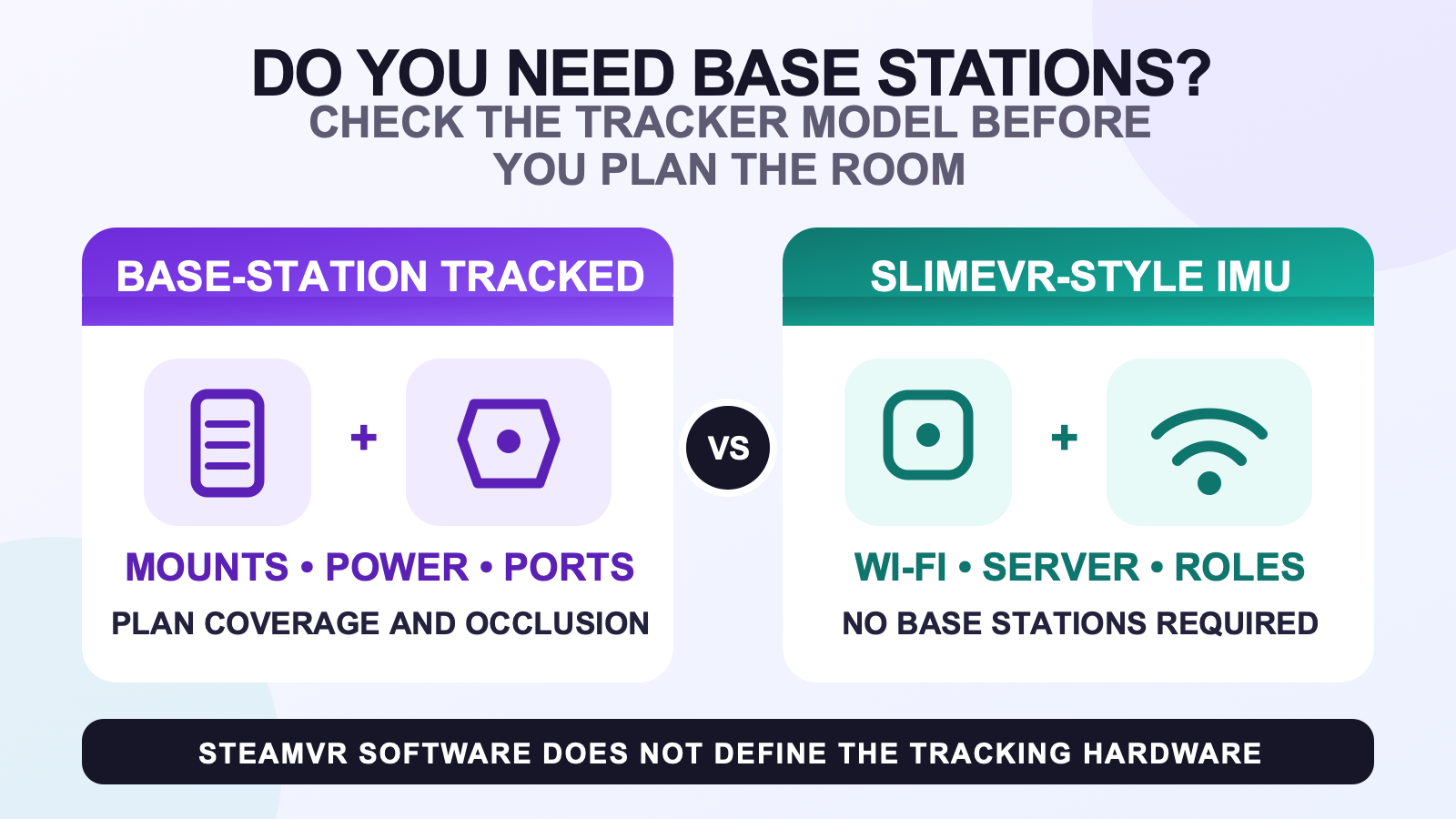
No, full body tracking does not always need SteamVR base stations. You need them when the exact trackers use SteamVR Tracking or another base-station-tracked path. SlimeVR-style IMU trackers use sensors, Wi-Fi, and server software instead, so running their output through SteamVR does not make base stations necessary.
The model name matters more than the brand or the word SteamVR. VIVE Tracker (3.0) is designed for SteamVR base-station tracking, while VIVE Ultimate Tracker is a self-tracking camera model that does not use base stations. Start with the tracked device, then list every station, receiver, computer, network, and software dependency around it.
Separate SteamVR software from tracking hardware
SteamVR can describe the PC software environment where a headset, controllers, trackers, and an application exchange data. SteamVR Tracking describes a specific hardware tracking system. Seeing “works with SteamVR” on a page does not by itself tell you whether the wearable tracker needs external stations.
For example, the official VIVE Tracker (3.0) specification says that model supports SteamVR Base Station 1.0 and 2.0 and requires stations and software sold separately. The official SlimeVR explanation says its IMU trackers send rotation data to SlimeVR Server over Wi-Fi and do not require base stations. Both routes can appear in a SteamVR conversation, but their hardware chains are different.
Use the exact tracker model to name the route
| Tracked hardware category | Base-station answer | What to verify next |
|---|---|---|
| SteamVR Tracking hardware, such as VIVE Tracker (3.0) | Base stations are part of the tracking path. | Station generation, tracked-device support, receiver or dongle needs, mounting, power, and room coverage. |
| SlimeVR-style IMU trackers | Base stations are not required for the trackers. | SlimeVR Server host, Wi-Fi path, body assignments, mounting orientation, calibration, and the output into the VR application. |
| Self-tracking camera hardware, such as VIVE Ultimate Tracker | This model does not use base stations. | Its wireless receiver, supported headset or PC path, software, and the environmental requirements in current model documentation. |
This table identifies dependencies, not a universal winner. If you want a broader brand and kit discussion, use the SlimeVR, VIVE Tracker, and FBTKit buying notes. For a deeper explanation of how the tracking methods differ, continue to the tracking-method comparison.
Plan room coverage for base-station-tracked hardware
A base-station route adds fixed devices to the room. Before buying, identify stable mounting positions, nearby power, the movement area, and objects that may block coverage between a tracked device and the stations. Valve describes Base Station 2.0 in terms of laser tracking, field of view, range, and reduced occlusion. Those are reasons to plan coverage, not permission to invent one mounting layout for every room.
Station generation also matters. The official Valve Index Base Station page limits the product to devices with SteamVR Tracking 2.0 support and notes that it is not compatible with the original standard HTC Vive products. Follow the exact station and tracked-device documentation before reusing old hardware or mixing generations.
Do not copy a station count, height, or room dimension from an unrelated setup. A room-scale recommendation is not automatically an FBT rule. If furniture, a desk, or limited mounting positions shape the decision, use the small-room full body tracking guide to map the actual movement area first.
List every base-station hardware dependency
The body trackers are only one part of a base-station-tracked path. Write down the station model and generation, mounting hardware, power connections, tracker receivers or dongles, available computer ports, headset path, and the software that will expose the trackers to the application. Confirm which pieces are already owned and which are sold separately.
Package language deserves its own check. A listing that shows stations in a lifestyle image has not necessarily promised that they are in the box. Use the full body tracking kit contents checklist, then compare the seller’s included-item list with the exact hardware chain you wrote down.
A SlimeVR-style route replaces stations with other setup work
Removing base stations does not make a tracker system requirement-free. SlimeVR’s current documentation says its trackers use IMUs and connect over Wi-Fi to SlimeVR Server. Its setup process includes the server host, tracker network, body locations, mounting orientation, calibration, and the selected SteamVR or standalone output.
This distinction answers a common confusing case: a SlimeVR-compatible kit can be used in a PCVR path that includes SteamVR without using SteamVR base stations for body tracking. SteamVR is the software output context in that sentence. The wearable trackers still follow their IMU and server architecture.
Headset and application support still need verification. After identifying the tracker category, use the VR full body tracking compatibility checks. If VRChat is the destination, the VRChat full body tracking buyer guide separates PCVR and currently supported standalone paths.
Do not generalize from the VIVE name
“VIVE tracker” is not one technical category. VIVE Tracker (3.0) is a base-station-tracked device. HTC describes VIVE Ultimate Tracker as self-tracking through onboard cameras and computer vision, with no base stations required. Its receiver and software path are different from both VIVE Tracker (3.0) and SlimeVR.
That is why a support question should name the full model. “Does VIVE need base stations?” is too broad. “Does VIVE Tracker (3.0) need SteamVR Base Station 1.0 or 2.0 in my existing setup?” identifies a question that current documentation can actually answer.
Verify the route before checkout
- Name the exact tracker model. Do not stop at a brand or marketplace category.
- Find the official tracking method. Look for SteamVR Tracking, IMU and server, or self-tracking camera language.
- List required external hardware. Include stations, receivers, dongles, mounts, power, and computer connections.
- Check the room. For base-station hardware, plan coverage and occlusion. For other routes, check their network, camera, or movement requirements.
- Confirm the software output. Verify how the tracker data reaches the intended headset and application.
- Compare the list with the package. Treat anything not explicitly included as unconfirmed.
Review no-base-station hardware after the route is clear
The current FBTKit SlimeVR-compatible tracker kit follows the IMU, Wi-Fi, and SlimeVR Server route rather than a SteamVR base-station tracking path. Use the product page for current options and package facts, then verify the headset, server host, network, and application path before ordering.
FAQ
Do you need SteamVR base stations for full body tracking?
Only when the exact trackers use a base-station-tracked system. SlimeVR-style IMU trackers and some self-tracking camera models use different hardware paths, even when SteamVR is part of the software setup.
Does VIVE Tracker (3.0) need base stations?
Yes. HTC’s current specification lists support for SteamVR Base Station 1.0 and 2.0 and says base stations and software are required separately. Verify the station generation and every other device in the planned setup.
Do SlimeVR trackers need base stations when used with SteamVR?
No. SlimeVR says its trackers use IMUs, Wi-Fi, and SlimeVR Server without base stations. SteamVR can be the output path without becoming the body tracker’s physical tracking method.
Do all VIVE full body trackers use base stations?
No. VIVE Tracker (3.0) uses SteamVR base-station tracking, while VIVE Ultimate Tracker is a self-tracking camera model that does not require base stations. Always use the complete model name.
What should I plan in the room for base stations?
Plan stable mounting positions, power, coverage of the intended movement area, and ways to reduce occlusion. Use the exact station and tracked-device instructions instead of copying universal heights, counts, or room dimensions.
