
Blog
Knee Tracker Placement Questions for VR Users
Jul
Quick answer: knee tracker placement should be checked as part of session preparation, not guessed after you are already in VRChat. If your full body tracking setup uses knee points, place them consistently, test sitting and stepping before joining a room, and confirm that straps stay secure without limiting comfortable movement.
Knee tracking questions usually show up when a user wants better leg expression but starts seeing strange bends, delayed poses, or awkward seated movement. The knee is a busy area. It bends, twists slightly with clothing, and changes shape between standing, sitting, crouching, and dancing. That makes preparation more important than a quick strap-and-go habit.
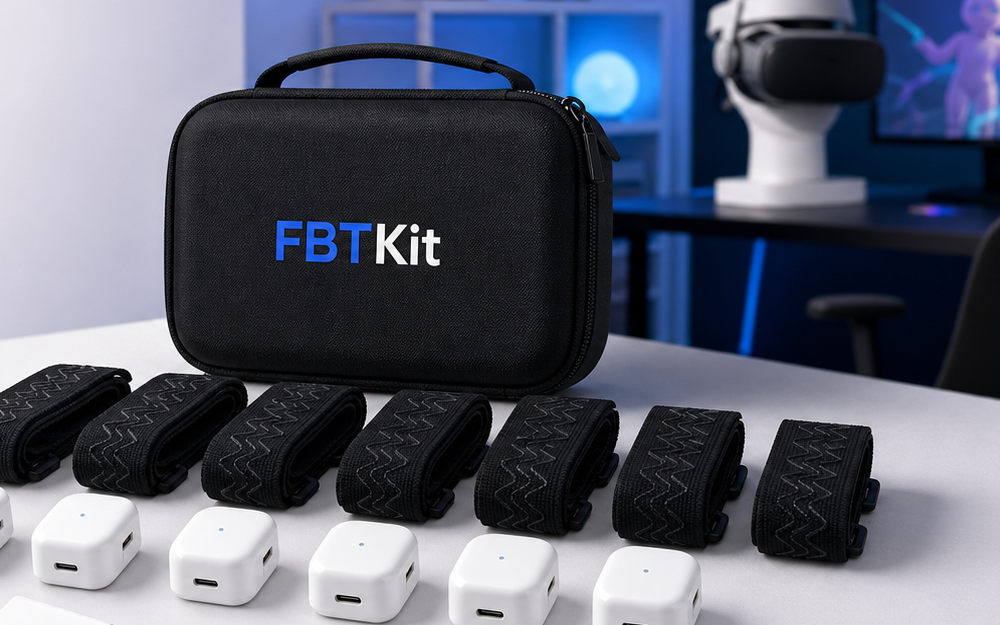
This guide is practical rather than technical. It does not claim that every setup needs knee trackers. Use it when your own workflow includes knee points or when you are deciding how to prepare for a session that depends on cleaner lower-body movement. For current product details, review the FBTKit Core Full Body Tracking Kit and ask through the contact page if your setup path is specific.
Start With The Session Type
Placement depends on what you plan to do. A calm seated hangout needs a different stress test than a dance room. Avatar testing may care about clean bends and repeatable posture. Roleplay may care more about kneeling, sitting, and quiet body language. Do not adjust knee placement in the abstract. Adjust it for the movements you are about to perform.
Before putting anything on, name the session: seated, standing, dancing, avatar check, or mixed movement. Then prepare around the hardest movement on that list. If the setup survives that movement comfortably, the easier parts of the session are less likely to surprise you.
Use A Consistent Reference Point
The biggest mistake is changing placement every time. Pick a simple reference point on your clothing or body position and repeat it. That might mean the same distance above or below the knee area, the same strap angle, or the same side orientation if your setup has a preferred direction.
Do not rely on memory alone. Look down before calibration and check both sides. Are they even? Are straps twisted? Is one tracker rotated more than the other? Small asymmetries can create obvious avatar problems, especially when you move quickly.
Test Standing Before Calibration
Stand in your normal ready posture and do a short physical check before software steps. Bend the knees slightly. Shift weight from left to right. Step forward and back. If a strap slides, pinches, or rotates during this simple test, fix it now. Calibration cannot turn unstable placement into a comfortable session.
This is also the moment to check clothing. Loose pants can shift under a strap. Very slick fabric can let placement drift. Thick layers can make a strap feel secure while still allowing the tracker to wobble. If the clothing is the problem, solve the clothing layer before tightening harder.
Add A Seated Check
Knee placement that feels fine while standing may feel different when seated. Sit down before joining a social room. Make sure straps do not dig into the back of the leg, bunch up fabric, or force you into an unnatural posture. Then stand back up and see whether placement changed.
This two-position check matters because many social VR sessions move between standing and sitting. If a tracker shifts every time you sit, your avatar may look fine for five minutes and strange after the first break.
Watch For Over-Tightening
When a tracker moves, the instinct is to tighten the strap. Sometimes that helps. Sometimes it creates a new problem: discomfort, pressure, reduced range of motion, or a strap that feels fine for ten minutes and annoying for an hour.
A better rule is stable enough for the planned movement, comfortable enough to forget during conversation. If you keep thinking about the strap, the preparation is not finished. Make smaller adjustments and test again rather than cranking down immediately.
Pair Placement With Charging And Storage
Placement is only one part of readiness. Count your trackers, confirm charging, and keep straps stored in a way that prevents twisting. A strap that comes out of the bag already curled or tangled makes consistent placement harder.
If you are taking gear outside the home, use the shipping policy only for order timing questions and build your own travel packing habit for daily use. Store soft parts dry, keep small accessories together, and do the same placement check at the destination.
Make A Short Knee-Placement Routine
- Name the session type before wearing the gear.
- Place both sides using the same reference point.
- Check strap angle, rotation, and clothing bunching.
- Test standing, stepping, and sitting before calibration.
- Adjust for comfort before entering a busy room.
- Write down what worked if the session felt stable.
Prepare Around Your Real Session
Use the current FBTKit product page for kit details, then build a knee-placement check around the movements you plan to use most often.
FAQ
Do all full body tracking setups need knee trackers?
No. Some setups focus on other body points. Use knee-placement checks only if your own workflow includes knee tracking or you are preparing for a setup that does.
Should knee trackers feel tight?
They should feel stable for the planned movement without pinching, cutting into the leg, or making normal sitting and standing uncomfortable.
Why does knee tracking look worse after I sit down?
The strap may shift, fabric may bunch, or placement may rotate during the seated position. Add a sit-stand check before calibration.
What clothing works best for knee placement?
Use clothing that holds the strap consistently without slick sliding or heavy bunching. Test your actual session outfit before you enter VR.
When should I contact support?
Contact support if placement, compatibility, or accessory fit is unclear after you describe your headset route, body points, clothing, and movement style.
