
Blog
Full Body Tracking Bundle Checklist
Jul
Quick answer: a full body tracking bundle checklist should confirm current kit contents, wearable straps, body-point goals, charging and storage, setup routine, room fit, support path, shipping timing, and return comfort before checkout.
Bundle buying can feel efficient, but it also creates a risk: the buyer may stop asking detailed questions because the bundle sounds complete. Full body tracking still needs to fit a real person, a real room, and a real VR workflow. A bundle is only useful if the included pieces support the way you will actually use them.
This checklist helps you compare a full body tracking bundle for VRChat, social VR, creator clips, gifts, and first-time setup. Use it before buying, and keep it nearby during the first session.
Confirm The Current Bundle Details
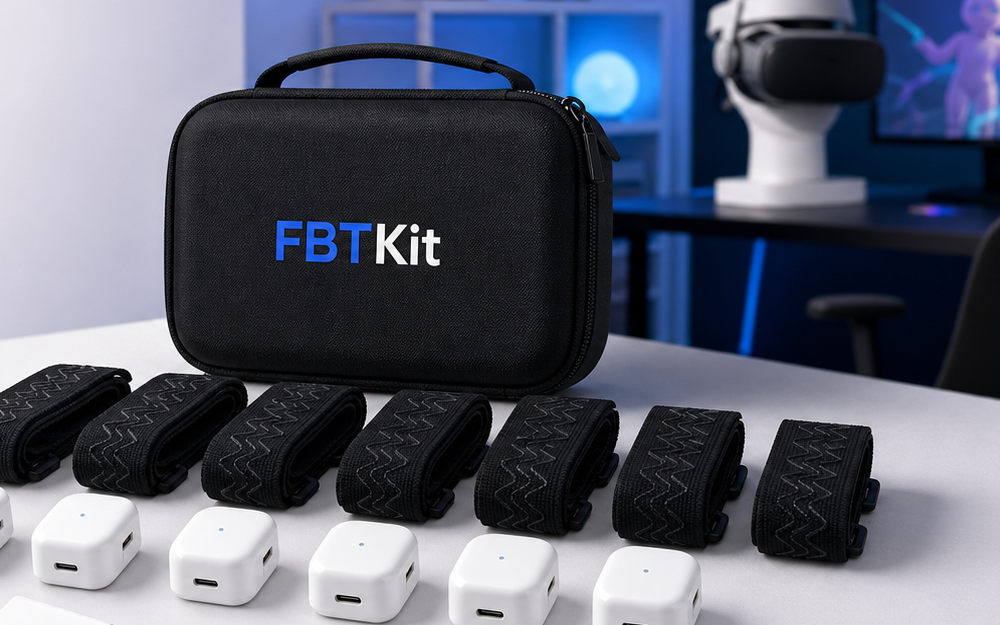
Start on the current FBTKit Core Full Body Tracking Kit page. Check what is included today, what the product page says, and what the checkout path shows. Do not assume a bundle includes every accessory you imagine.
Write down any unclear item. If a strap, cable, mount, storage piece, or wearable detail matters to your routine, confirm it before buying. A checklist is most useful when it turns assumptions into clear questions.
Match The Bundle To Body Points
Full body tracking discussions can get vague. Name the body points you care about: waist, hip, feet, or a simpler lower-body goal. Then compare those goals with the bundle details. The setup should match what you want the avatar to express.
For social VR, waist and foot movement may be the practical center of the routine. For creator clips, you may care more about repeatable body alignment and clear framing. For gift buying, you may need to confirm the recipient’s goals before choosing.
Check Wearable Comfort
A bundle can look complete and still fail in daily use if the wearable routine feels annoying. Ask how straps fit the user’s clothing, footwear, sitting habits, and movement style. Smooth fabric, loose pants, socks, shoes, and seated posture can all change placement.
When possible, choose a bundle with the user’s real sessions in mind. A relaxed VRChat hangout, a dance session, and an avatar recording pass need different comfort checks. The bundle should support the session instead of forcing the user to adapt every time.
Comfort also affects consistency. If a strap pinches, slides, or takes too long to fit, the user may skip full body tracking on casual nights. A good bundle should make the normal routine feel approachable. That matters more than a list that looks impressive but adds friction every time the headset goes on.
Plan Charging And Storage
Charging and storage are part of ownership. Where will the pieces live between sessions? Where do cables go? How will the user know everything is ready before joining friends? A complete bundle still needs a simple home.
Set a routine early: return pieces to the same spot, untwist straps, check charging, and keep small items together. This turns the bundle from a box of parts into a repeatable VR habit.
Bundle buyers should also decide who owns the routine. If the purchase is a gift, the recipient may need a simple note that explains where to start and what to check first. If the purchase is for yourself, write the routine in the order you will actually follow: store, charge, fit, test, calibrate, play, reset. A clear order makes the bundle easier to use after the excitement of checkout fades.
Check Room And Session Fit
The room decides how ambitious the setup should be. A small apartment corner can still support social presence, seated posture, and controlled steps. A larger creator or dance space may support bigger movement, but it still needs a safety boundary.
Before checkout, picture the first session. Where will the user stand? Will a chair affect the waist point? Are there rugs, cables, pets, or furniture in the way? If the routine is hard to picture, ask more questions before buying the bundle.
Session fit also includes time. Someone who joins friends quickly after work may need a simpler checklist than someone who spends an hour preparing a creator clip. The same bundle can feel easy or difficult depending on when and how it is used.
Review Support And Policy Links
Use the contact page for specific setup questions. Include the app, headset path, room, body points, and whether the bundle is for personal use or a gift. Specific questions are easier to answer than broad “will this work” messages.
For timing, read the shipping policy. For purchase risk, read the refund and returns policy. The FBTKit homepage can help orient the bundle decision around the site’s product focus.
Check The Current FBTKit Bundle Details
Review the current product page before using a full body tracking bundle checklist for VRChat, social VR, or creator use.
FAQ
What should be on a full body tracking bundle checklist?
Include current contents, body points, wearable comfort, charging, storage, room fit, support questions, shipping timing, and return comfort.
Should I assume a bundle includes every accessory?
No. Check the current product page and ask if any strap, cable, mount, or wearable detail is unclear before buying.
Why do body points matter when buying a bundle?
The bundle should match what you want the avatar to express, such as waist posture, hip movement, foot placement, or a focused lower-body routine.
Is storage part of the buying decision?
Yes. A bundle with several pieces needs a charging and storage routine so the setup is ready when the user wants to play.
What should I ask support before checkout?
Share your app, headset route, body-point goals, room style, intended movement, and any bundle detail that is not clear from the product page.
